Appointments
The Appointments menu books patients with a doctor and runs the day's queue:
- who is booked;
- who has arrived, and their token number;
- who has been seen;
- how long each patient waited.
It also holds the clinic hours and the leave of every doctor, which decide the free times offered when booking, and the token display of the waiting area.
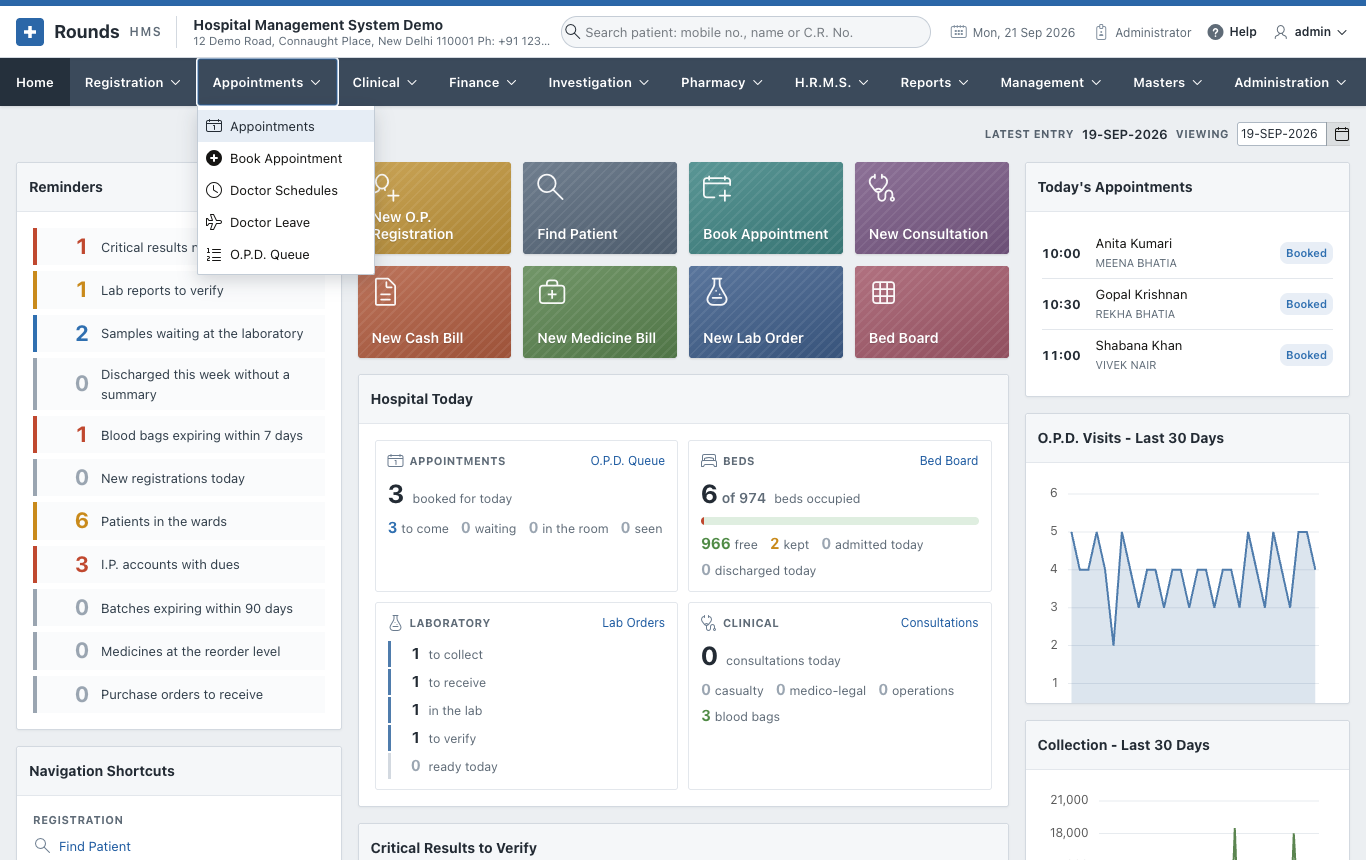
| Option | Use it to |
|---|---|
| Appointments | See the diary of a day, mark patients arrived and seen, reschedule or cancel |
| Book Appointment | Book a patient with a doctor on a day and at a time |
| Doctor Schedules | Set the clinic days and hours of each doctor, and the length of an appointment |
| Doctor Leave | Record the days a doctor is away, so nobody is booked then |
| O.P.D. Queue | Run the day's queue: give tokens, call patients in, and the screen of the waiting area |
The diary of the day
Appointments > Appointments opens the diary of today:
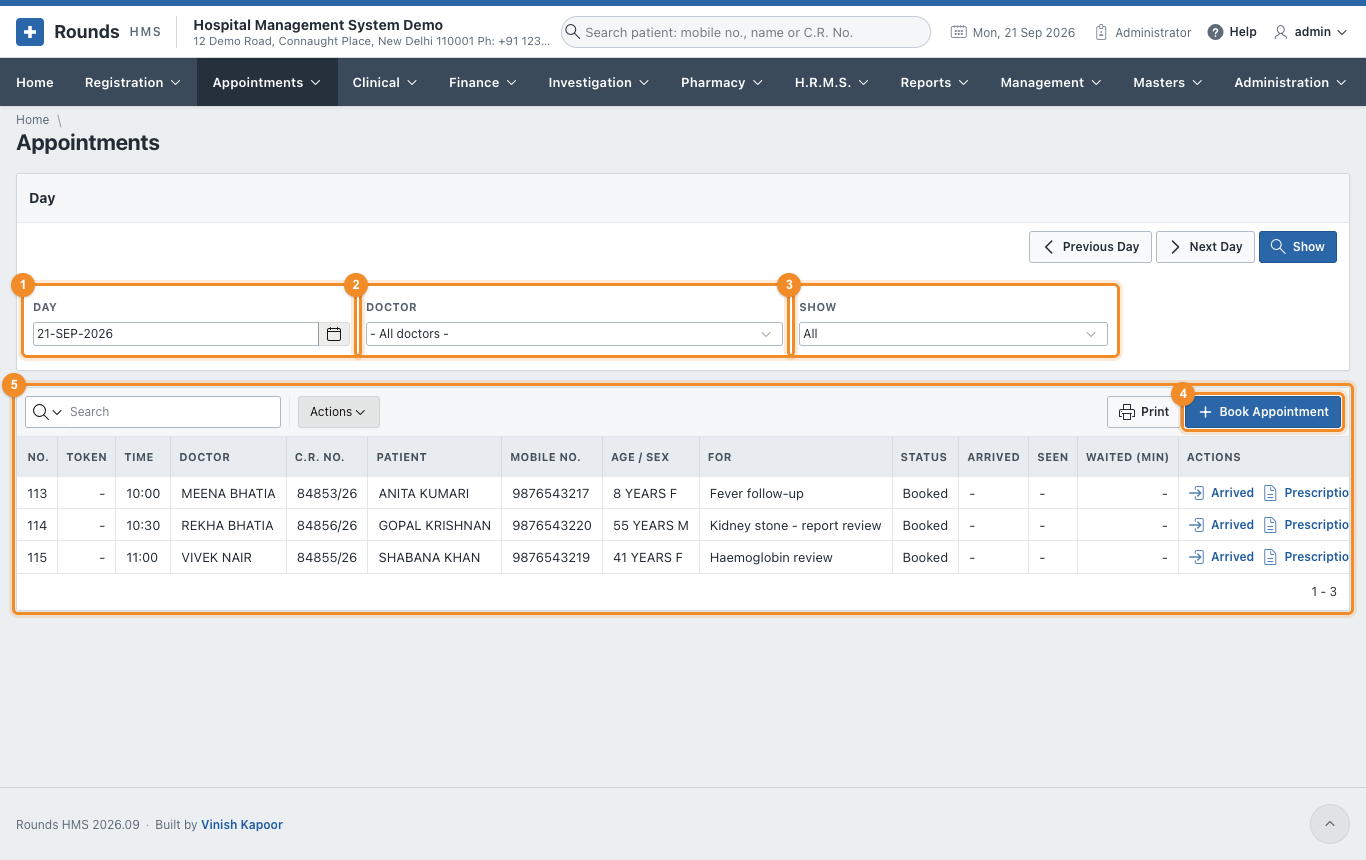
- 1 Day: the day to show. Previous Day and Next Day move one day at a time.
- 2 Doctor: one doctor, or all doctors.
- 3 Show: all appointments, or only the ones booked, waiting, seen ...
- 4 Book Appointment books a new one.
- 5 The appointments of the day, by time:
- Token: the queue number given when the patient arrives.
- Status:
- Booked: not here yet;
- Waiting: arrived, not seen yet;
- Seen: the doctor has seen the patient;
- Cancelled or No-show: did not happen.
- Arrived, Seen and Waited (min): when the patient came, when the doctor saw them, and how long they waited.
What to do with an appointment
The Actions column of each row offers what fits its status:
| Action | When | What it does |
|---|---|---|
| Arrived | the patient is at the desk | marks them waiting and gives them the next token of that doctor |
| Seen | the doctor has seen them | marks the appointment seen and records the time |
| Prescription | any time | opens a new prescription for the patient |
| Visit | the patient needs a renewal slip | opens Renew Registration for the patient |
| Reschedule | booked or waiting | opens the appointment to change the doctor, the day or the time |
| No-show | the patient did not come | asks, then marks it not turned up |
| Cancel | the patient cancelled | asks, then cancels it |
| Undo | seen, cancelled or no-show by mistake | puts it back to booked |

Print prints the diary as shown, e.g. to give each doctor the list of the day.
Tokens without times
A clinic that works on a first-come basis gives the whole clinic one slot in Doctor Schedules. Patients are booked "in the queue", and the token given on Arrived decides the order. O.P.D. Queue is the screen that then runs the day.