Insurance and Packages
Insurance claims
A cashless admission is paid by an insurer, a TPA or a scheme. Finance > Insurance Claims follows each claim from the pre-authorisation to the money received.
The usual way through:
- Before the admission, for a planned operation: open the claim for the patient and send the pre-authorisation (below).
- At the admission: choose the insurer as the Empanelment and fill in the policy on the admission. Saving opens the claim, or joins the one opened before.
- In the ward: record each step as it happens: approval, query, enhancement. The admission shows what needs attention.
- At discharge: the final bill divides the bill between the insurer and the patient.
- After discharge: add the papers, send the claim, and record the settlement.
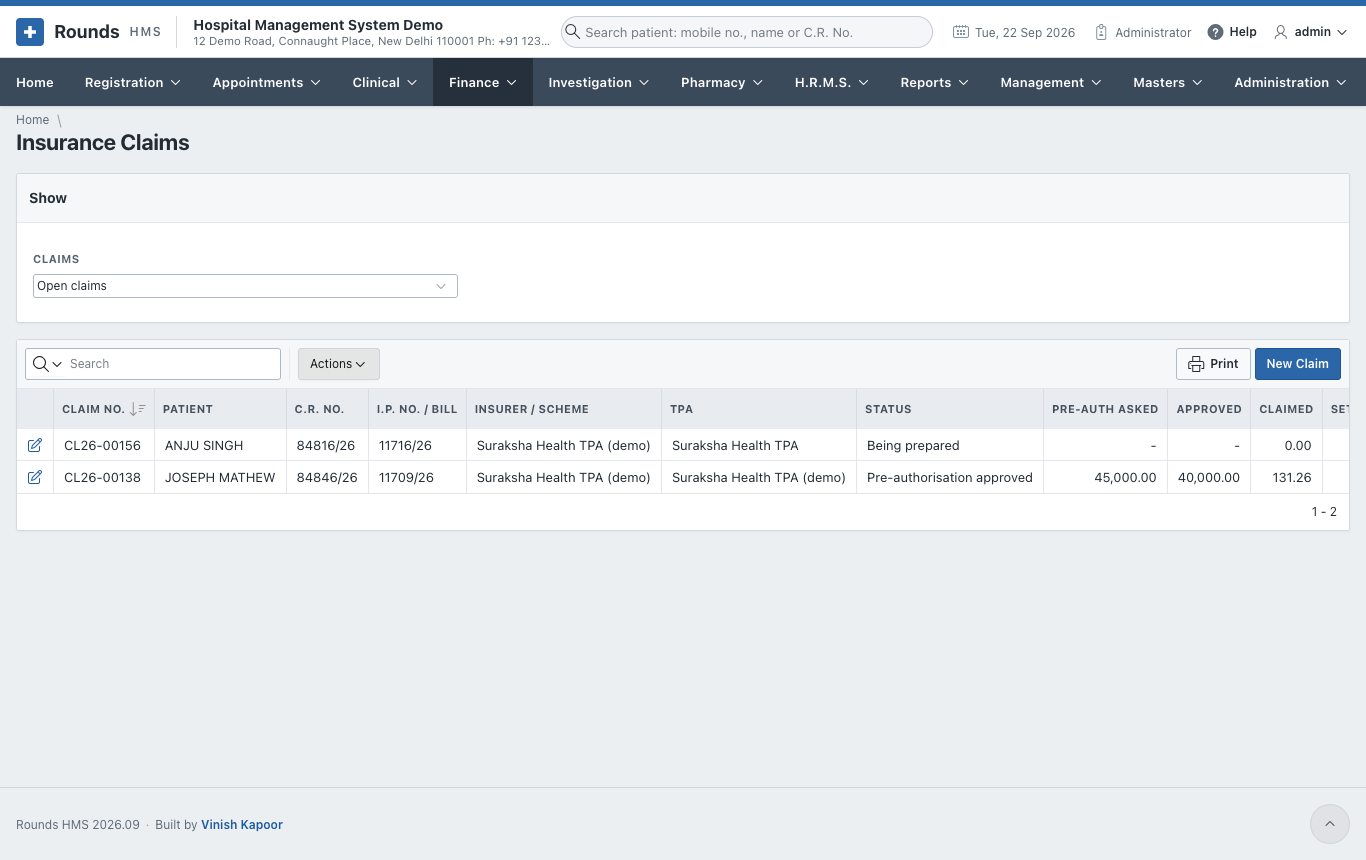
Claims (at the top) filters the list: open claims, settled claims, all.
Open a claim
A claim for an admission is opened by the admission itself. Open one here for an O.P.D. credit bill, for an older admission, or before an admission. Click New Claim:
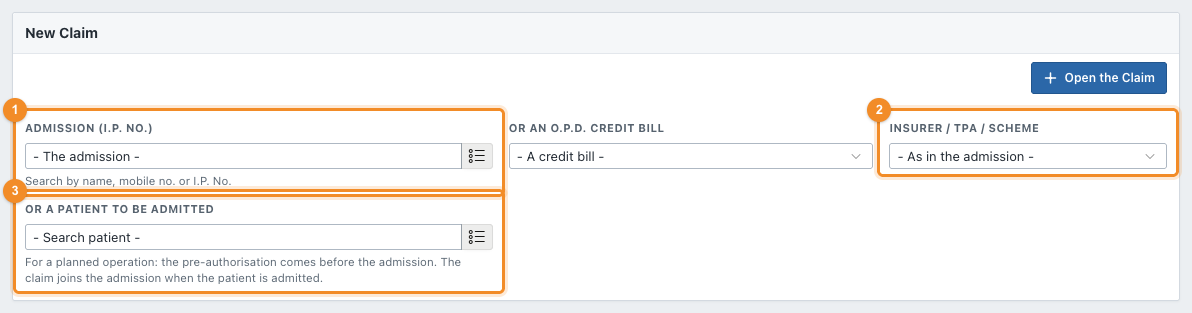
- 1 Choose the Admission (I.P. No.), or Or an O.P.D. Credit Bill.
- 2 Choose the Insurer / TPA / Scheme.
- Click Open the Claim. The claim gets its Claim No.
Before the admission
For a planned operation, the pre-authorisation is sent before the patient comes in. Leave the admission and the bill empty, and choose 3 Or a Patient to Be Admitted with the insurer. The claim shows For: Before the admission. Fill in the policy and record Pre-authorisation sent.
When the patient is admitted with that insurer, the admission takes this claim over. Its history then says The patient was admitted: I.P. ....
Follow a claim
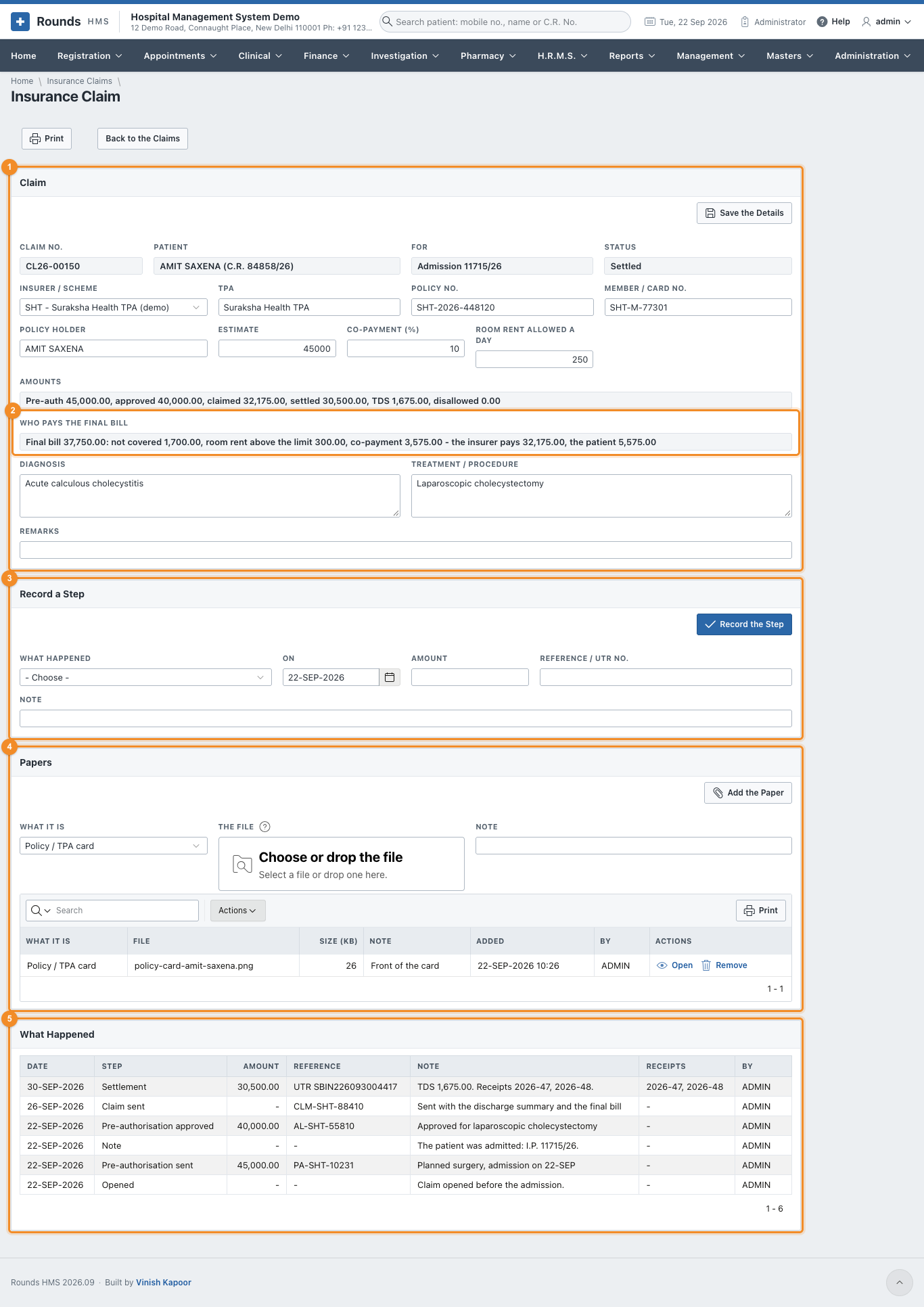
- 1 Claim: fill in the Policy No., Member / Card No., Policy Holder, TPA, the Estimate, the Co-payment (%), the Room Rent Allowed a Day, the Diagnosis and Treatment / Procedure. Click Save the Details. Amounts shows the pre-authorisation, approved, claimed, settled, TDS and disallowed amounts.
- 2 Who Pays the Final Bill: once the I.P. final bill is saved, the bill, what is not covered, the room rent above the limit, the co-payment, and what the insurer and the patient pay.
-
3 Record a Step every time something happens. Choose What Happened:
Step Record Pre-authorisation sent the amount asked for, the reference Query / query replied what was asked or answered, in the Note Pre-authorisation approved (or enhancement) the amount approved, the approval number Pre-authorisation denied the reason Claim sent the claim reference; the amount claimed is the insurer's part of the final bill unless you give another Settled / part settled the Amount received, the Reference / UTR No., the TDS Kept by the Insurer, and what was Disallowed Appealed, closed, note as needed With a settlement, Write the Disallowed Off decides who bears the disallowed amount:
- Yes: the hospital writes it off;
- No: the patient is asked to pay it.
Click Record the Step. The status of the claim moves on, and only the steps that can follow are offered next. 4. 4 Papers (below). 5. 5 What Happened lists every step with its date, amount and reference. 6. Print prints the claim with its history and the division of the bill.
Papers
Every paper the insurer asks for is kept with its claim:
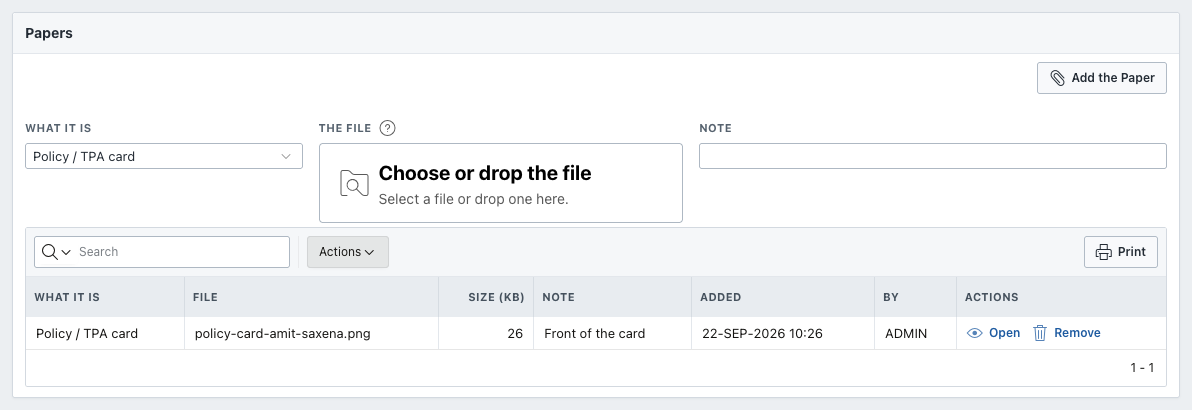
- What It Is: the policy or TPA card, a photo ID, the pre-authorisation form, the approval letter, a query and its reply, investigation reports, the discharge summary, the final bill, the settlement letter, or other.
- The File: choose or drop a scan or a photo (PDF, JPG, PNG or WebP), and add a Note if useful.
- Add the Paper.
Open shows a paper in a new tab. Remove takes one added by mistake off the claim, after asking.
Items insurers do not pay
Finance > Items Insurers Do Not Pay lists the charges that are left to the patient when an insured bill is divided:
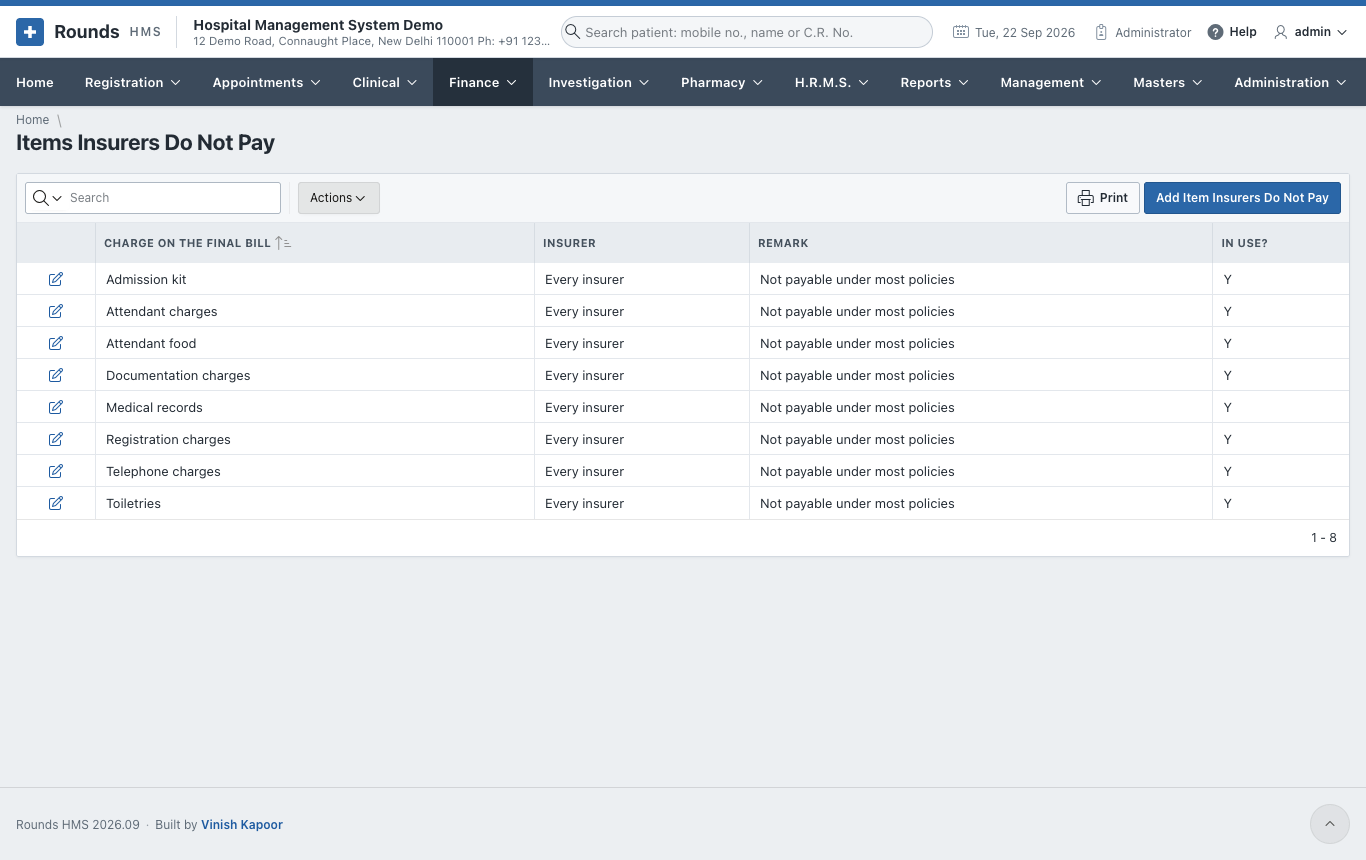
The usual non-medical items come filled in: registration charges, admission kit, attendant food, attendant charges, toiletries, telephone, documentation and medical records. Change the list to your hospital's:
- Charge on the Final Bill: exactly as the final bill names it (capitals do not matter);
- Insurer / TPA / Scheme: one insurer only, or empty for every insurer;
- In Use?: No keeps the row without applying it.
A settlement is posted as a payment against the admission's dues, and the TDS and write-off go to their ledgers in the accounts (see insured admissions in the accounts).
Packages and schemes
Finance > Packages and Schemes holds the fixed-price packages, e.g. a normal delivery or a cataract operation, and the scheme rates (PM-JAY, CGHS ...).
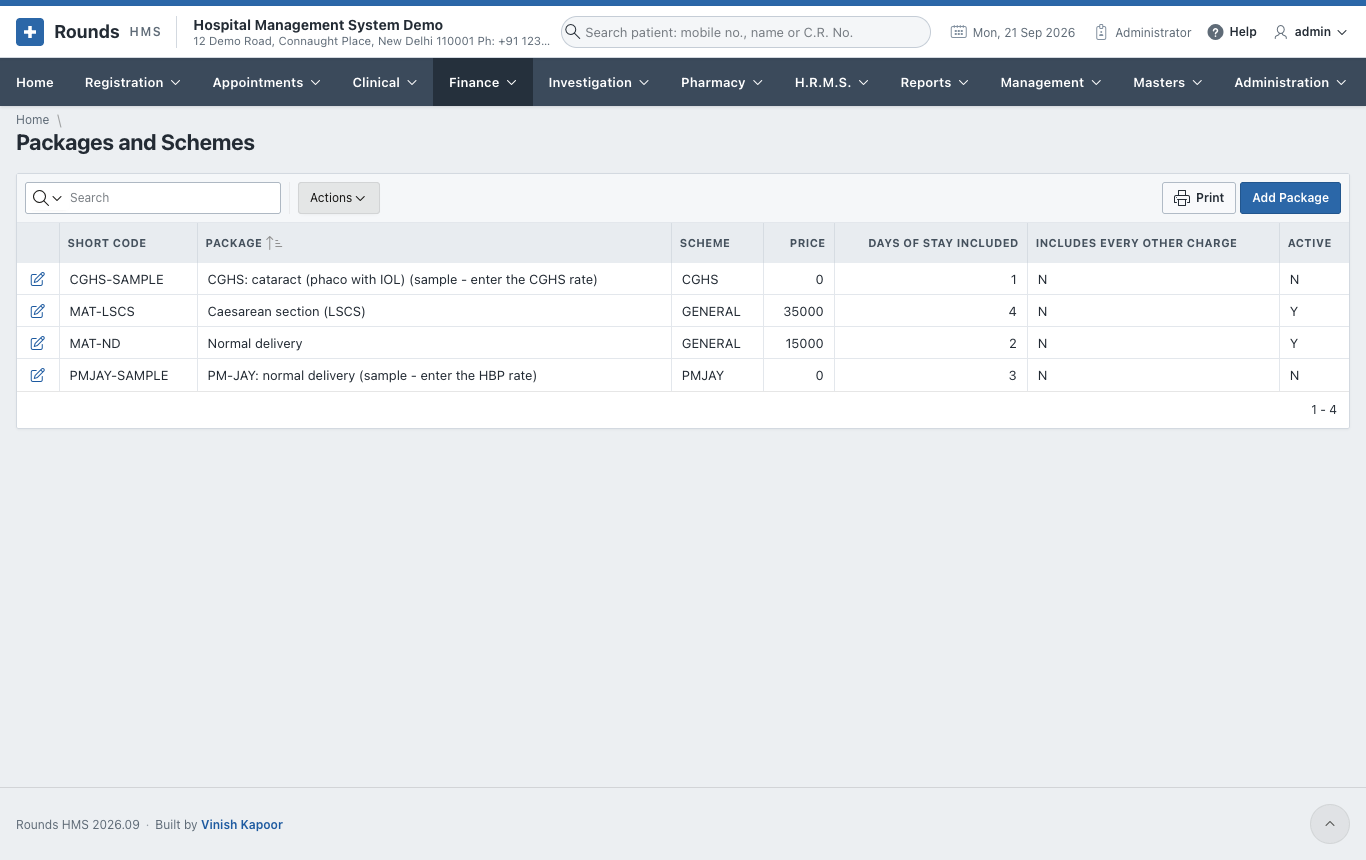
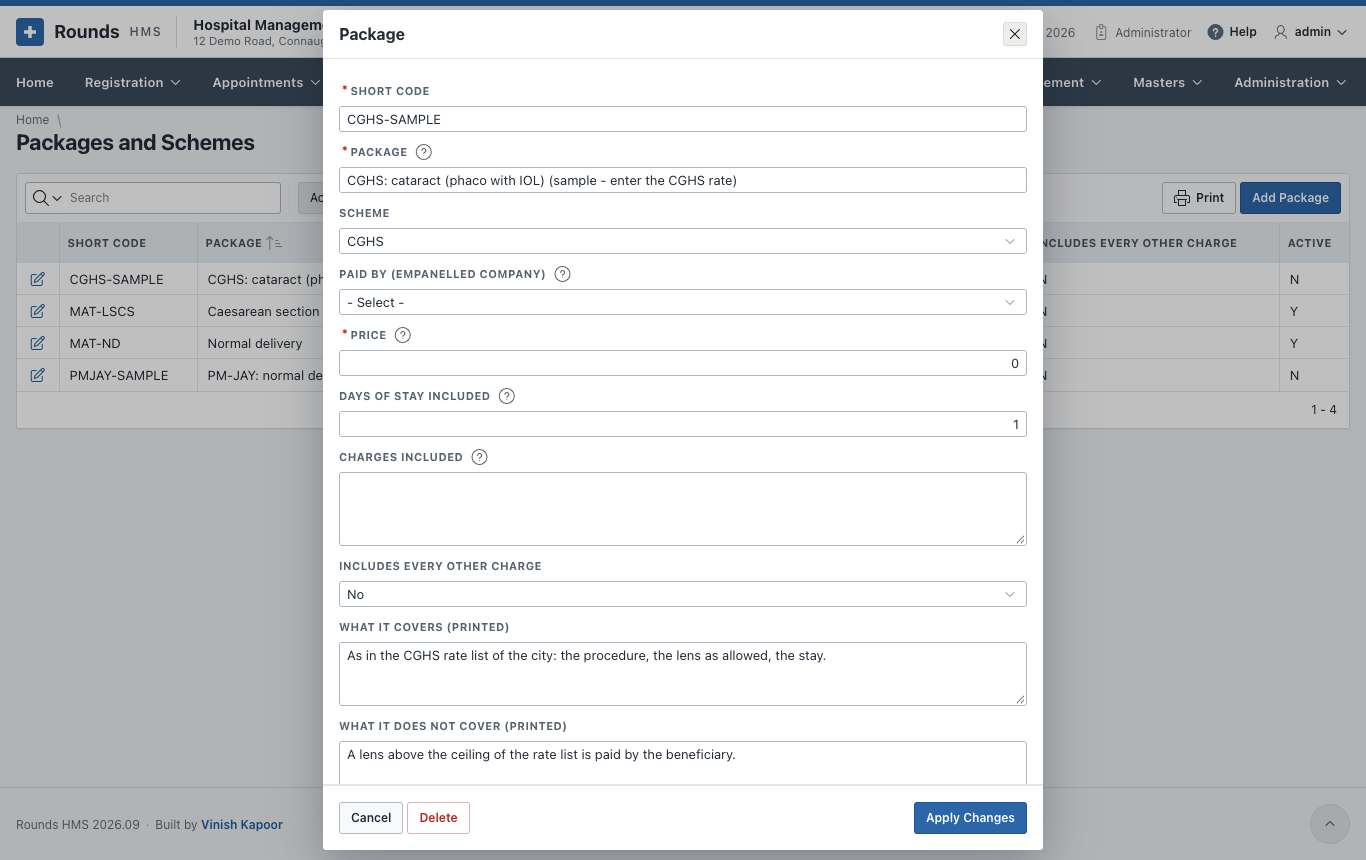
A package has:
- a Code and Name, and its Scheme;
- the Amount and the usual Stay (days);
- the Inclusions and Exclusions, printed for the patient;
- the tariff items it includes, or all of them.
A package is chosen on the admission, and Apply the Package on the I.P. final bill charges it.