Rates and Discounts
Tariff versions
The rates of the tariff change from time to time. A tariff version prepares the new rates in advance. They take effect by themselves on the day chosen. Every bill uses the rates of its own day, so old bills keep the old rates.
Finance > Tariff Versions lists the versions; New Version starts one.
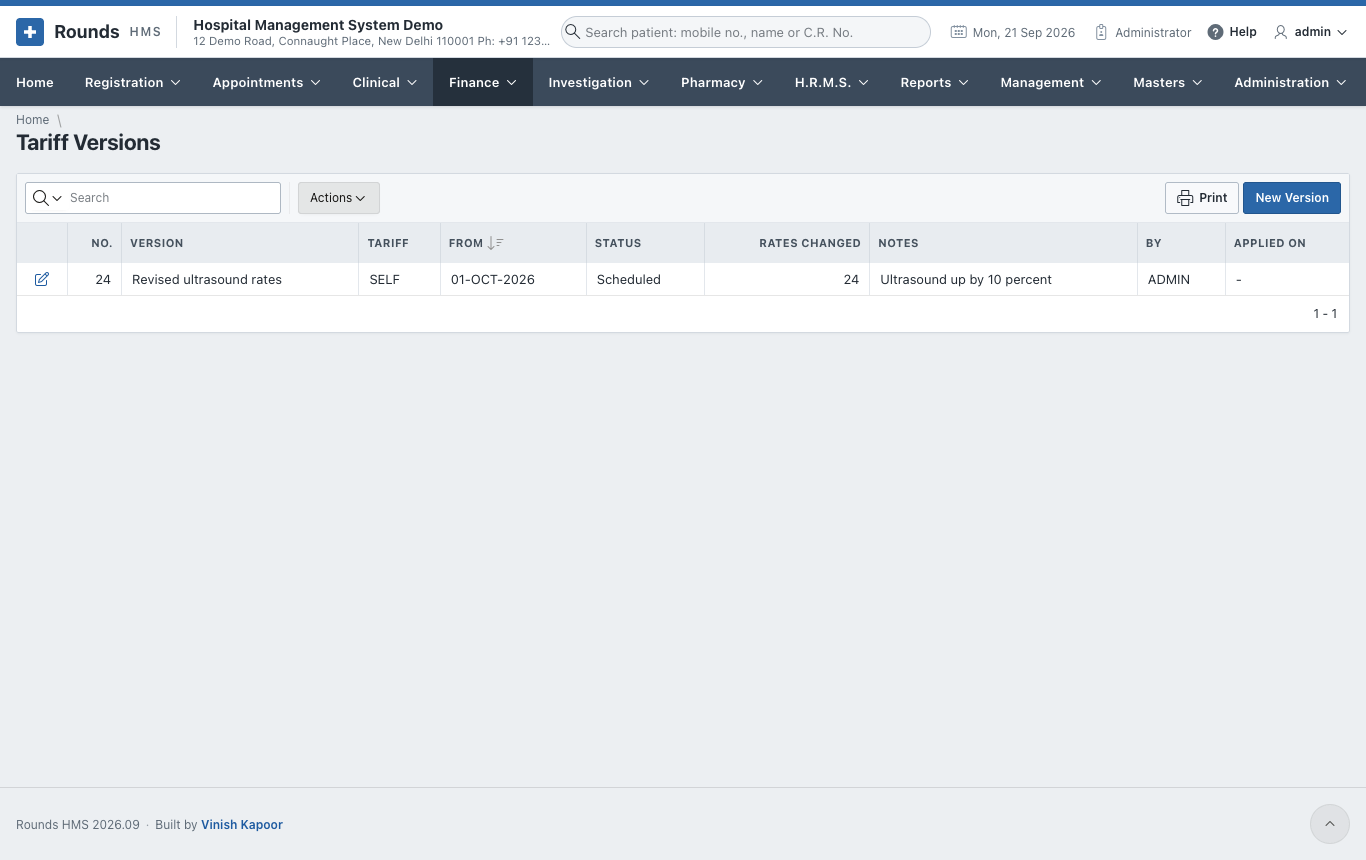
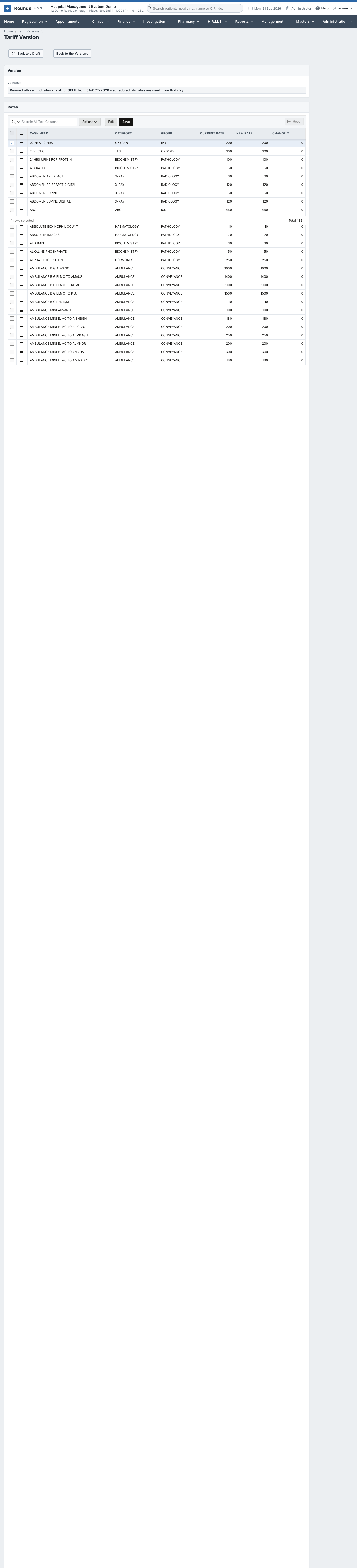
- New Version:
- a Name, e.g. Revised rates from 1 October;
- Tariff Of: the hospital's own tariff, or a company's;
- Takes Effect On and Notes.
- Copy the Current Rates copies every rate into the version as a draft.
- Raise the Rates:
- By % (10 raises by 10%, -5 lowers by 5%);
- Rounded To (the nearest 1, 5, 10 ...);
- Only the Category / Group, e.g. ULTRASOUND; empty raises every rate.
- Or change single rates in the Rates grid, then Save the Rates.
- Schedule the Version: from Takes Effect On, the new rates apply. Back to a Draft undoes the scheduling while the day has not come.
Discount approvals
Each role has a limit on the discount it may give, as a percentage and/or an amount (Administration > Roles). A bigger discount or concession is not refused: it is sent for approval.
- The clerk saves the bill. The message says the discount is waiting for approval, with a request number.
- Finance > Discount Approvals shows the requests to someone allowed to decide:
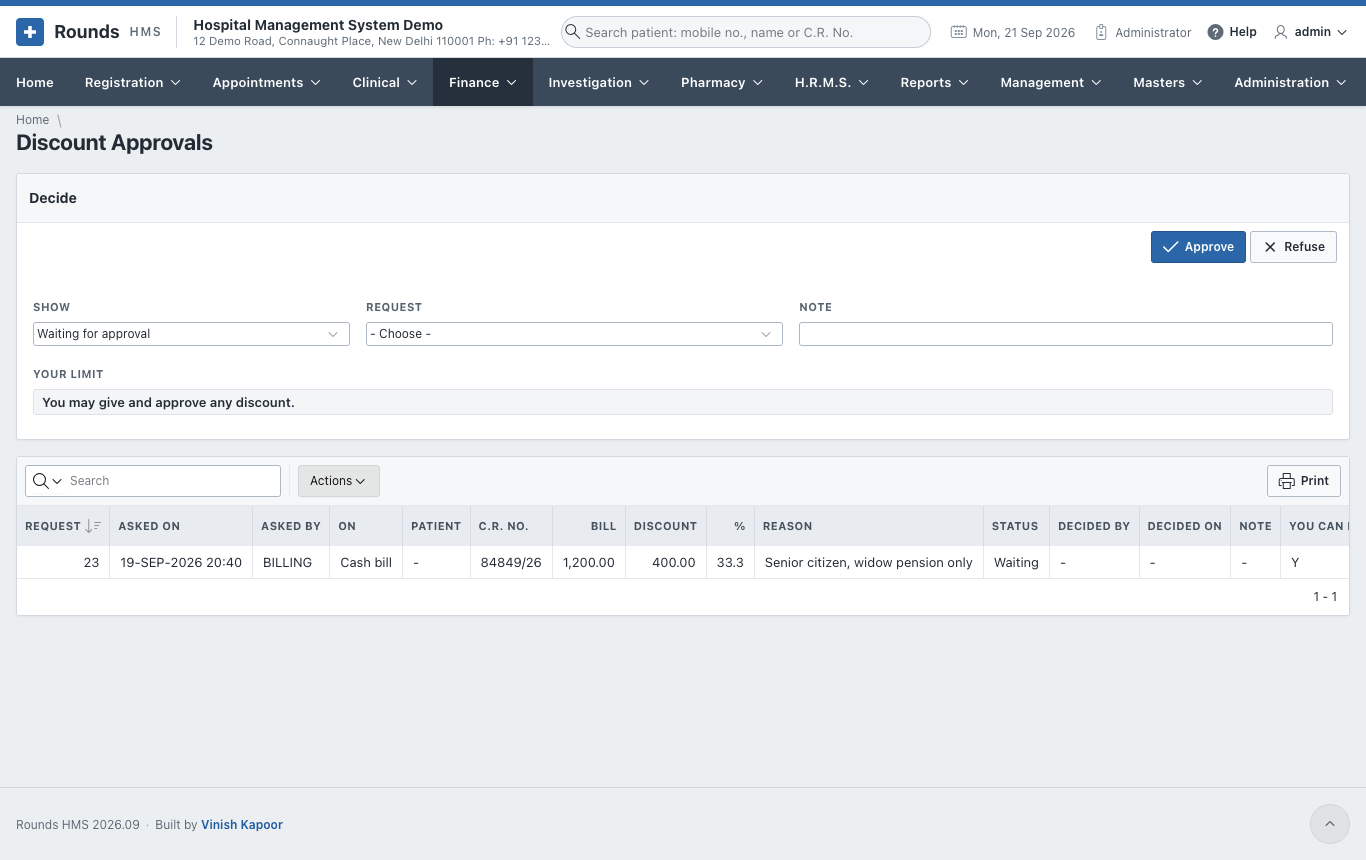
- Show: requests waiting, or all.
- Choose the Request, and write a Note.
- Approve or Refuse. Your Limit shows what you may approve yourself. Nobody approves their own request.
- Once approved, the clerk saves the bill again, the same day, and the discount goes through.