Investigation
The Investigation menu runs the laboratory and the radiology department:
- the lab order;
- the sample and its barcode;
- the results, with normal ranges for the patient's age and sex;
- verification and the printed report;
- X-ray and ultrasound reports.
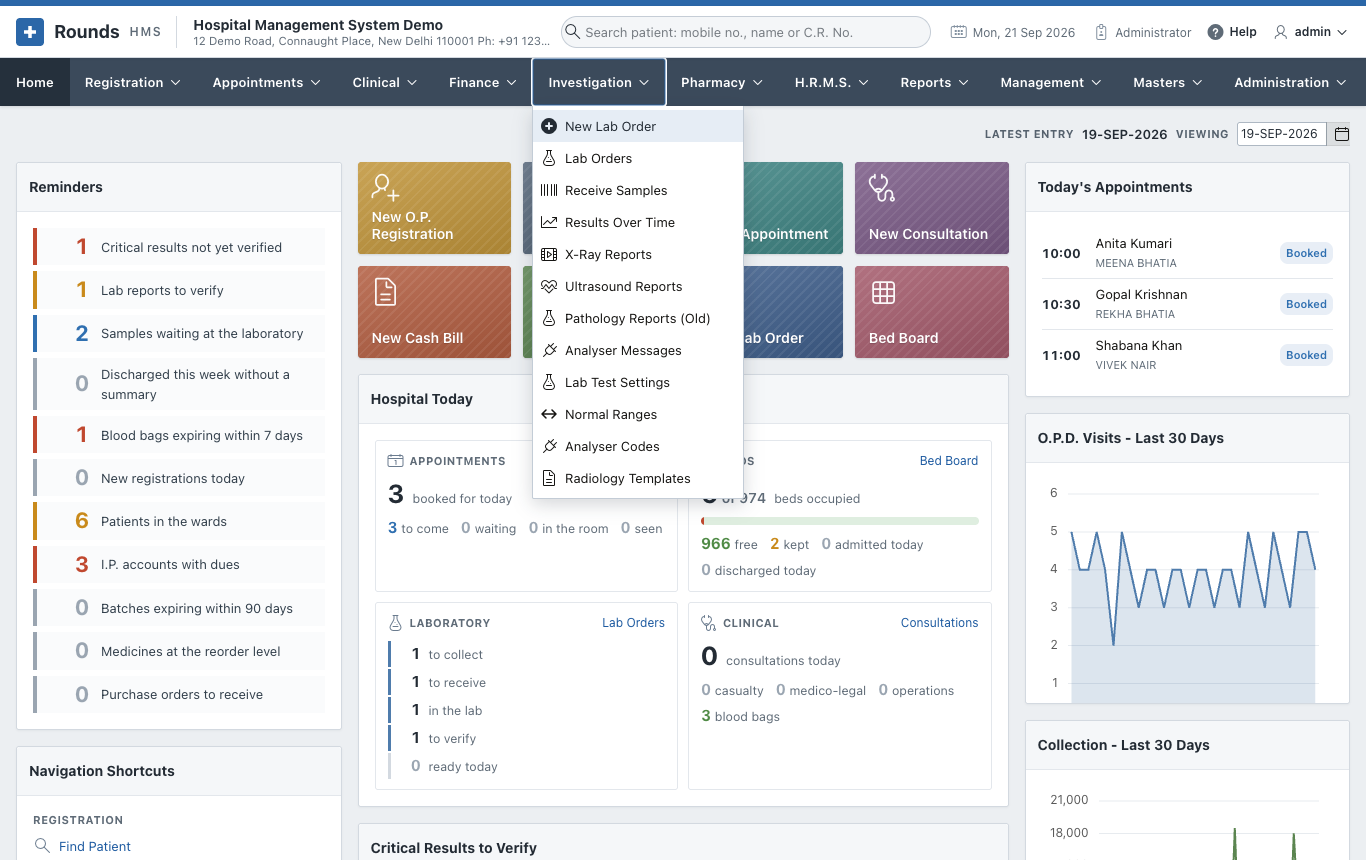
| Page | Options |
|---|---|
| The Laboratory | New Lab Order, Lab Orders, Receive Samples, Results Over Time, Analyser Messages |
| X-Ray and Ultrasound | X-Ray Reports, Ultrasound Reports |
| Laboratory Settings | Lab Test Settings, Normal Ranges, Analyser Codes, Radiology Templates |
| Pathology Reports (Old) | The old way of reporting a bill's tests, kept for earlier reports |
A lab test from start to end
Lab order -> Collect the sample (barcode label) -> Receive in the lab (scan)
          -> Enter the results (flags) -> Verify and release -> Print / WhatsApp
At every step the order shows where it is: To collect, Collected, In the lab, To verify or Ready. The Home page shows the same stages at a glance, and the critical values not yet verified.