Registration
The Registration menu is the front desk of the hospital. Every patient starts here. Registration gives the patient a C.R. No. (the hospital's patient number, also called the O.P. No.). Every later bill, test, prescription and admission is filed under that number.
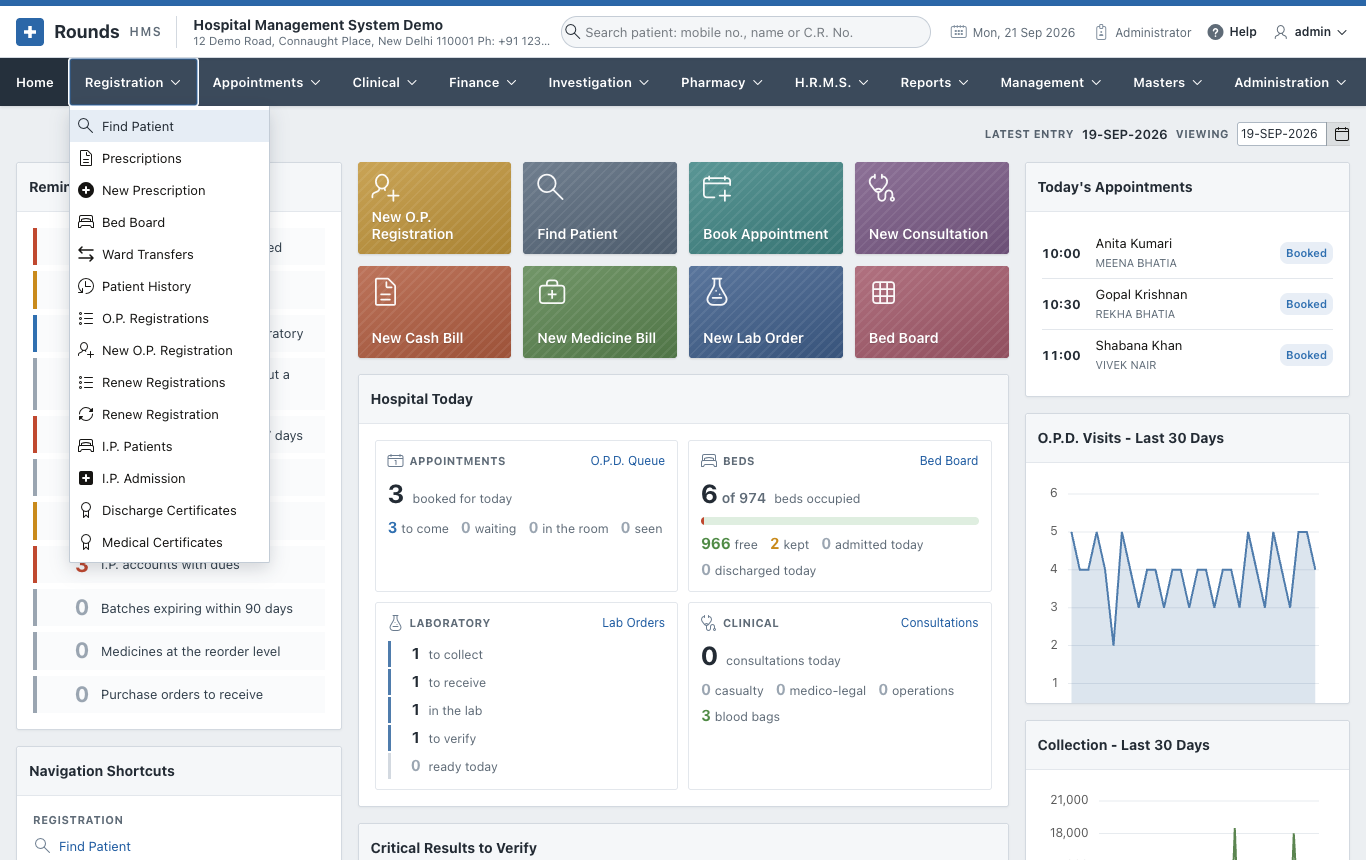
The options
| Option | Use it to |
|---|---|
| Find Patient | Find a patient by mobile number, name, C.R. No. or I.P. No., and go straight to their admission, history, renewal or prescription. Register a walk-in in a few seconds. |
| Prescriptions / New Prescription | Write a prescription with medicines, tests and advice, and print it |
| Bed Board | See which beds are free in every ward, and keep a bed for a patient on the way |
| Ward Transfers | See every move of a patient between wards and beds |
| Patient History | See everything that happened to one patient: visits, bills, medicines, renewals |
| O.P. Registrations / New O.P. Registration | Register a new patient and take the registration fee |
| Renew Registrations / Renew Registration | Record a returning patient's visit (a renewal), with or without a fee |
| I.P. Patients / I.P. Admission | Admit a patient to a ward and bed, transfer, discharge |
| Discharge Certificates and Medical Certificates | Issue and print the certificates |
Options in the plural (O.P. Registrations, I.P. Patients ...) open a list. The ones that start with New open an empty form. From a list, click the pencil in a row to open that record, or use the button at the top right to start a new one.
The mobile number finds the patient
Most patients do not remember their C.R. No., but they know their mobile number. On every screen that asks for a patient, there is a Mobile No. field:
- Type the 10-digit number.
- Press Tab.
If one patient has this number, the screen fills in that patient. If several have it (a family often shares one phone), a small list opens and you choose the patient. Patients who share a number are shown together everywhere as a family.
Tip
The search box at the top of every page (Search patient: mobile no., name or C.R. No.) does the same from anywhere in the application.
Typical journeys
- A new patient at the O.P.D.: New O.P. Registration, then take the fee. The patient goes to the doctor with the printed O.P. slip.
- A patient who has come before: Renew Registration. Within 15 days of the last visit it is a free follow-up.
- A patient to be admitted: Find Patient, then Admit. Fill in the ward and bed in I.P. Admission, then take an advance in Finance.