In-Patient Billing and Dues
The money of an admission, in order:
- advances while the patient is in the ward;
- credit bills for tests and services during the stay;
- the I.P. final bill at discharge, which takes the advances off;
- payments against what is still due.
Advance receipts
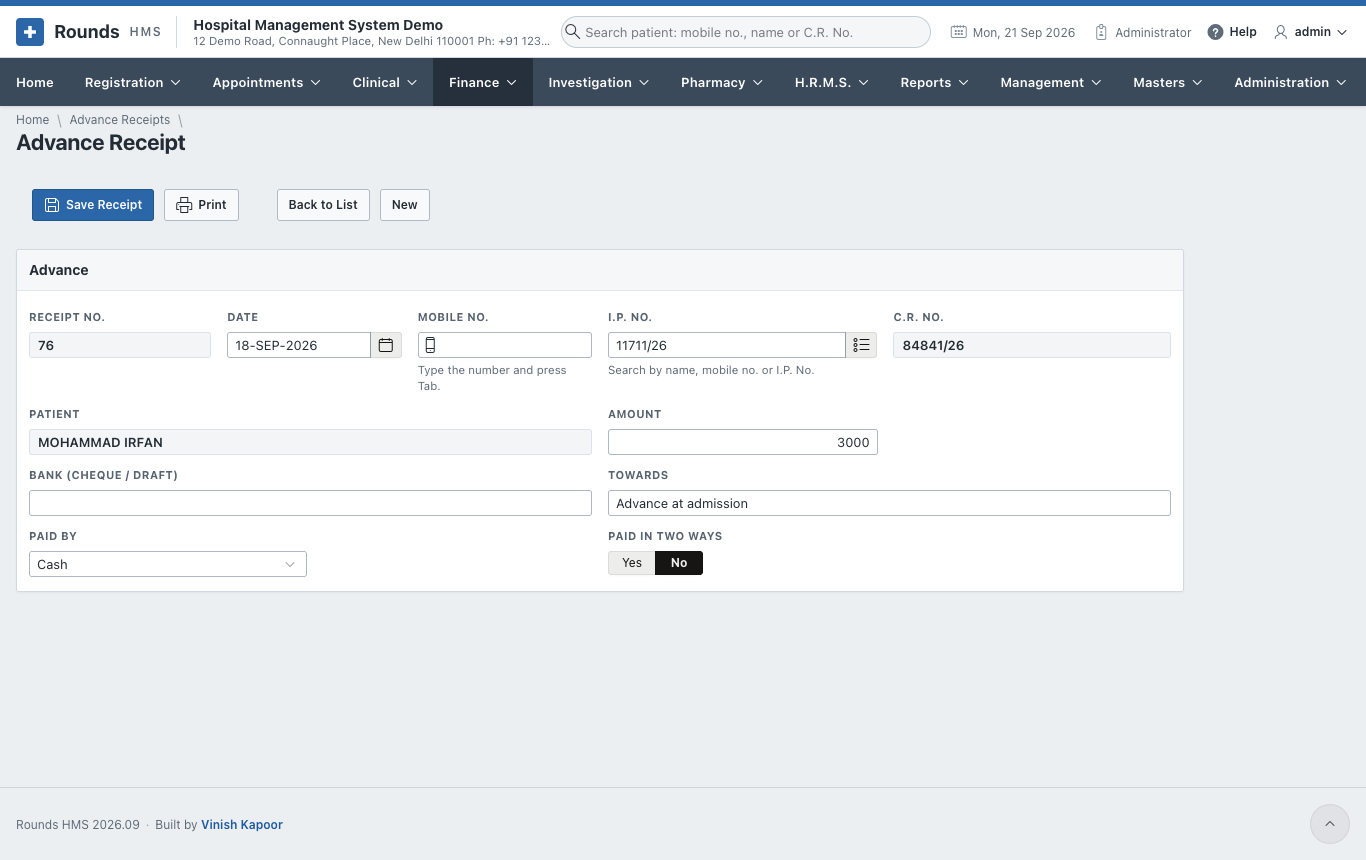
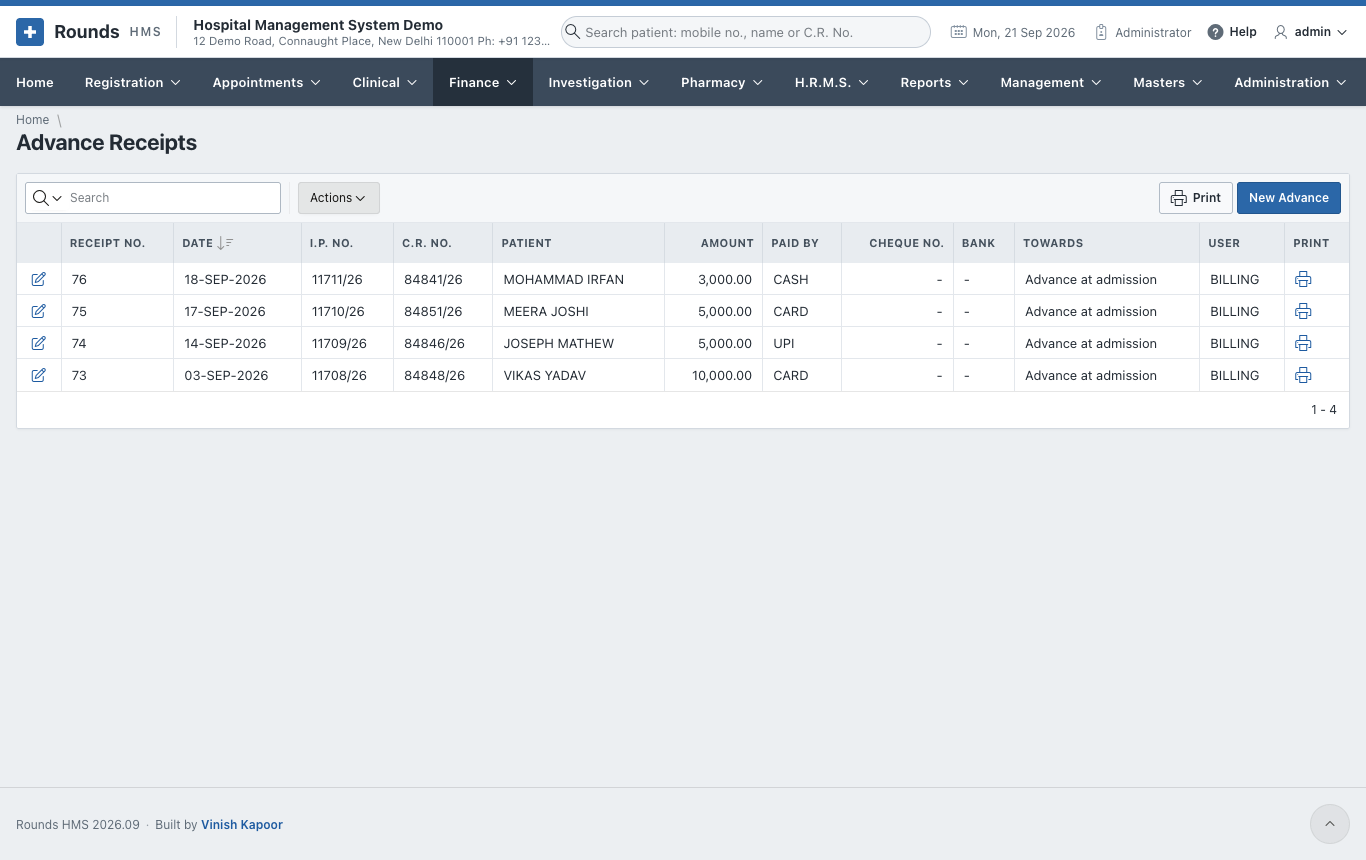
Finance > Advance Receipts lists the advances; New Advance takes one.
- The Date. Type the Mobile No. and press Tab, or search the I.P. No. The C.R. No. and the patient fill in.
- Amount, and Towards: e.g. advance at admission.
- Paid By, with the transaction ID. For a cheque or draft, give the Bank.
- Save Receipt and Print the receipt.
I.P. final bill
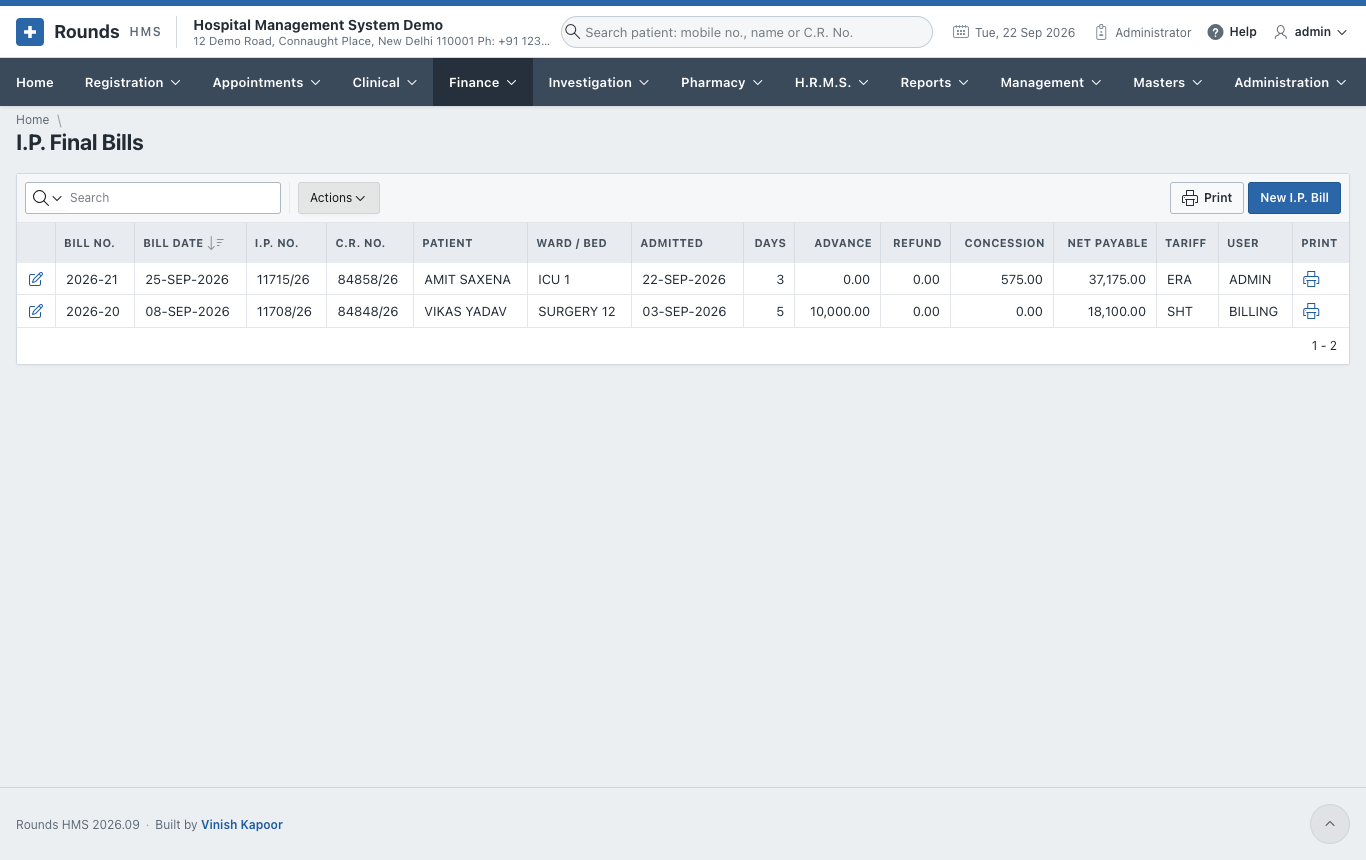
Open the patient's admission and click I.P. Final Bill, or open Finance > I.P. Final Bills and New I.P. Bill.
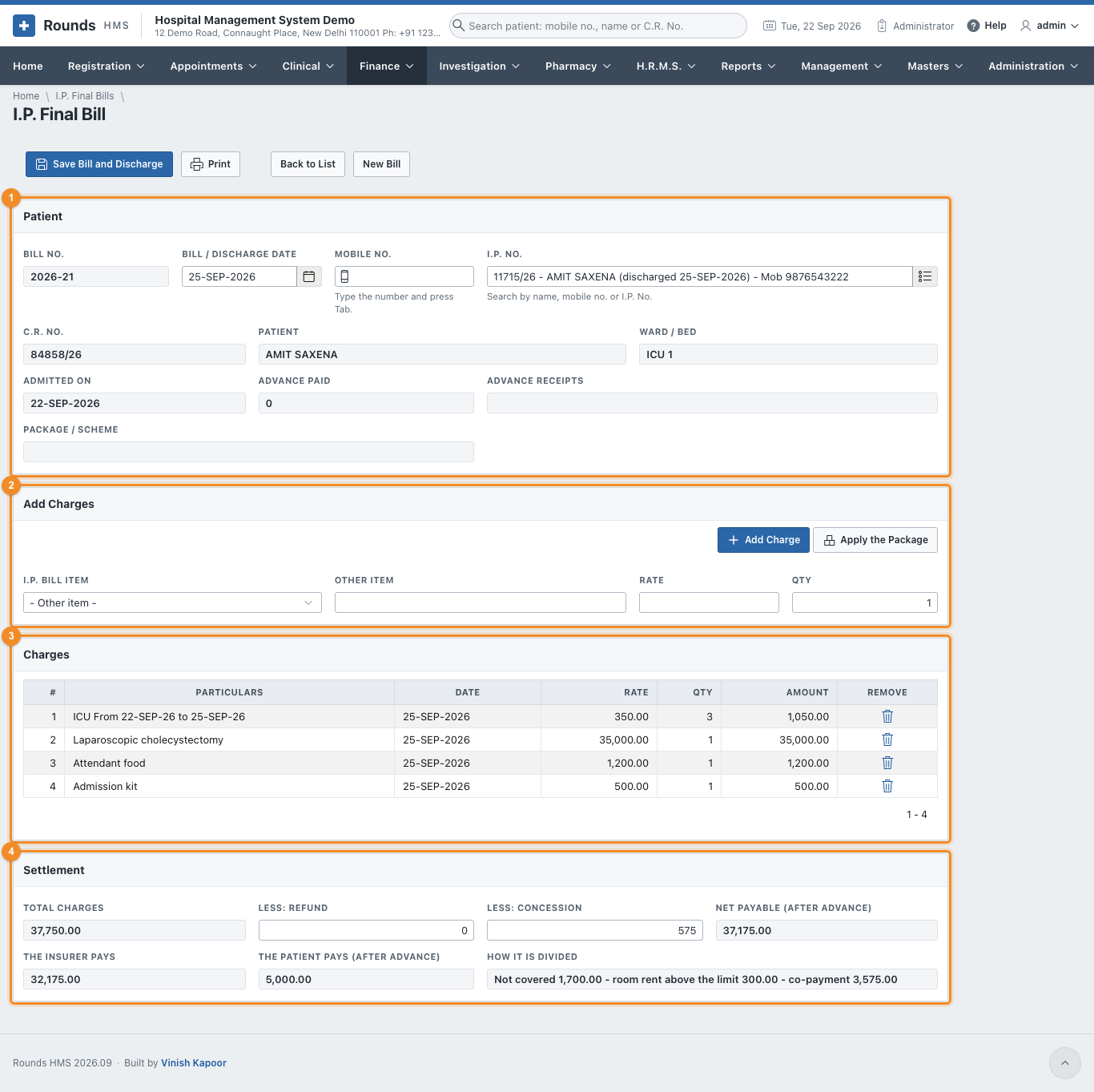
- 1 Patient: choose the I.P. No. (or type the mobile number) and the
Bill / Discharge Date. Click Prepare Bill. It shows:
- the ward, bed and admission date;
- the Advance Paid and the numbers of the Advance Receipts;
- the Package / Scheme, if the admission has one.
- Prepare Bill also writes the ward charges from the bed history: every ward and bed, from and to, at its daily rate.
- 2 Add Charges: choose an I.P. Bill Item (from Masters > I.P. Bill Items), or write an Other Item. Give the Rate and Qty, then Add Charge. Use this for the surgeon's fee, the operation theatre, medicines, nursing and so on.
- Apply the Package, for an admission on a package: the charges the package includes are replaced by the package price. Charges outside the package stay on the bill.
- 3 Charges lists every line. The bin icon removes one.
- 4 Settlement:
- Total Charges;
- Less: Refund and Less: Concession: what is taken off;
- Net Payable (after advance): what the patient still pays.
- Click Save Bill and Discharge. The bill is saved and the patient is discharged. What is left to pay becomes a due of the patient.
- Print the final bill.
A concession above your limit
A concession beyond the limit of your role needs approval first (Discount Approvals).
An insured patient's bill
When the admission has an insurance claim, Settlement also divides the bill between the insurer and the patient. The figures follow every charge added or removed:

- 1 The Insurer Pays: the charges it covers, less the co-payment, and never more than the amount it approved.
- 2 The Patient Pays (after advance): the rest, less the advance, the refund and the concession. If the advance was more than the patient's part, it reads Nothing - Rs ... to be refunded.
-
3 How It Is Divided:
- not covered: charges on the list of Items Insurers Do Not Pay, e.g. attendant food or an admission kit;
- room rent above the limit: for each day, what the ward's rate is above the Room Rent Allowed a Day of the policy;
- co-payment: the policy's percentage of what is left.
Capped at the Rs ... approved is added when the insurer's part is held to the approved amount.
Insurance - Needs Attention warns, for example, when the charges are already more than the amount approved: ask the insurer for an enhancement before the patient leaves.
In the example: a bill of Rs 37,750. Rs 1,700 is not covered (attendant food and an admission kit). Rs 300 is room rent above the limit (three days in the ICU at Rs 350 against Rs 250 allowed). The 10% co-payment is Rs 3,575. So the insurer pays Rs 32,175 and the patient Rs 5,575, less a Rs 575 concession.
Saving the bill keeps this division on the claim, and it becomes the amount claimed. From then on the dues of the admission are in two parts. Outstanding Dues shows the whole balance with the Insurer's Part and the Patient's Part beside it, and Receivables Ageing lists the two separately until each is paid.
Outstanding dues
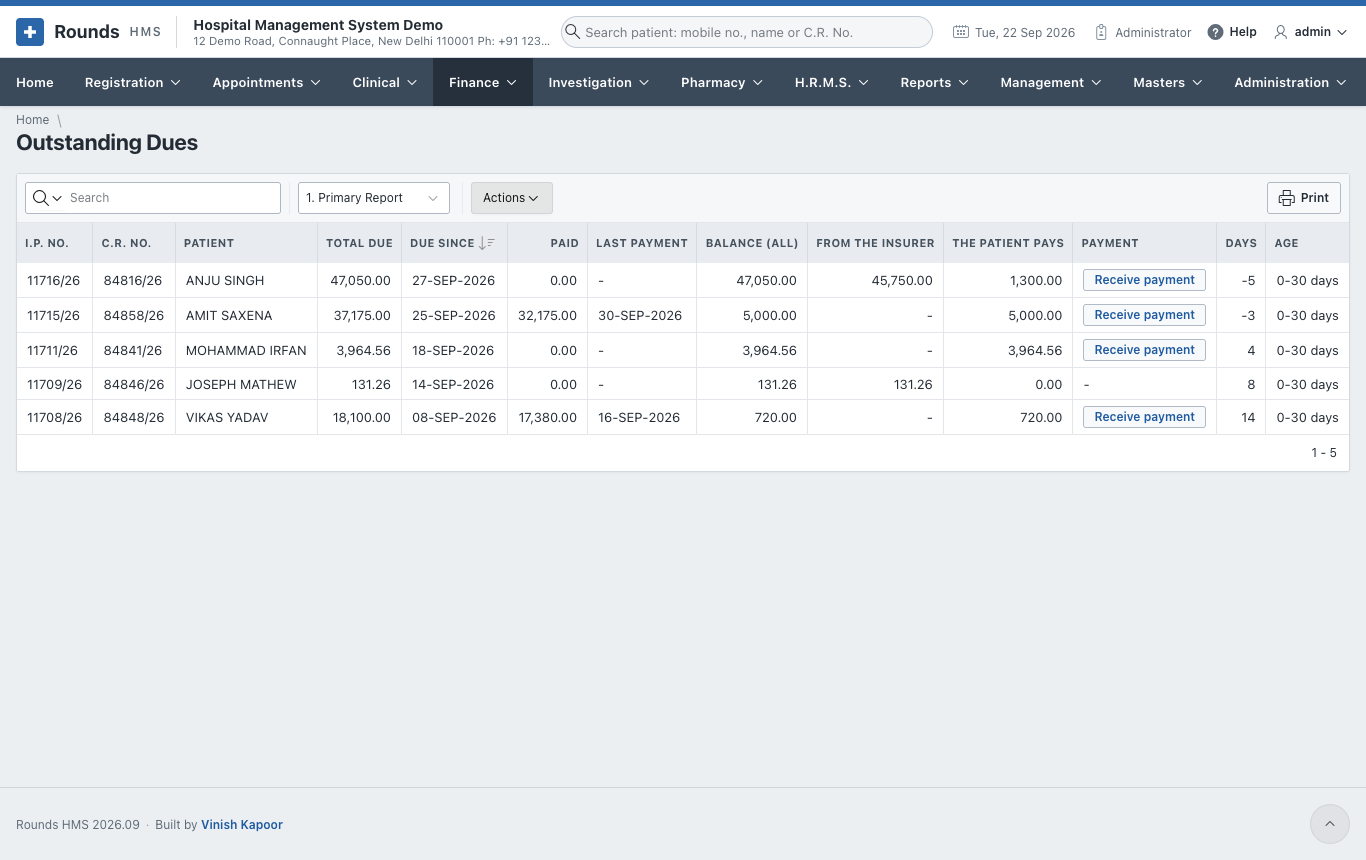
Finance > Outstanding Dues lists every admission that still owes money: the bill, what was paid, and Balance (All). For an insured admission, that balance is two debts:
- From the Insurer: what the insurer still has to pay. It is collected by recording the settlement on the claim, not at the counter;
- The Patient Pays: what to ask the patient for. Receive payment is offered only when this is more than nought.

In the example, a bill of Rs 47,050 is owed by two people. The insurer owes Rs 45,750, which it pays when the claim is settled. The patient owes Rs 1,300 (the admission kit and attendant food, which insurers do not pay), and that is what the counter asks for.
Receive payment opens the payment screen with both parts shown:
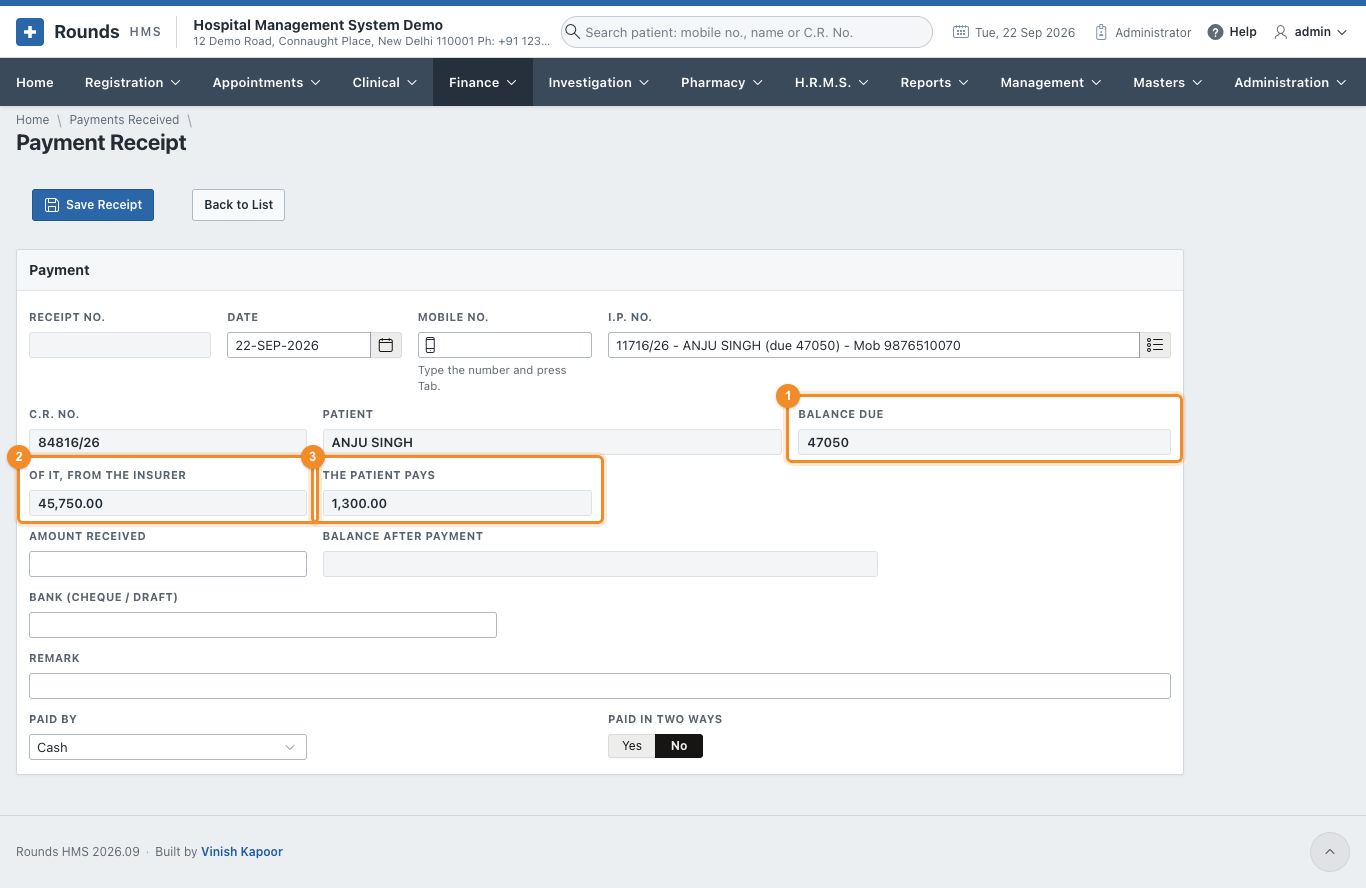
- 1 Balance Due: the whole balance of the admission.
- 2 Of It, from the Insurer: not to be taken from the patient.
- 3 The Patient Pays: enter this as the Amount Received, or less if the patient pays in parts.
The insurer's part cannot be taken from the patient
Save Receipt refuses an amount above The Patient Pays on an insured admission: "only the patient's own part can be received here". The insurer's part is received by recording the settlement on the claim. Receive from a Patient also takes no more than the patient's own parts.
Payments received
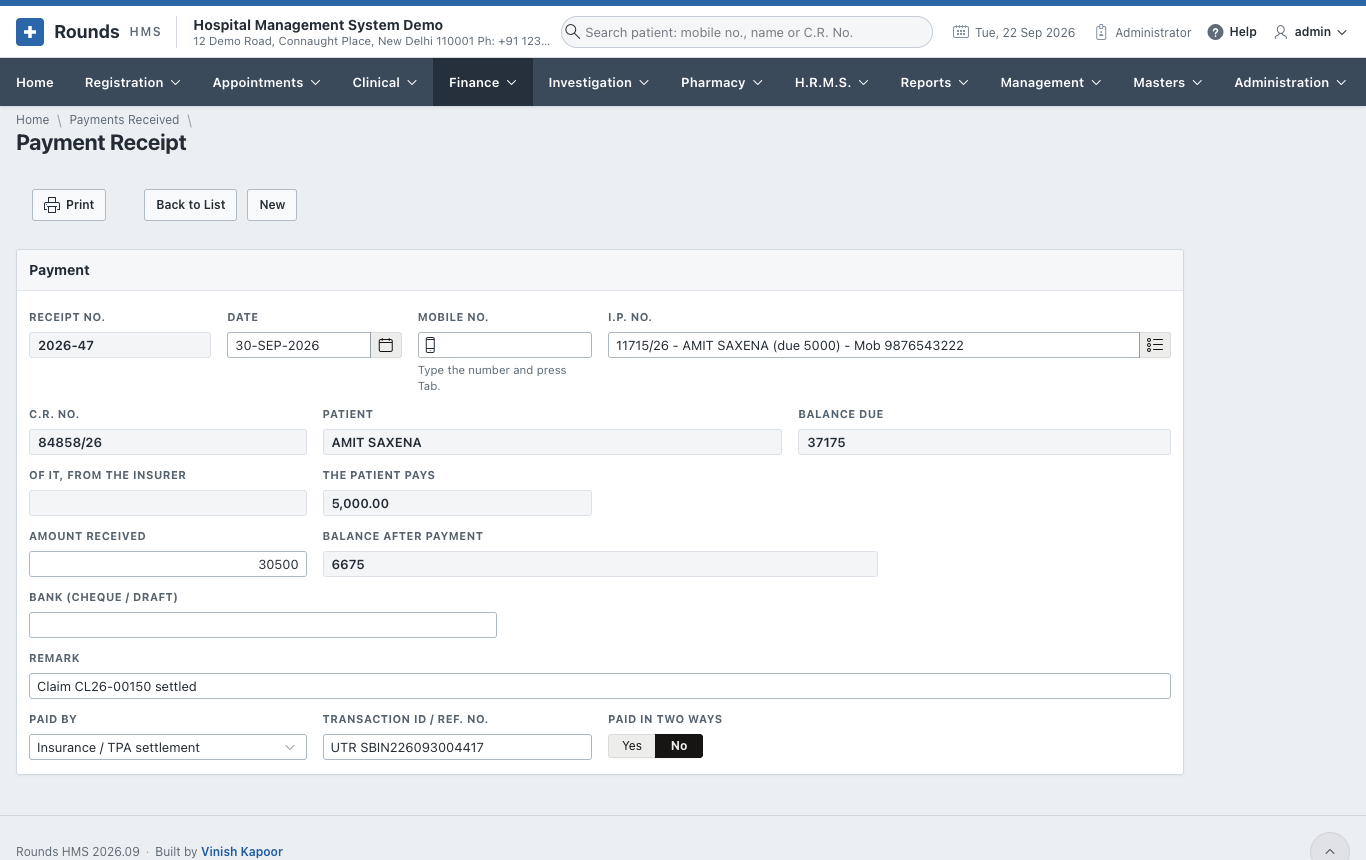
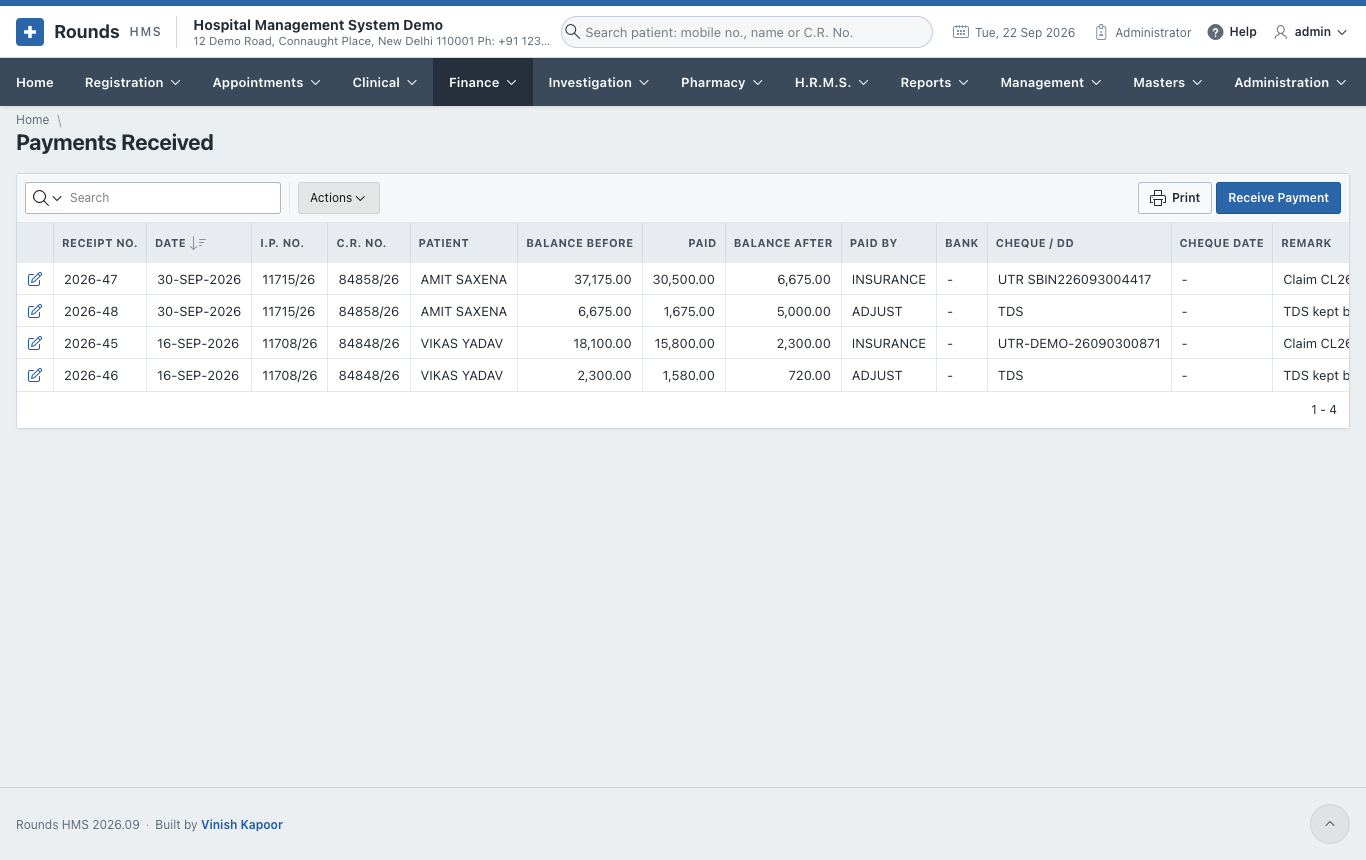
Finance > Payments Received lists the payments against dues. Receive Payment takes one:
- Choose the patient by Mobile No. or I.P. No. Balance Due shows what is owed.
- Amount Received, and a Remark. Balance After Payment shows what will be left.
- Paid By and the transaction ID (Bank for a cheque).
- Save Receipt and Print.
Receive from a patient
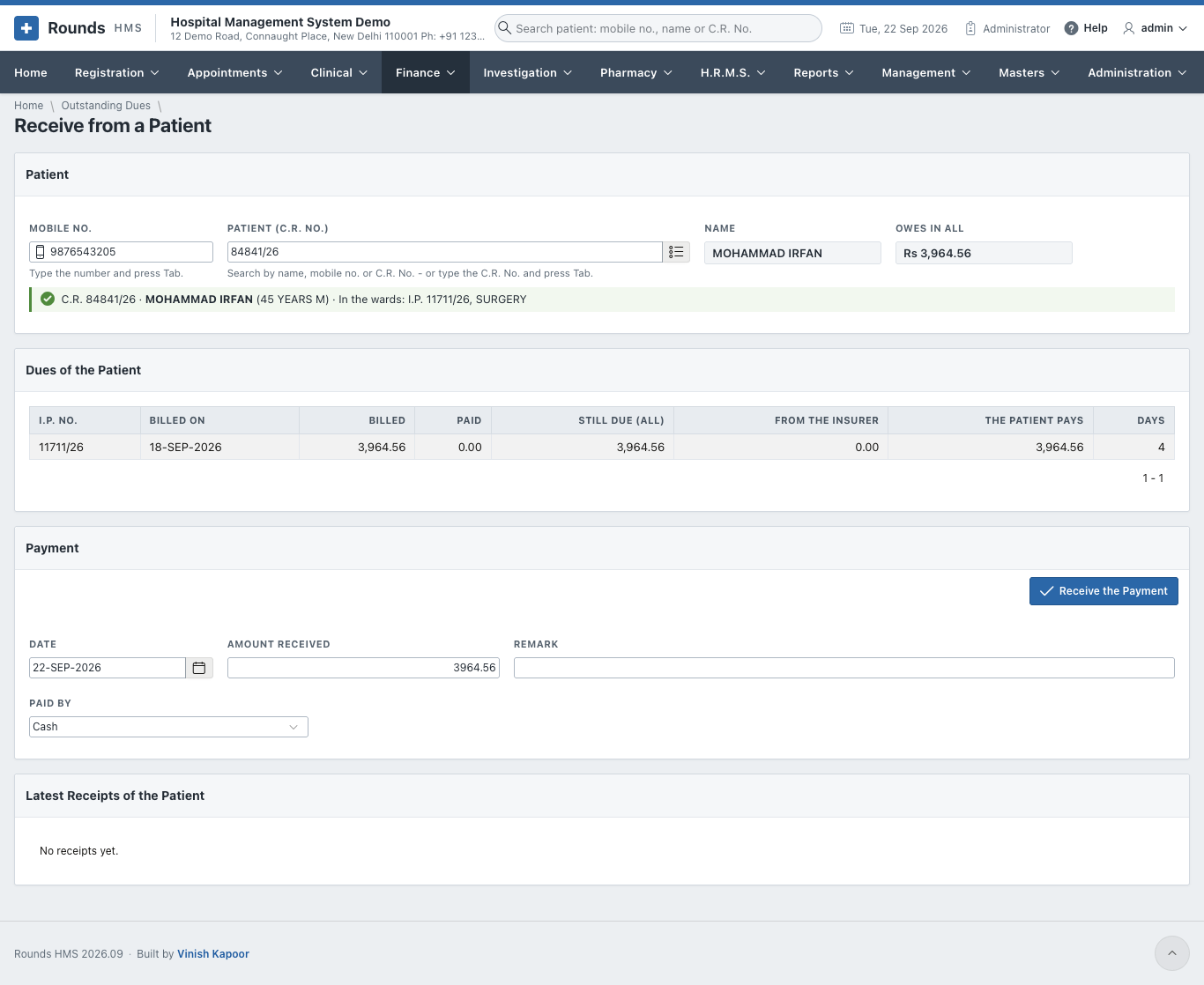
Finance > Receive from a Patient takes one payment against all the dues of a patient, across bills and admissions:
-
Type the Mobile No. and press Tab, or search the Patient. Owes in All shows what the patient owes, and Dues of the Patient lists each due. For an insured admission only the patient's own part is counted; the insurer's part is shown beside it but is not taken here.
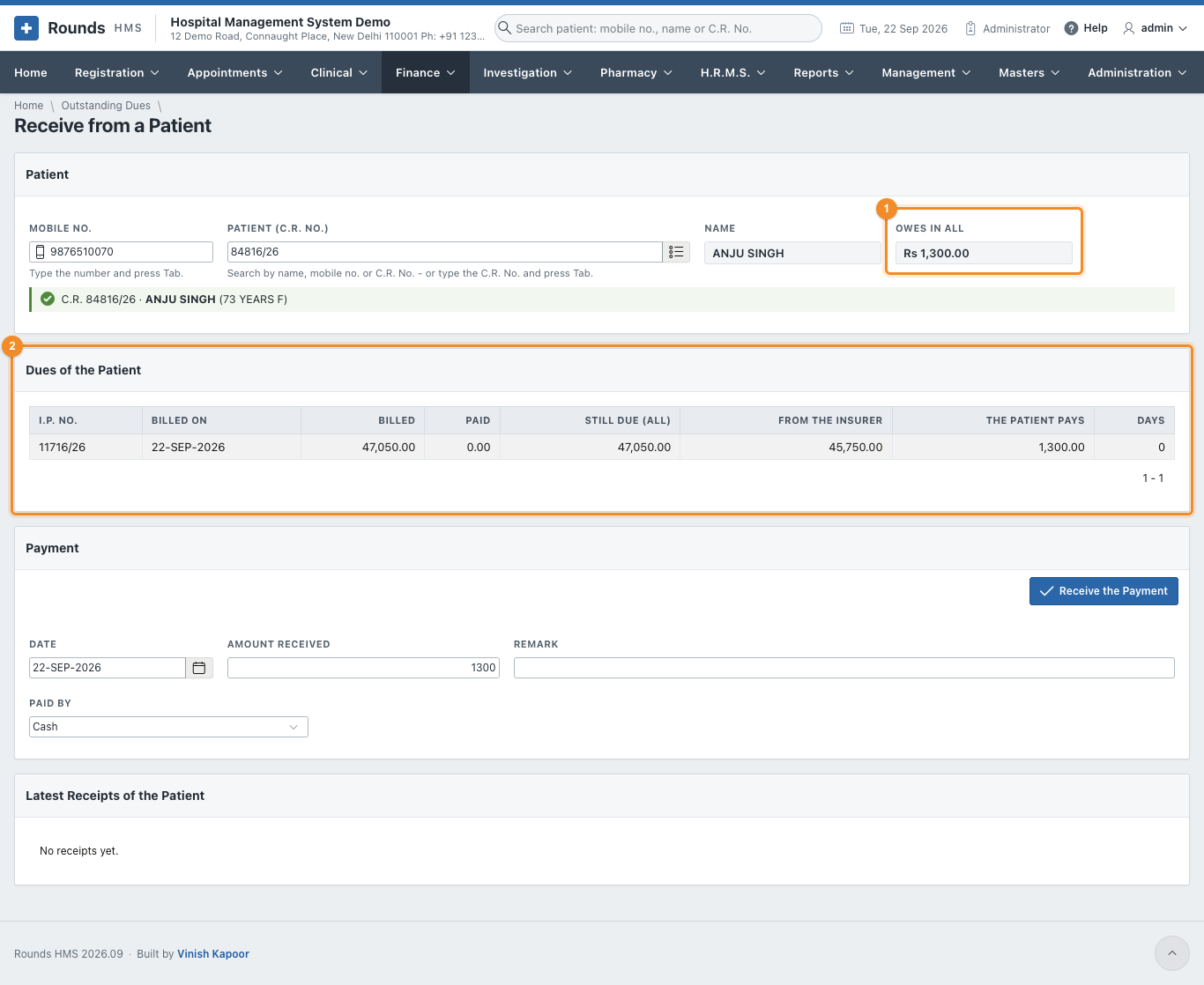
1 Owes in All is Rs 1,300, the patient's own part, and the Amount Received starts at it. 2 Dues of the Patient shows Still Due (All), From the Insurer and The Patient Pays for each admission. 2. Amount Received, the Date, a Remark, and Paid By (a UPI payment shows its QR code). 3. Click Receive the Payment. The amount is set against the patient's part of the oldest admission first, with one receipt for each admission it reaches. Latest Receipts of the Patient shows the receipts made.