Renew Registration
A patient who has been registered before does not get a new C.R. No. Record the new visit as a renewal. The patient keeps their number, and the new visit is added to their history.
Open Registration > Renew Registration, or click Renew next to the patient in Find Patient.
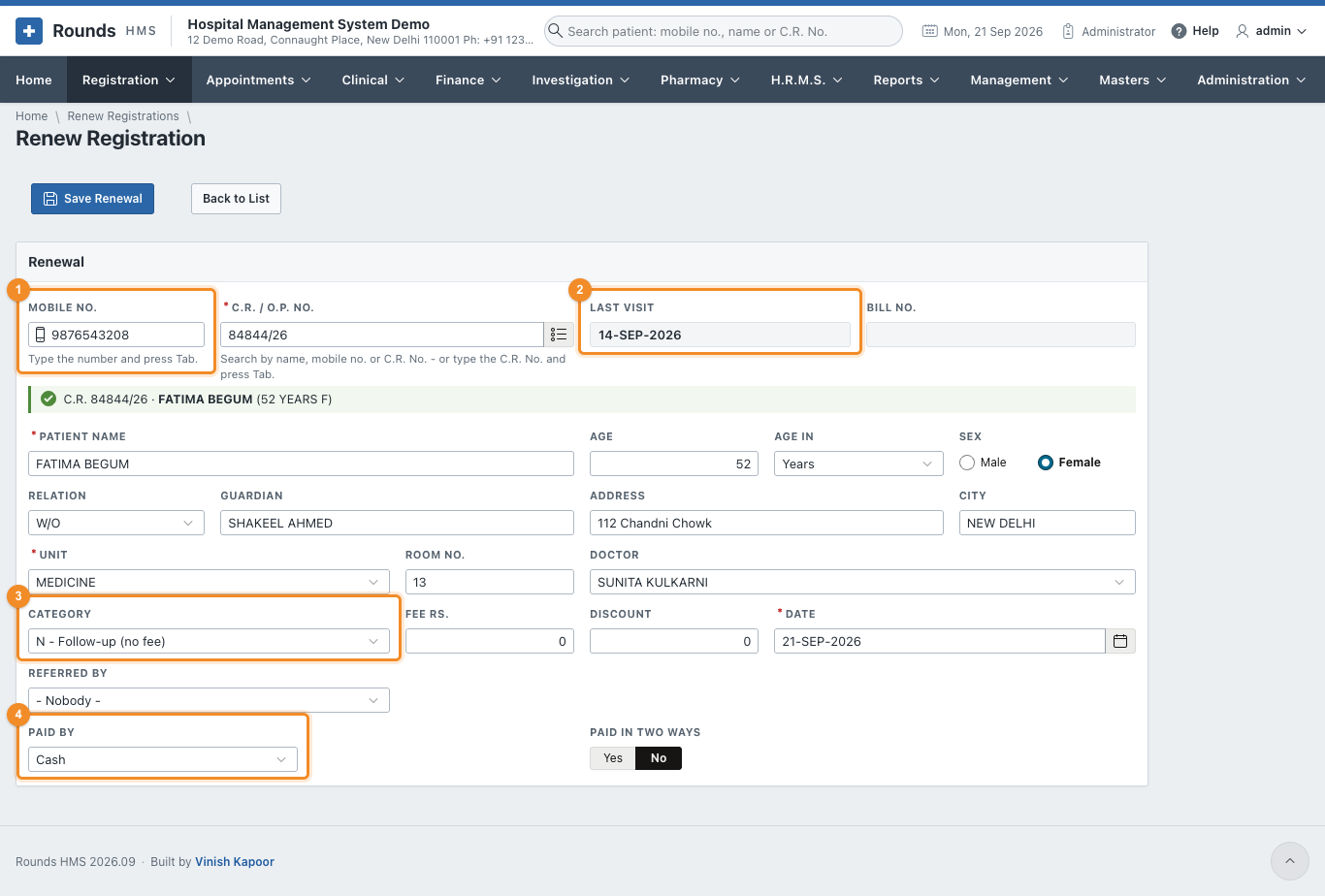
Steps
- 1 Type the Mobile No. and press Tab. (Or type the C.R. No. in C.R. / O.P. No. and press Tab, or search it with the list button.) The patient's details fill in, and a green line confirms who was found.
- 2 Last Visit shows when the patient last came.
- Check the Unit, Room No. and Doctor. They come from the last visit; change them if the patient is seeing another department today.
-
3 Category decides the fee:
Category Fee N - Follow-up (no fee) nothing: a follow-up within 15 days of the last visit E - Paid renewal the renewal fee P - Paid (print form) the fee, on the printed form C - Paid (receipt form) the fee, on the receipt form F - Free nothing The fee applies again 15 days after the last visit. Inside those 15 days the screen suggests a free follow-up.
-
4 If there is a fee, choose Paid By and the Transaction ID, as on a new registration. A UPI payment shows its QR code, and Paid in Two Ways splits a payment.
- Click Save Renewal. The renewal gets a Bill No., and Print prints the slip.
- Next Patient clears the form.
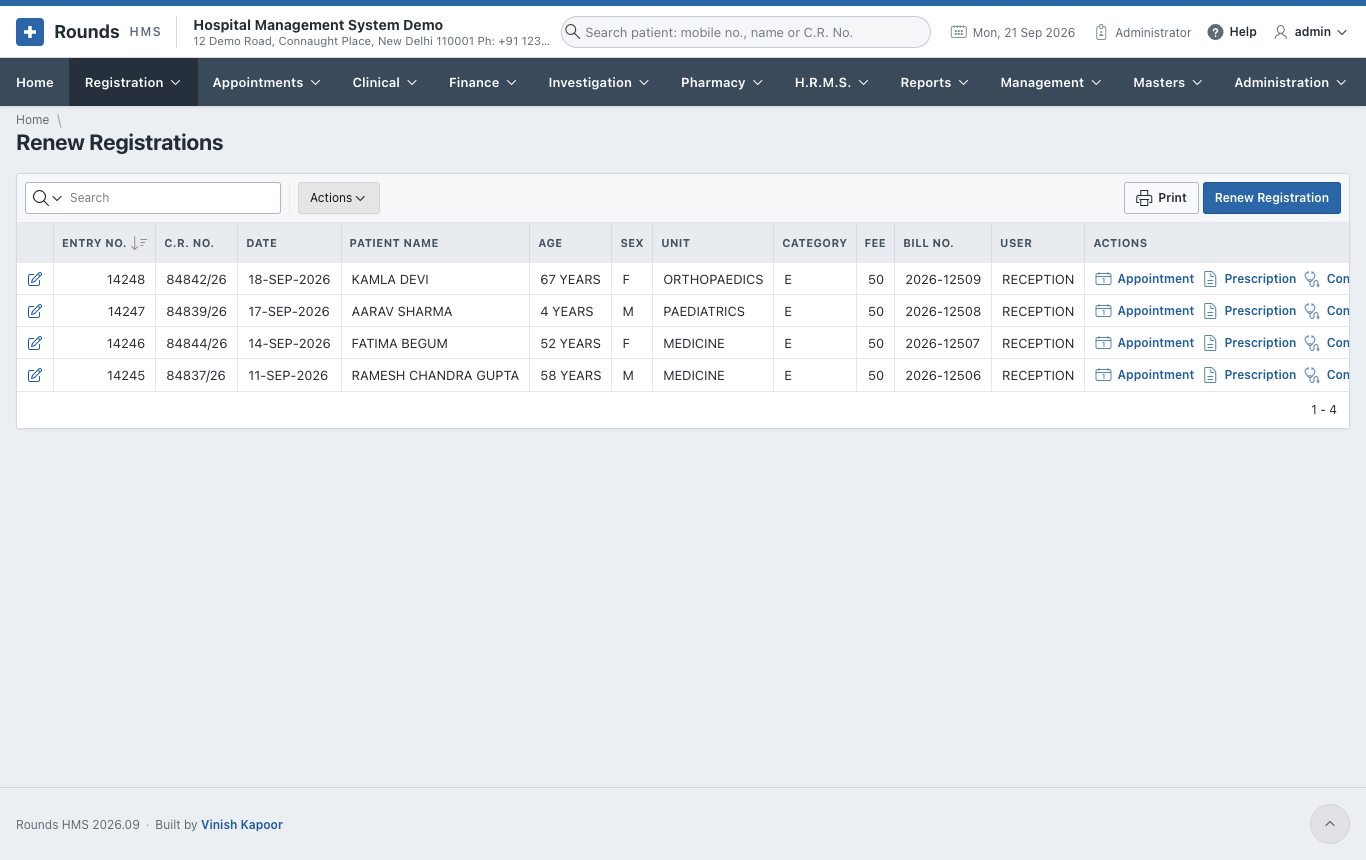
Registration > Renew Registrations lists every renewal, with the same pencil, Print and Actions as the list of registrations.
The patient says they came before, but nothing is found
Try the name in Find Patient: the patient may have given another mobile number last time. Once found, the renewal records today's number, so it is found next time.