Consultations and the Clinical Record
Write a consultation
Open Clinical > New Consultation, or the New Consultation tile on the Home page.
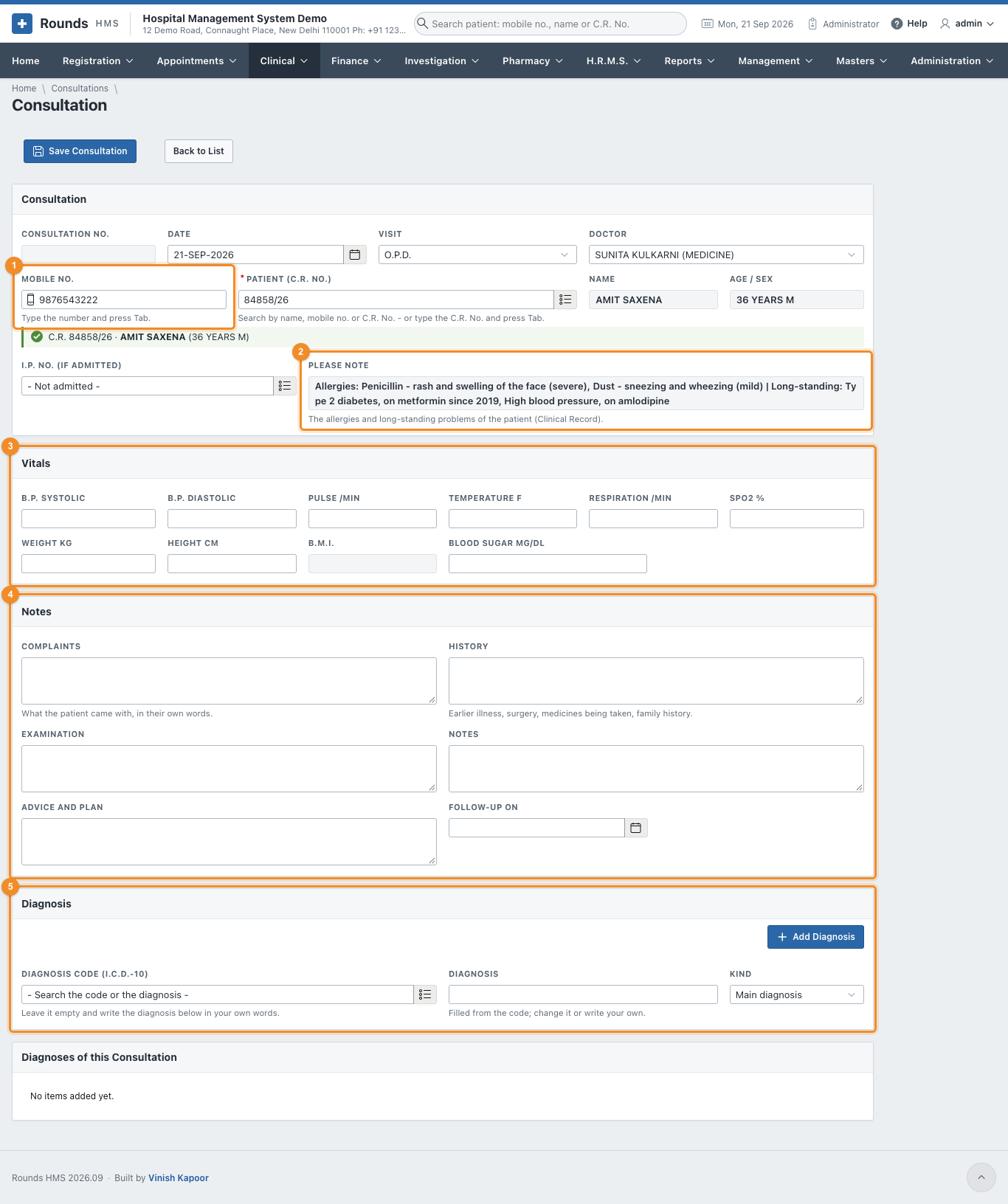
- 1 Type the patient's Mobile No. and press Tab, or search the Patient (C.R. No.). For a patient in the wards, choose the I.P. No. as well.
- Check the Date, the Visit (O.P.D., follow-up, ward round ...) and the Doctor. The doctor comes from the patient's registration.
- 2 Please Note shows the patient's allergies and long-standing problems. Read it before prescribing.
- 3 Vitals: B.P., pulse, temperature, respiration, SpO2, weight, height and blood sugar. The B.M.I. is worked out from the weight and height.
- 4 Notes:
- Complaints: what the patient came with, in their own words;
- History: earlier illness, surgery, medicines being taken, family history;
- Examination and Notes;
- Advice and Plan;
- Follow-up On: the day the patient should come back. It appears in Follow-up Recall.
- 5 Diagnosis, as many as needed:
- search the Diagnosis Code (I.C.D.-10) by code or by words, e.g. pneumonia. The Diagnosis fills in; change it or write your own;
- or leave the code empty and just write the diagnosis;
- Kind: main diagnosis, other diagnosis, or suspected;
- click Add Diagnosis.
- Click Save Consultation.
A saved consultation
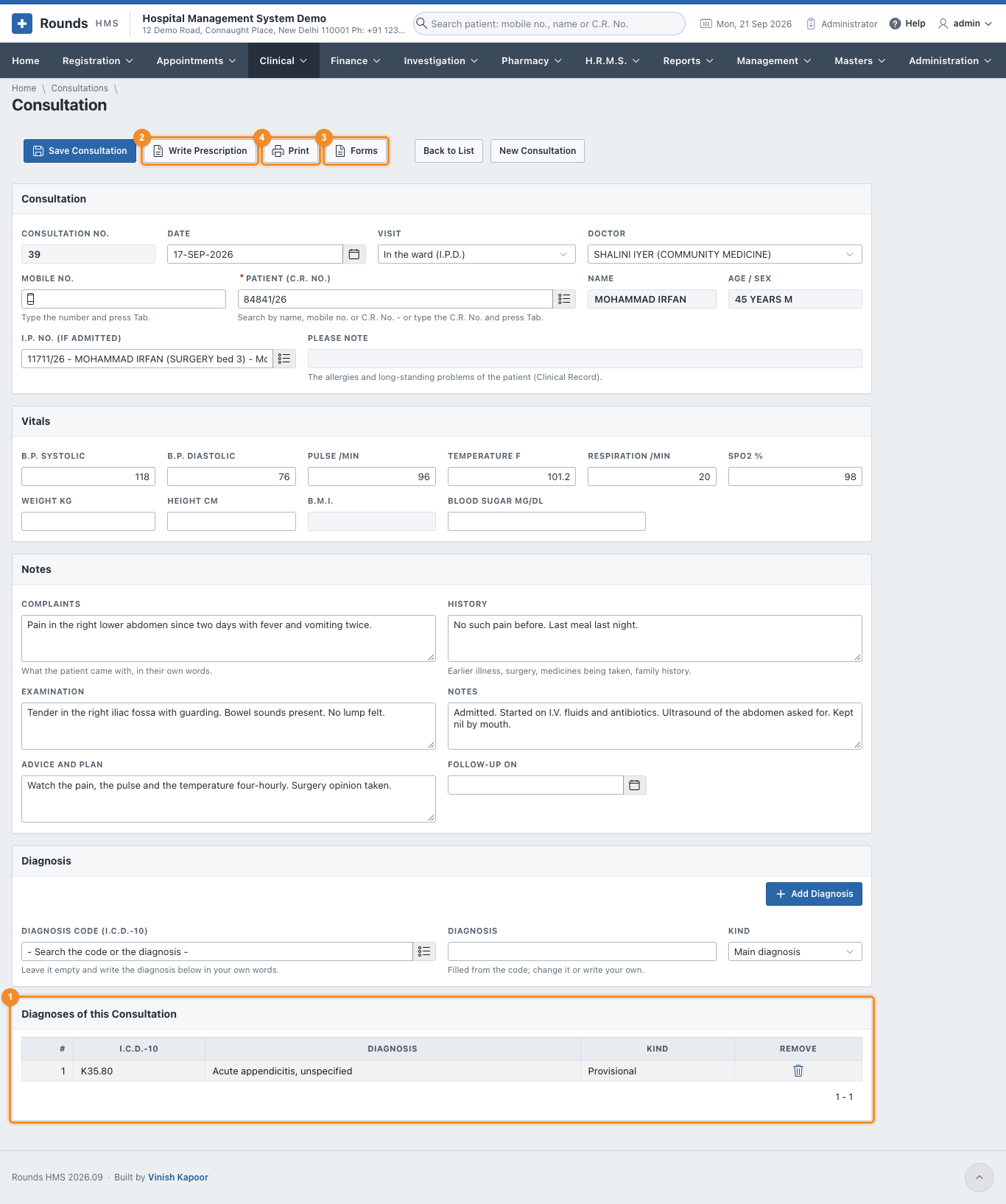
- 1 Diagnoses of this Consultation lists the diagnoses added. Each can be removed.
- 2 Write Prescription opens a prescription for this patient, with the diagnosis carried over.
- 3 Forms prints a consent or a letter for this patient (Consents and Forms).
- 4 Print prints the consultation note. From the print window, WhatsApp tells the patient it is ready.
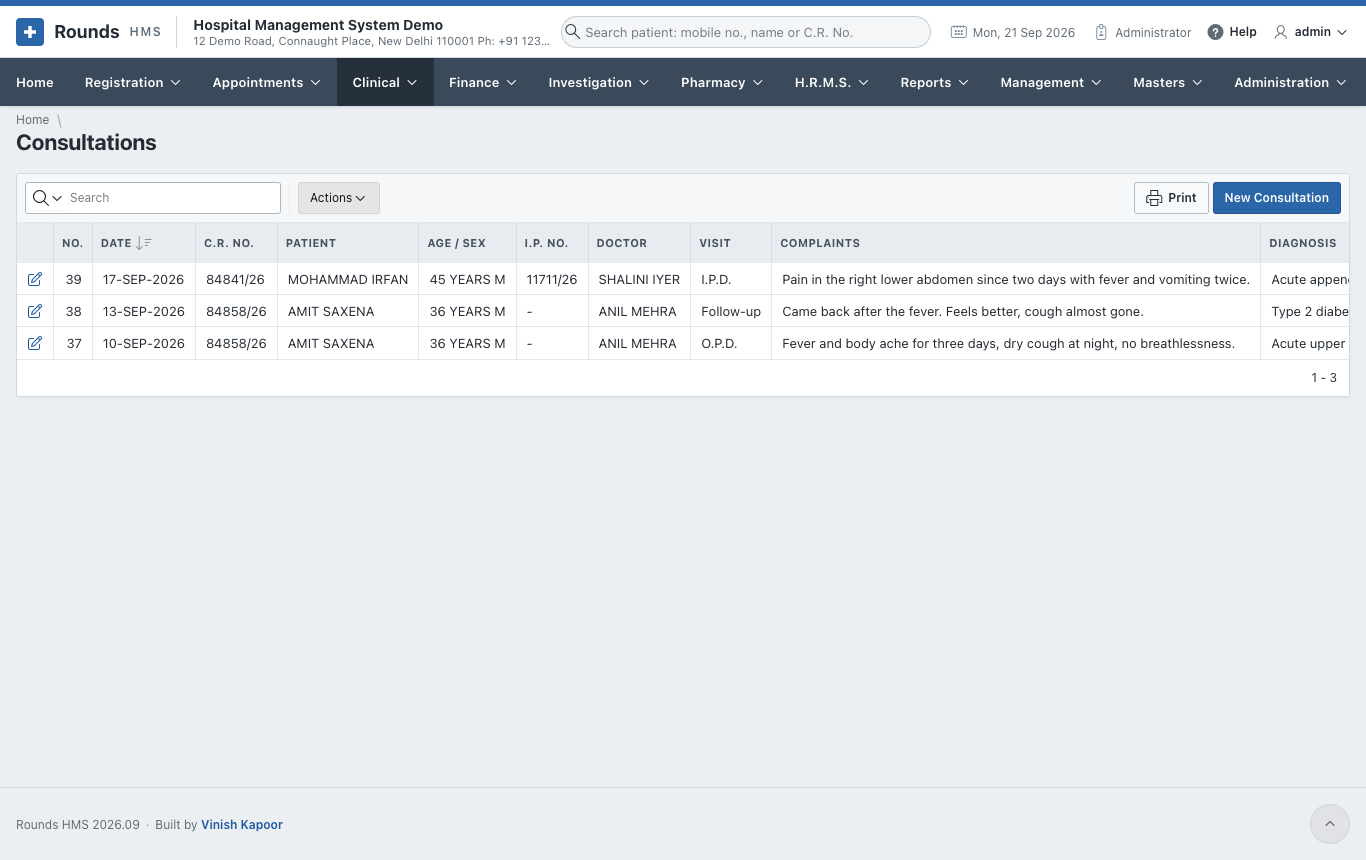
Clinical > Consultations lists all consultations, newest first:
The Clinical Record
Clinical > Clinical Record gathers everything clinical about one patient on one page. Type the Mobile No. and press Tab, or search the Patient (C.R. No.), then click Show the Record.
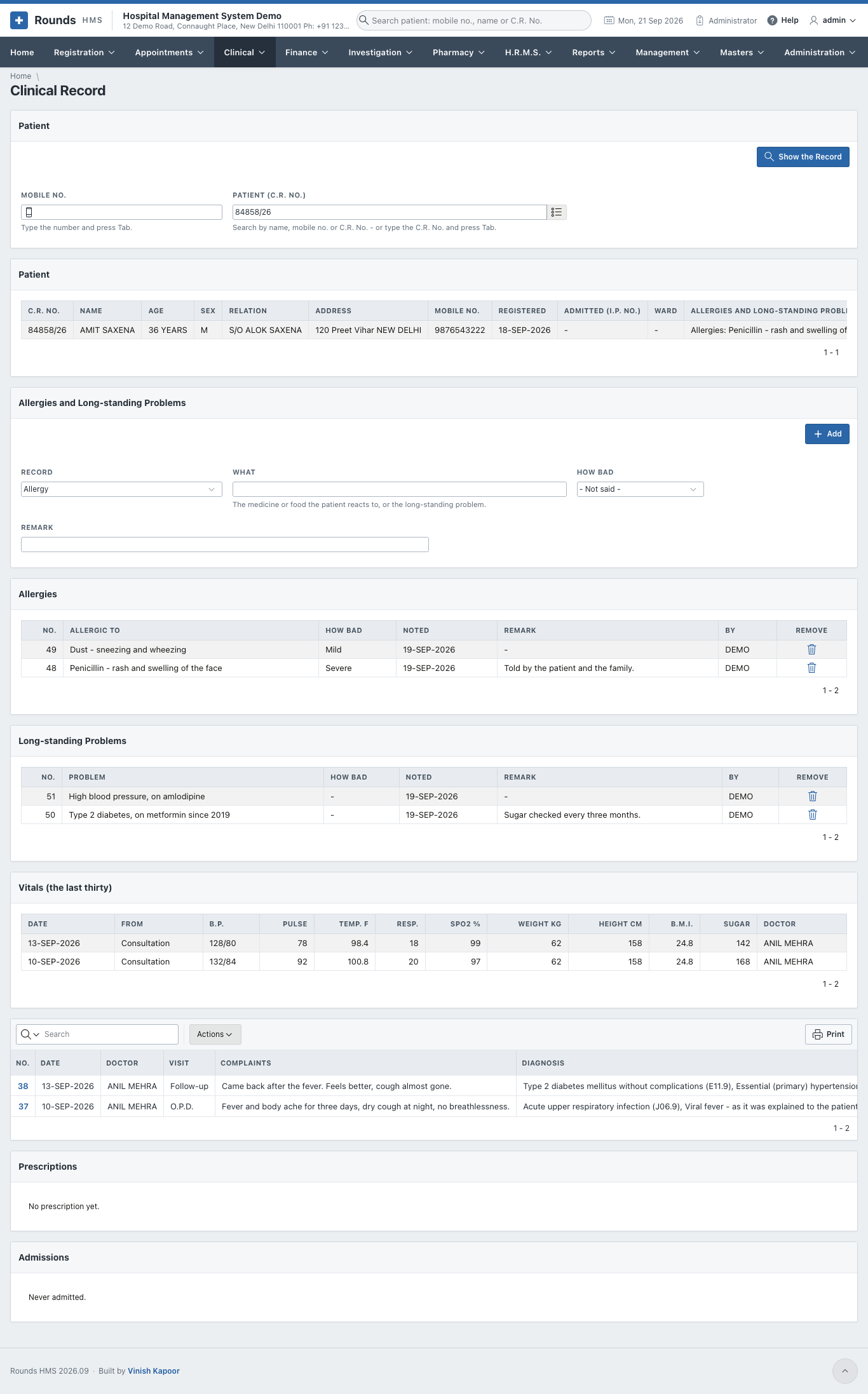
It shows:
- Patient: the registration, whether the patient is admitted now, and the alerts;
- Allergies and Long-standing Problems;
- Vitals (the last thirty), from the consultations and the ward chart;
- Consultations: click a number to open one;
- Prescriptions and Admissions.
Add an allergy or a long-standing problem
In Allergies and Long-standing Problems:
- Record: Allergy or Long-standing problem.
- What: the medicine or food the patient reacts to, e.g. Penicillin - rash, or the problem, e.g. Type 2 diabetes.
- How Bad: mild, moderate or severe.
- Remark, then Add.
From then on, the Please Note line of every clinical screen shows it. The bin icon of a row removes a record that is no longer true.