Medicines and Stock
Medicines
Pharmacy > Medicines lists the medicines the pharmacy keeps:
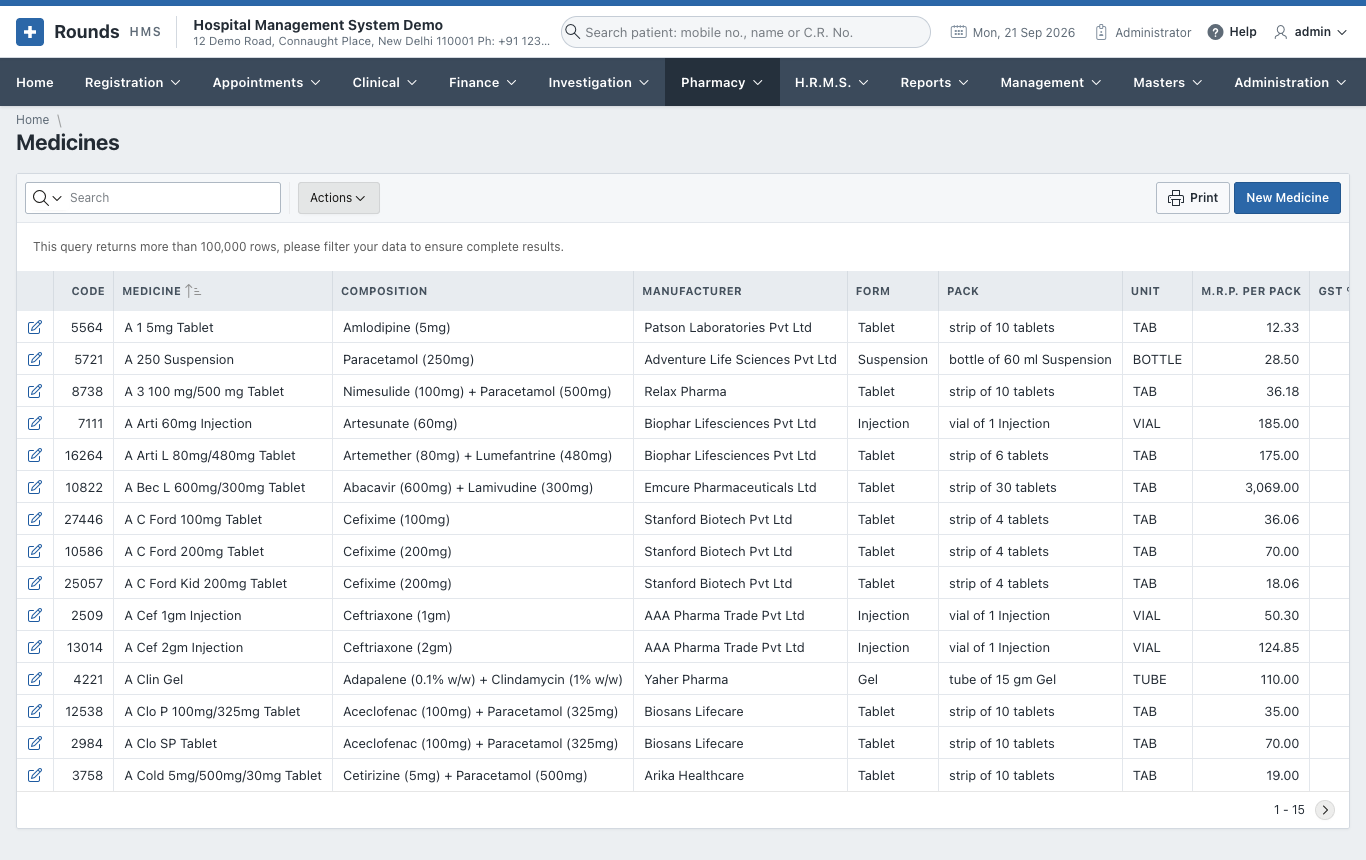
Open one with its pencil, or New Medicine:
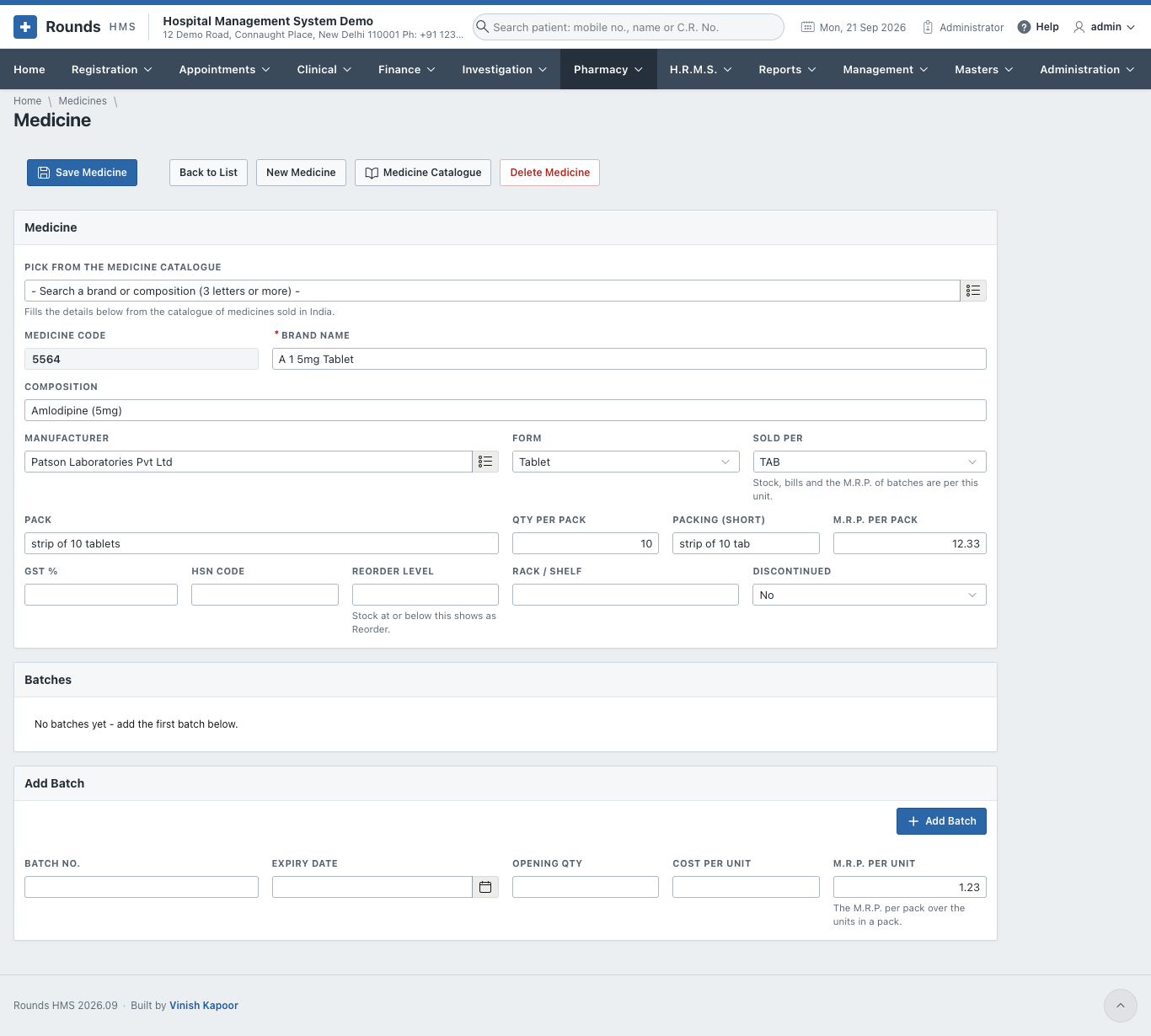
- Medicine:
- the brand name, type (tablet, syrup, injection ...) and company;
- the composition, unit and packing;
- the HSN code and GST rate;
- the reorder level and the rack.
- Batches lists each batch with its expiry, cost, M.R.P. and the stock in hand.
- Add Batch adds a batch by hand, e.g. the opening stock. Batches normally come in with a purchase entry.
Medicine Catalogue
Pharmacy > Medicine Catalogue holds a large list of medicines sold in India: brand, composition, manufacturer, pack size and M.R.P. Search it, and add a medicine to Medicines in one click instead of typing it.
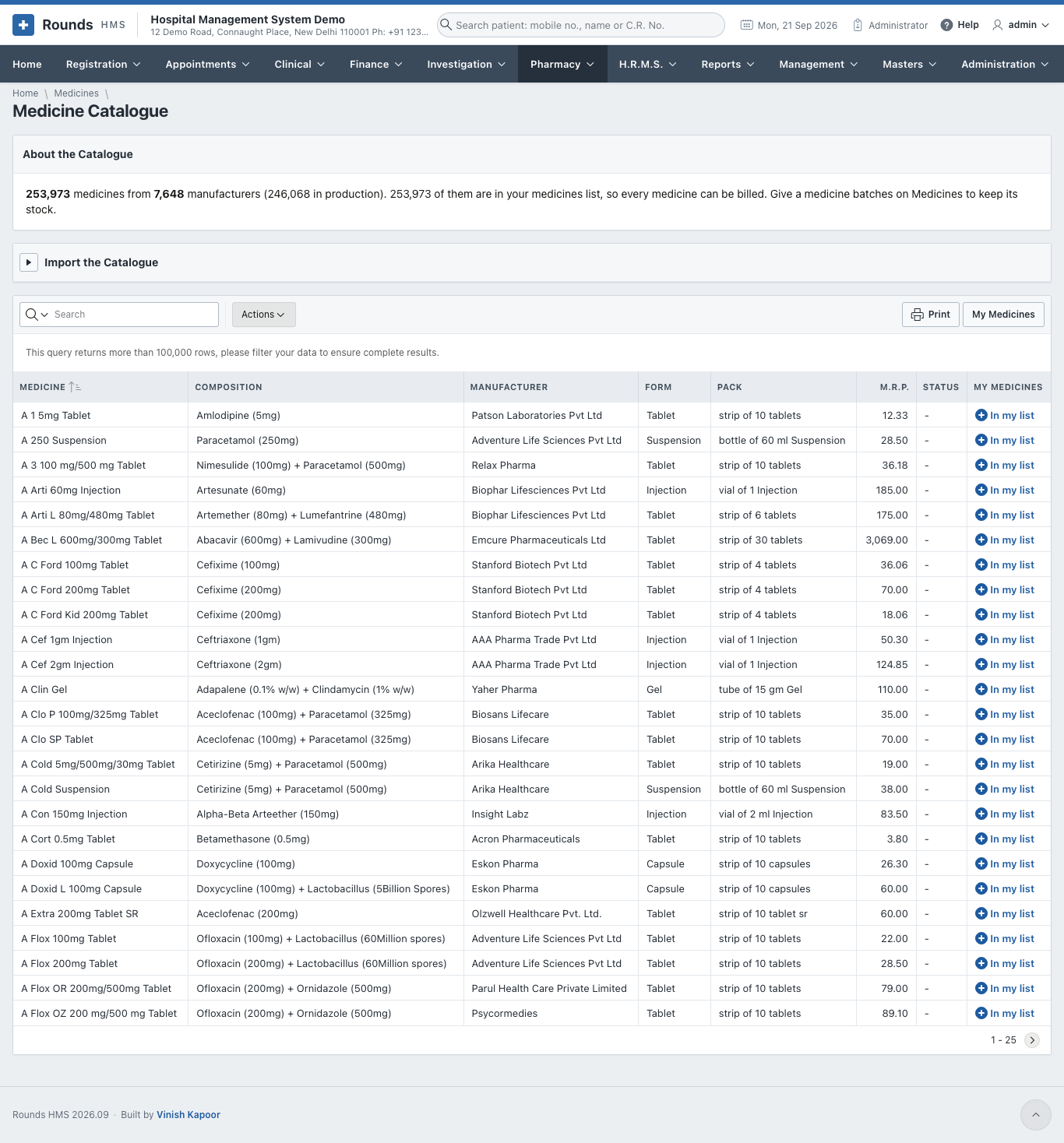
- About the Catalogue tells how many medicines it holds and when it was loaded.
- Import the Catalogue loads a newer CSV file (the A-Z medicines dataset of India).
- The link in each row adds that medicine to Medicines (or opens it, if it is already there).
- Add All to Medicines adds every catalogue medicine not yet in the pharmacy's list.
- My Medicines goes back to the pharmacy's own list.
Medicine Stock
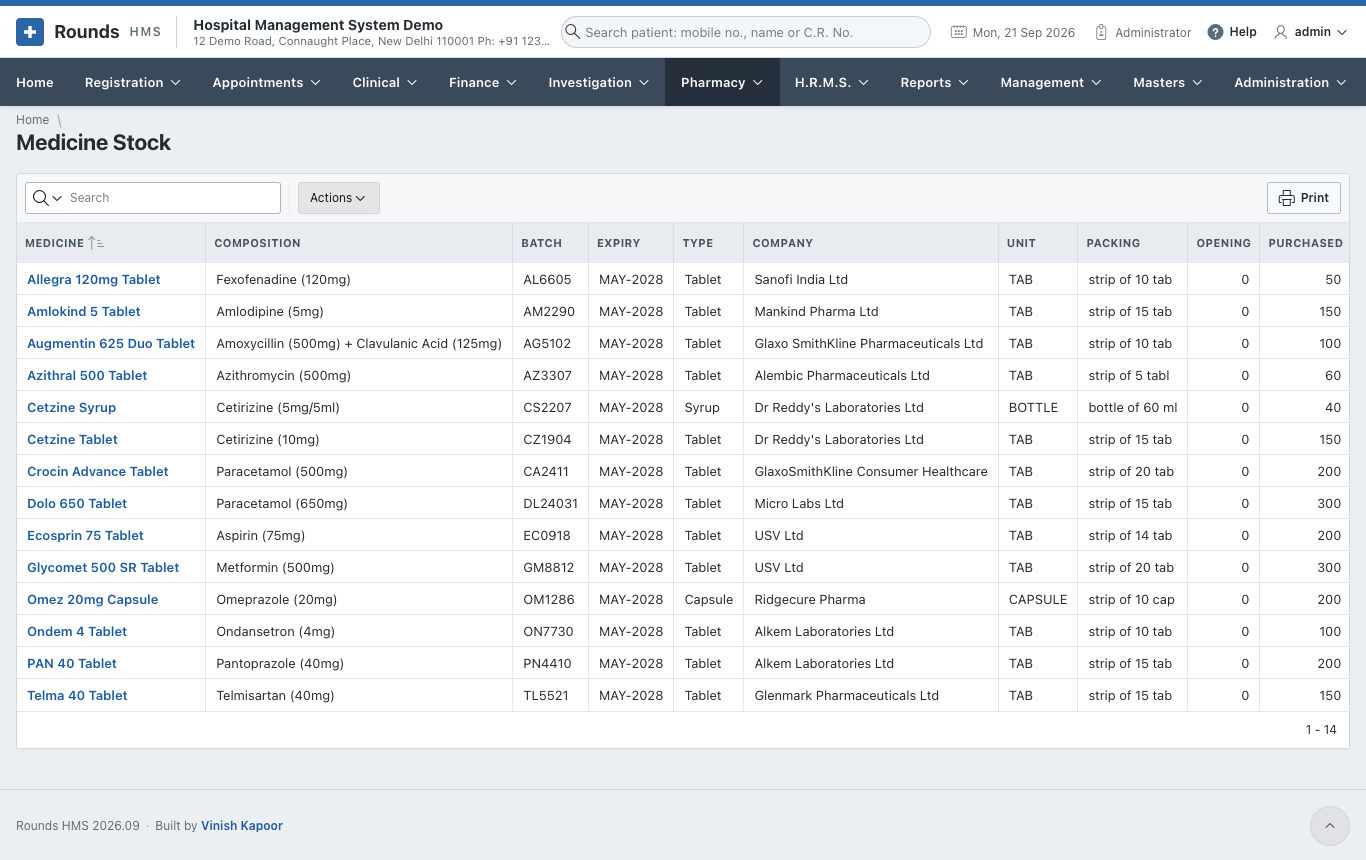
Pharmacy > Medicine Stock shows the stock of every batch: in hand, sold, purchased, returned, with the expiry. Use Actions to filter by medicine, company or expiry.
Stock Adjustments
Bills, returns and purchase entries move the stock by themselves. Pharmacy > Stock Adjustments records what they never see:
- breakage;
- an expired batch thrown away;
- goods sent back to the supplier;
- the result of a stock count.
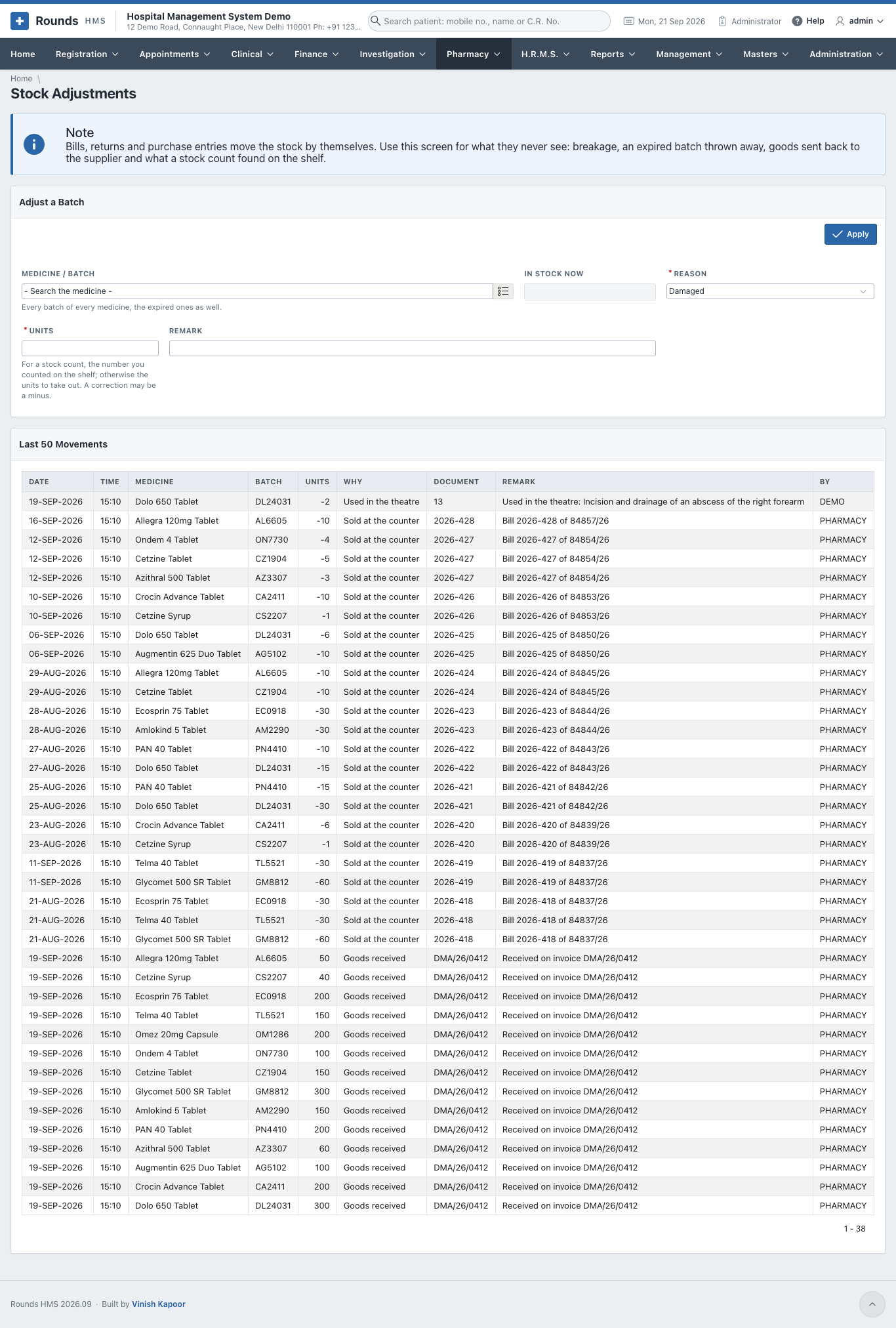
- Medicine / Batch: every batch of every medicine, the expired ones too. In Stock Now shows its stock.
- Reason: Damaged, Expired, Returned to the supplier, Counted (stock check) or Correction.
- Units:
- for a stock count, the number you counted on the shelf;
- otherwise, the units to take out.
- Remark, then Apply. Last 50 Movements shows the change.
Stock Alerts
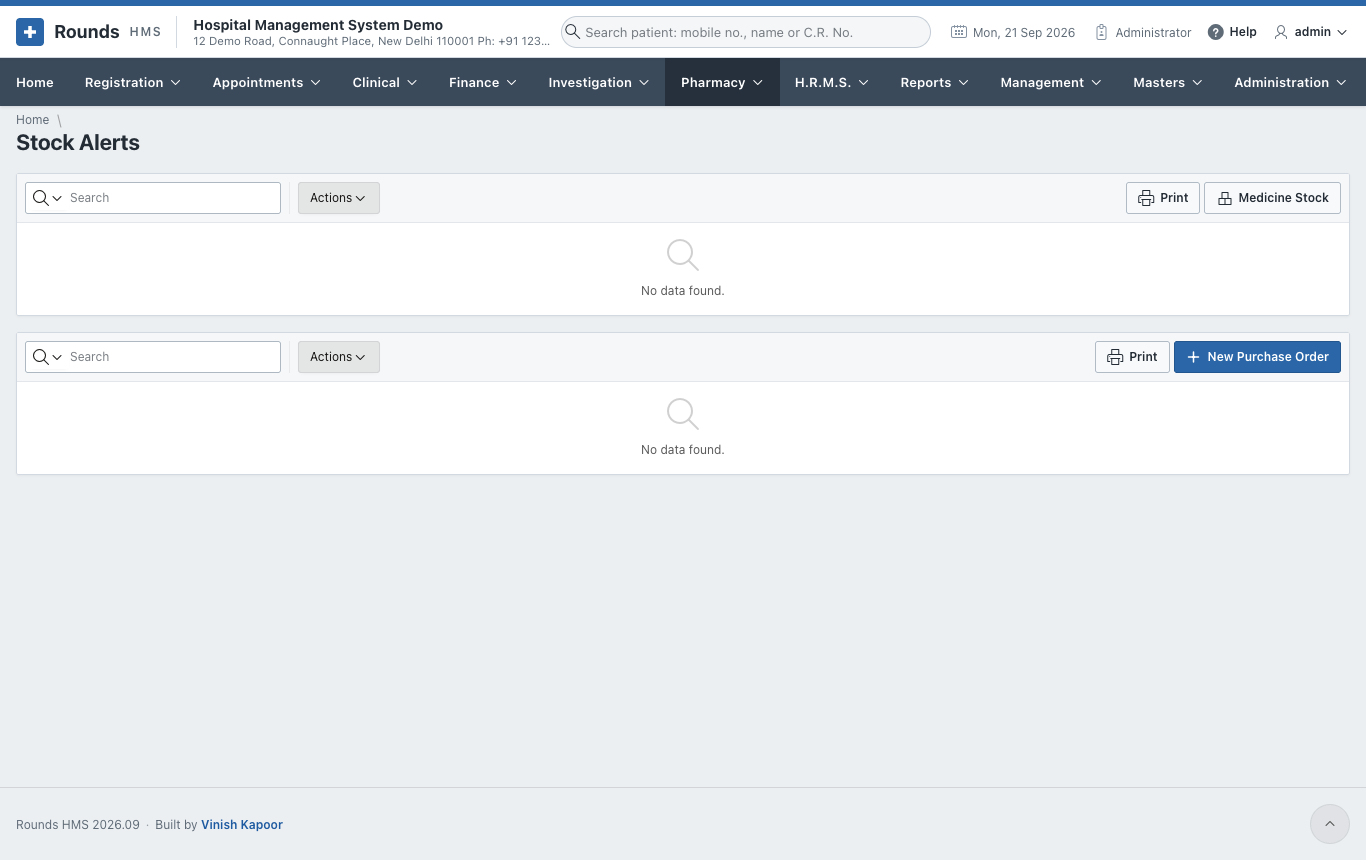
Pharmacy > Stock Alerts shows two lists:
- Expiry: batches in stock that expire within three months;
- Running Out: medicines at or below their reorder level.
New Purchase Order starts an order for what is running out.