Setting Up
H.R.M.S. > Masters holds the lists every other H.R.M.S. screen chooses from, and the two pages of settings. Most lists come filled in with what a hospital usually has; change them to match yours.
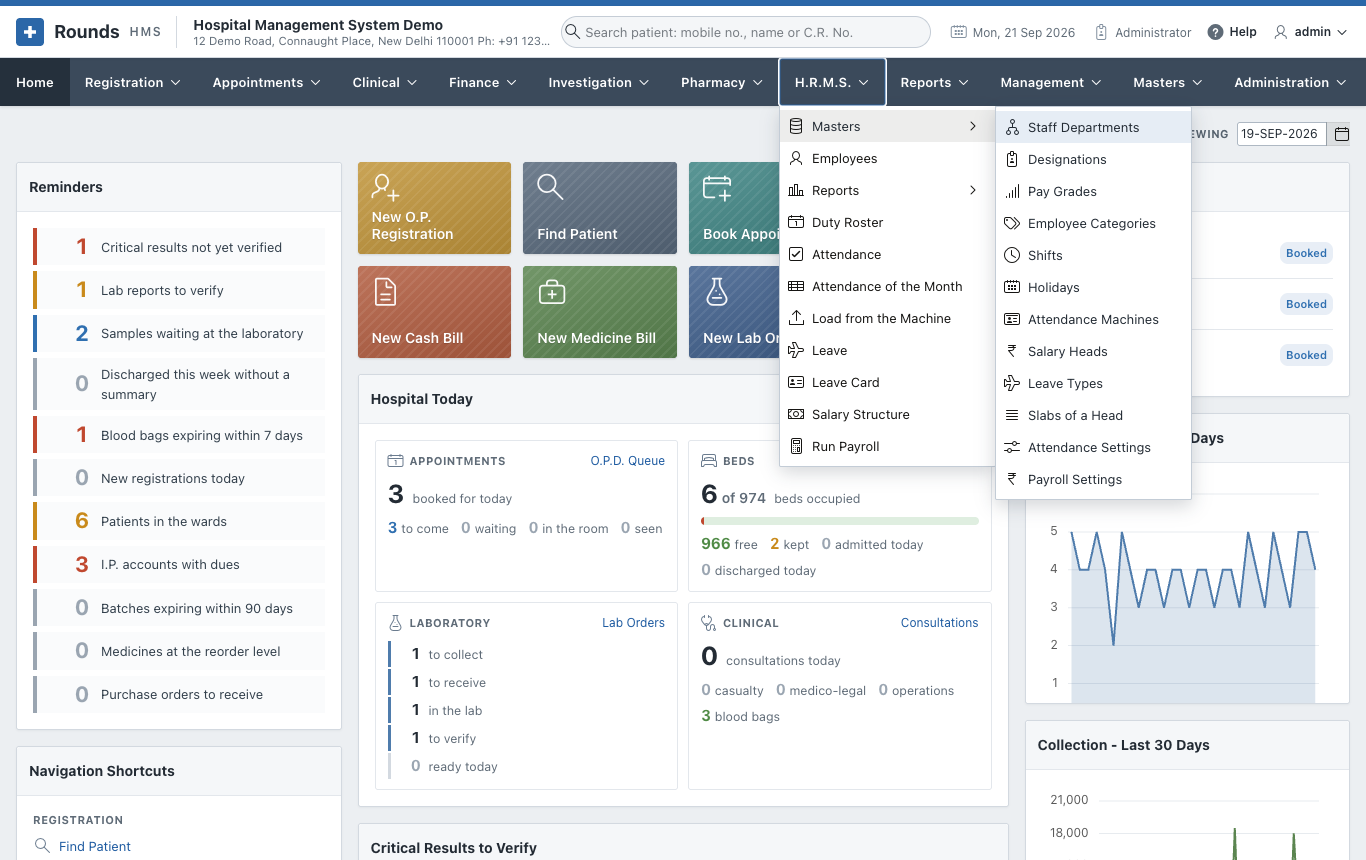
Every list works the same way. Click a row to open it in a window, change it, and Apply Changes. Create adds a new one. A row that is no longer used is kept and set In Use? = No, so the old records that point to it still read correctly.
Staff Departments
The departments the staff work in: Nursing, Laboratory, Front Office, Security and so on.
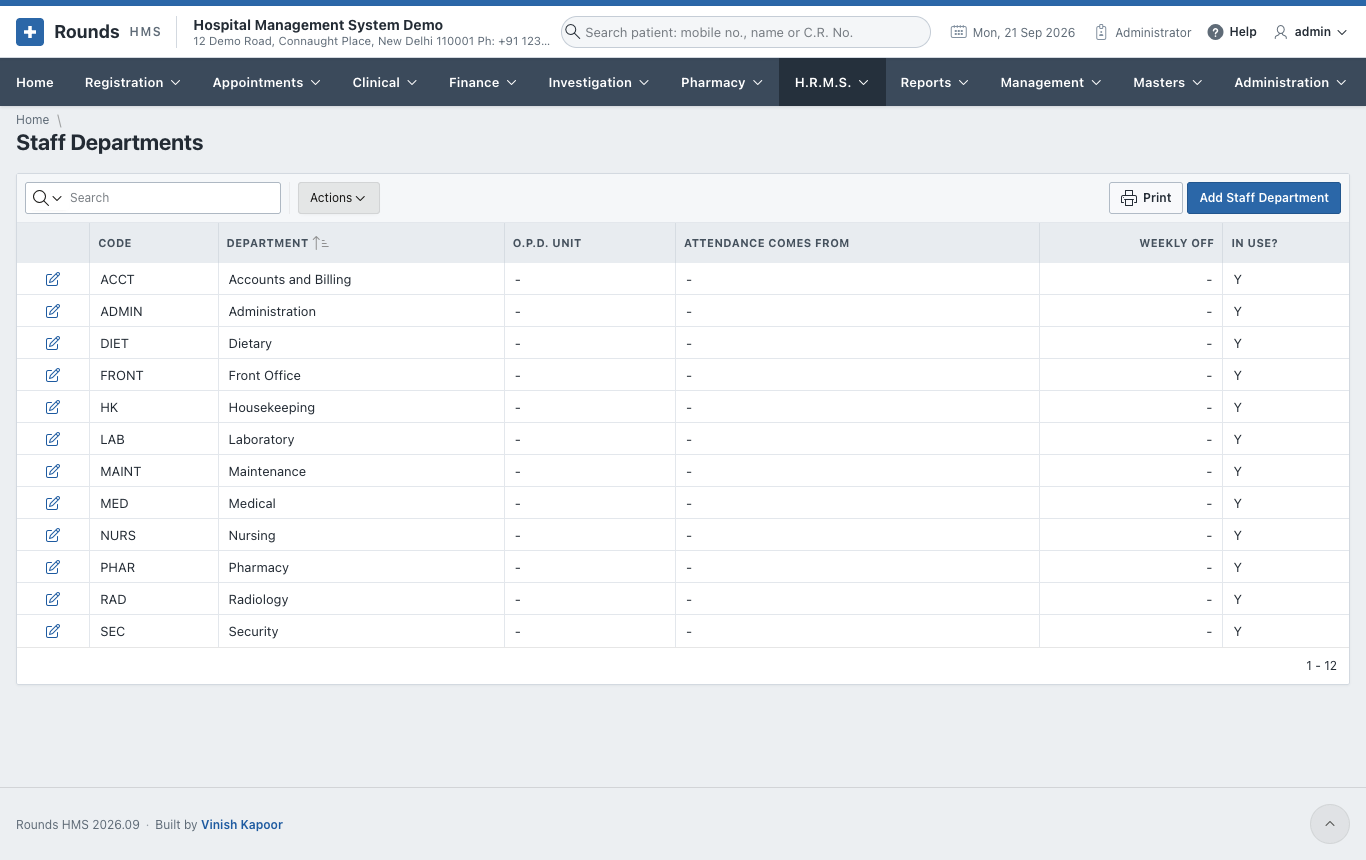
| Field | Meaning |
|---|---|
| Code and Department | e.g. NURS / Nursing |
| O.P.D. Unit | the department of the patients this one answers to, where there is one (Medicine, Pathology ...) |
| Attendance Comes From | only where this department keeps attendance differently from the rest of the hospital, e.g. one department has a machine and the others do not |
| Weekly Off | the day off of anyone in this department who has no usual week of their own |
Leave the last two empty to use the hospital's answers from Attendance Settings.
Designations and Pay Grades
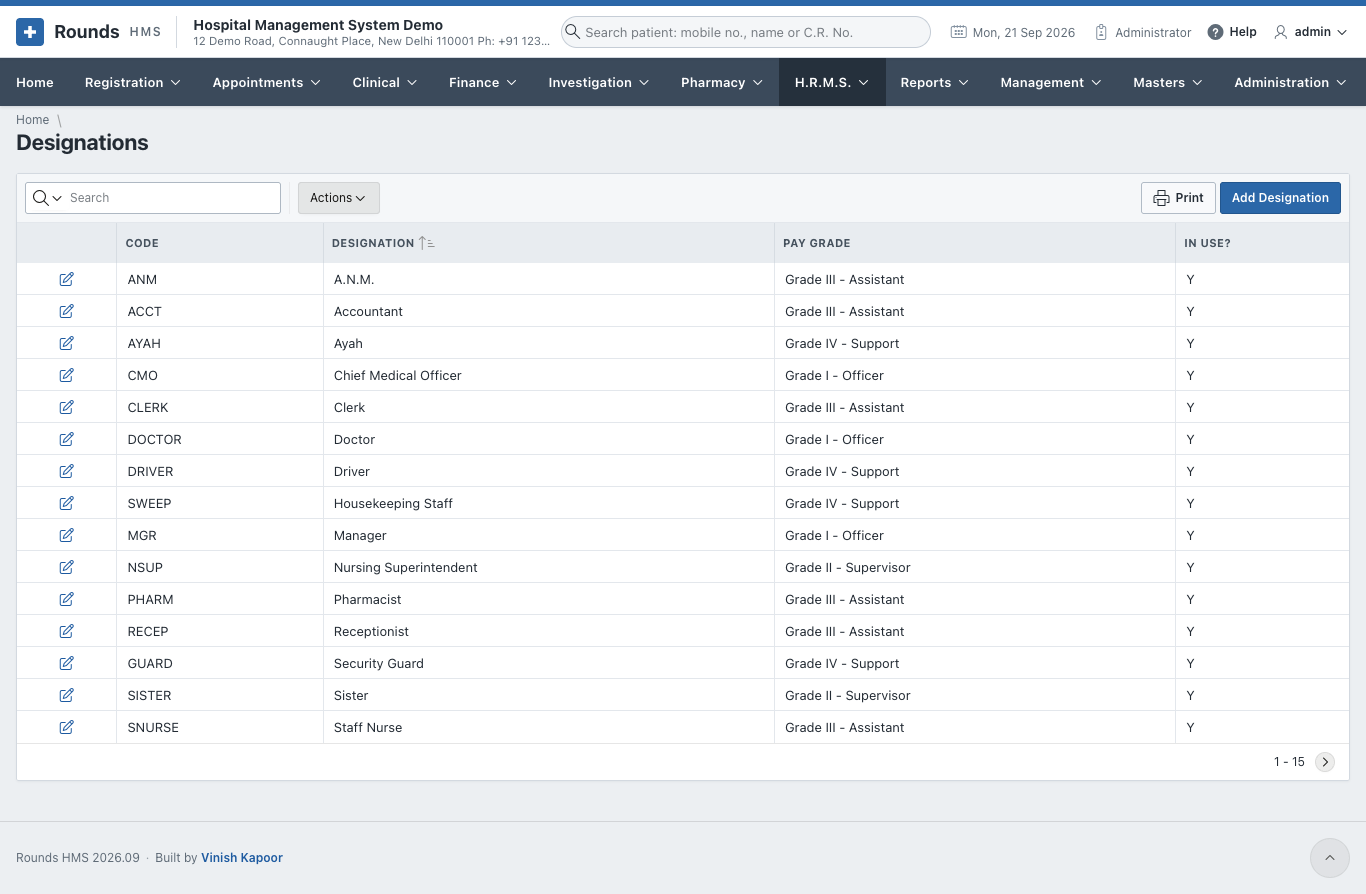
Designations are the posts: Sister, Staff Nurse, Technician, Receptionist. Each can carry a Pay Grade, which an employee takes when they are given that designation.
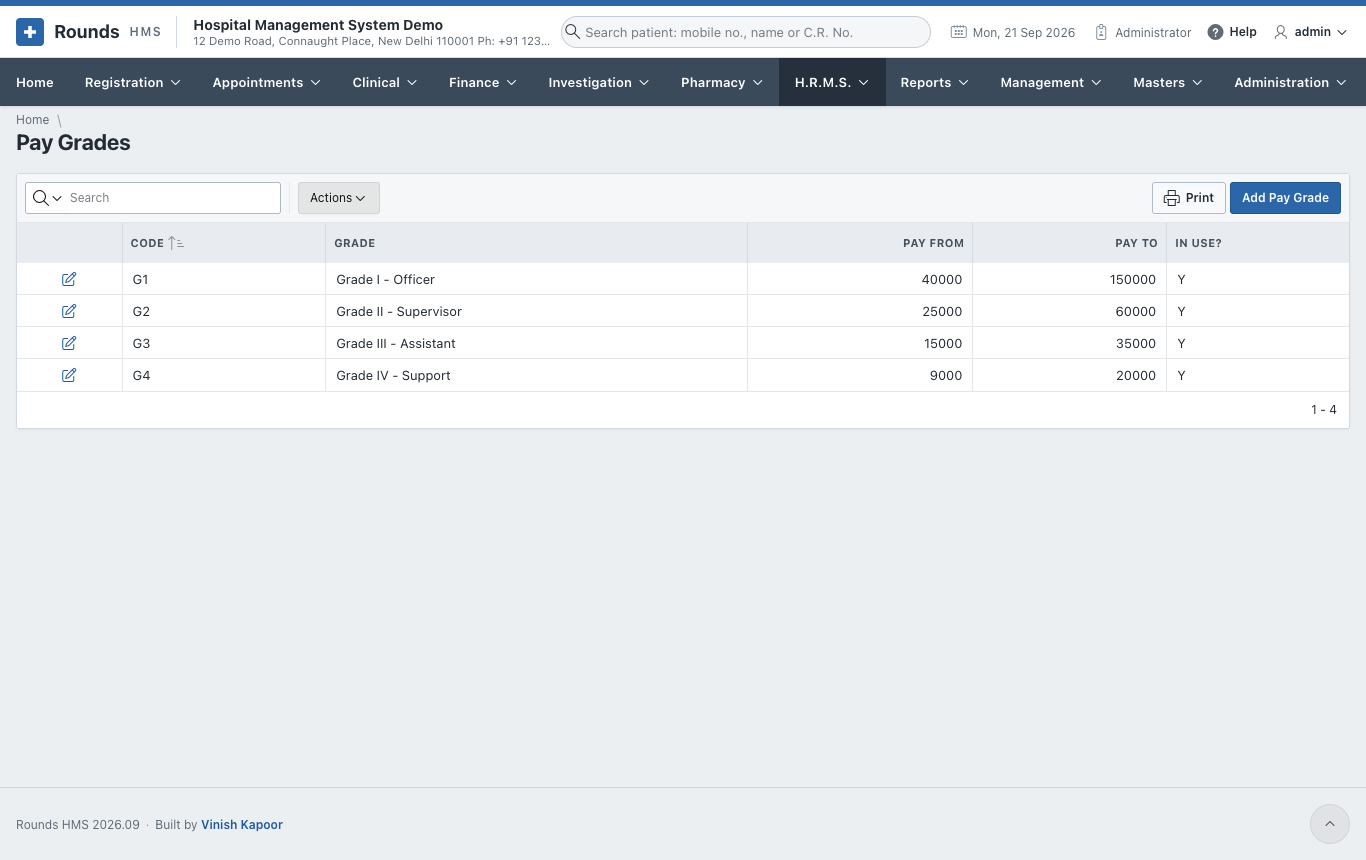
Pay Grades group the posts by level, with the monthly pay each grade runs from and to. The range is only a guide; a salary is set on the Salary Structure.
Employee Categories
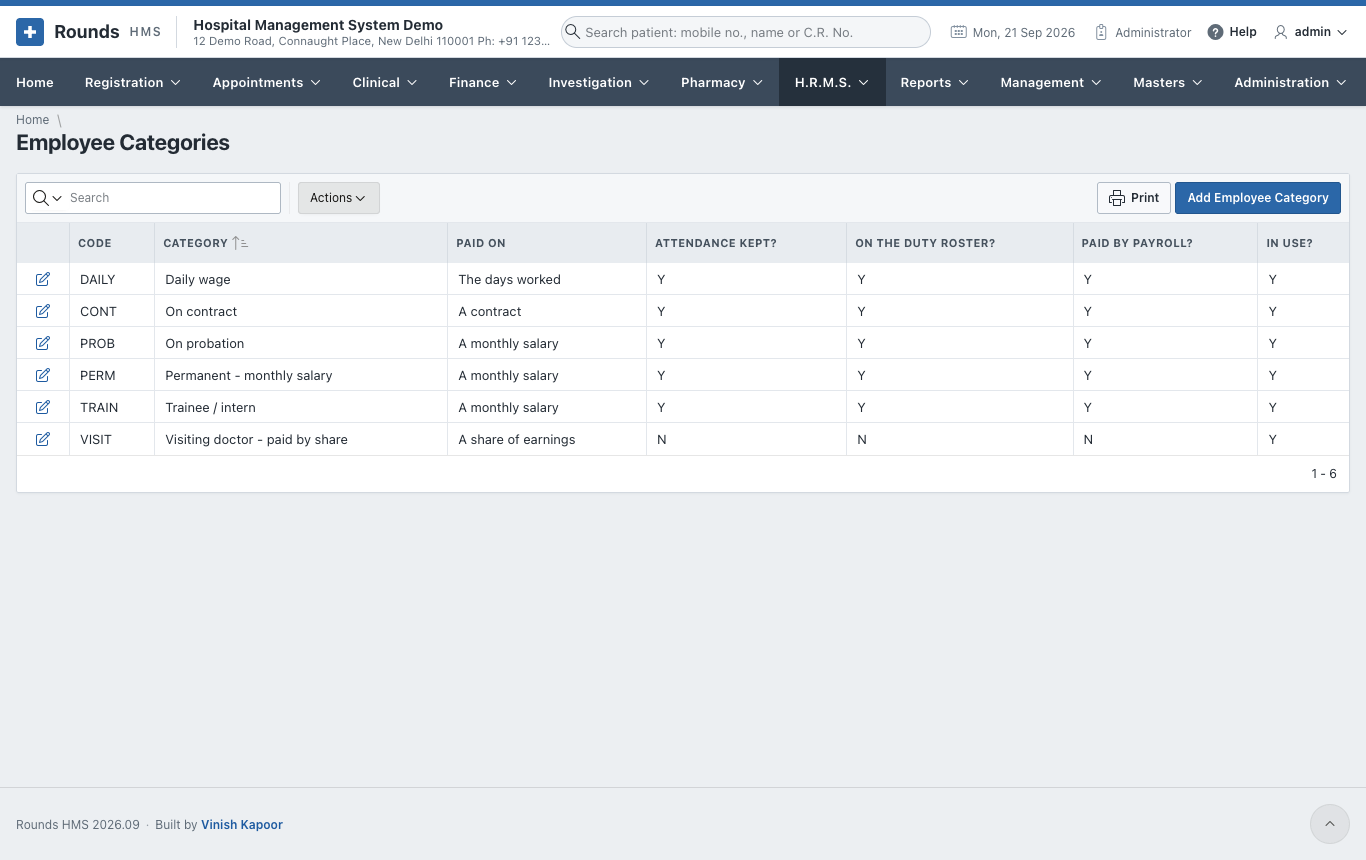
A category says how a group of staff is treated: permanent, on probation, daily wage, on contract, trainee, visiting doctor.
| Field | Meaning |
|---|---|
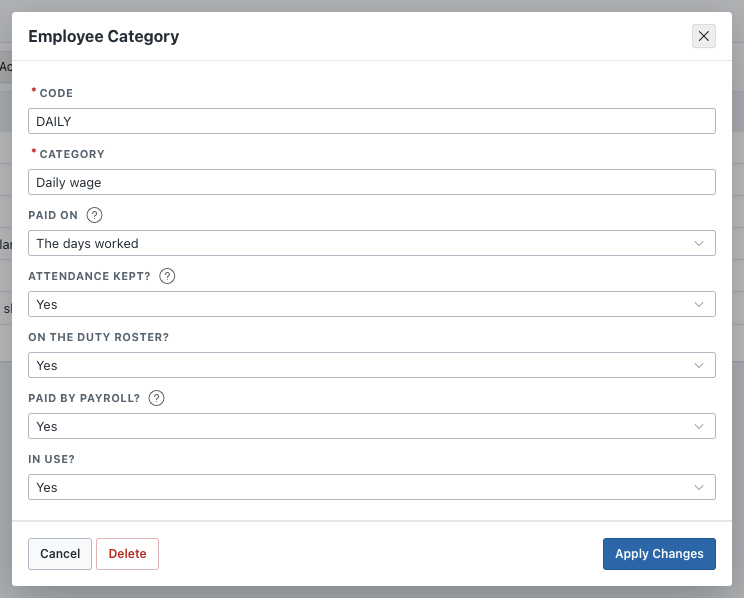
| Paid On | a monthly salary, the days worked, the hours worked, a contract, or a share of what they earn for the hospital |
| Attendance Kept? | No for people who are not marked present or absent, e.g. a visiting doctor |
| On the Duty Roster? | No keeps them off the roster |
| Paid by Payroll? | No for people paid another way, e.g. doctors paid by the share payouts of Finance |
Shifts
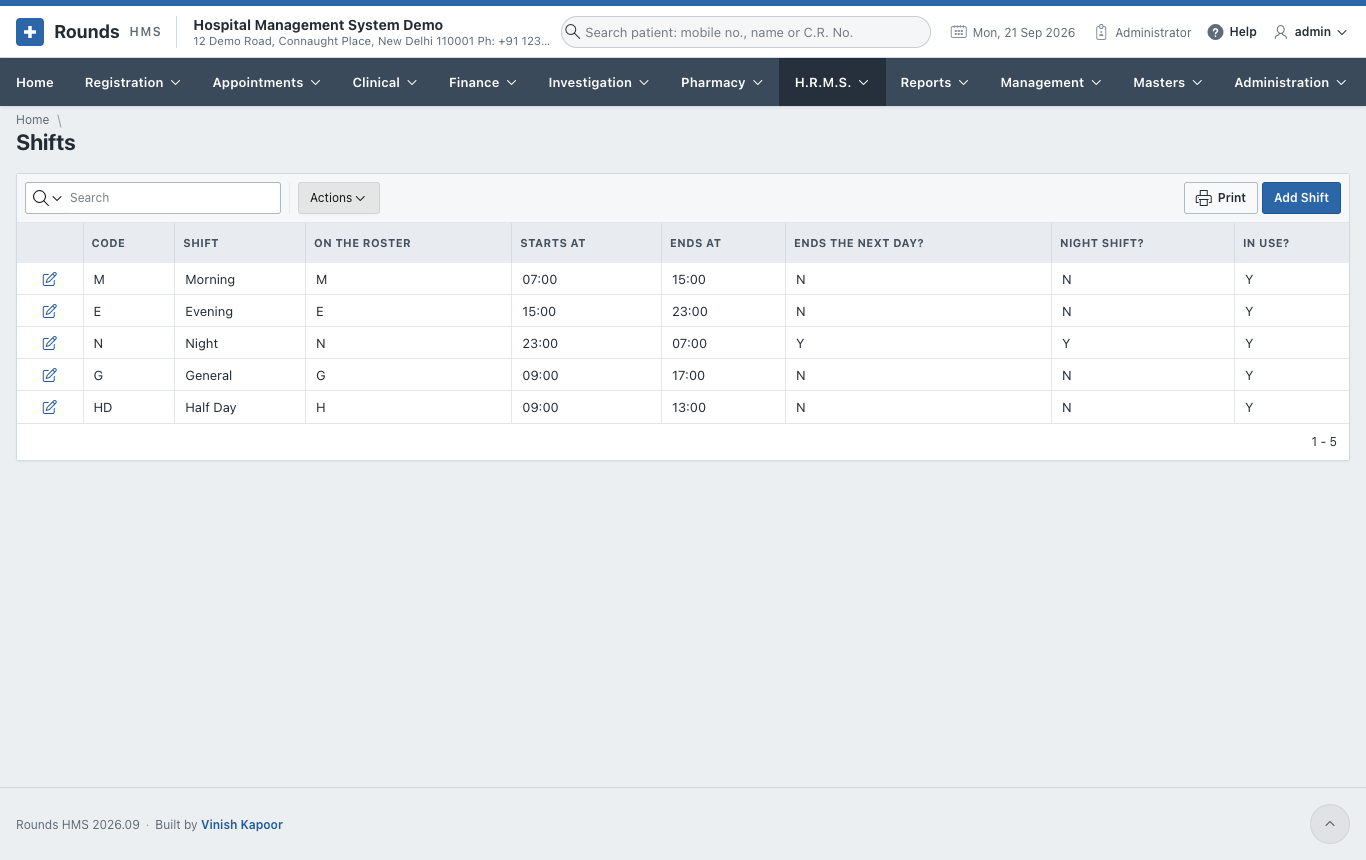
The shifts of the roster. Morning, Evening, Night, General and Half day come filled in.
| Field | Meaning |
|---|---|
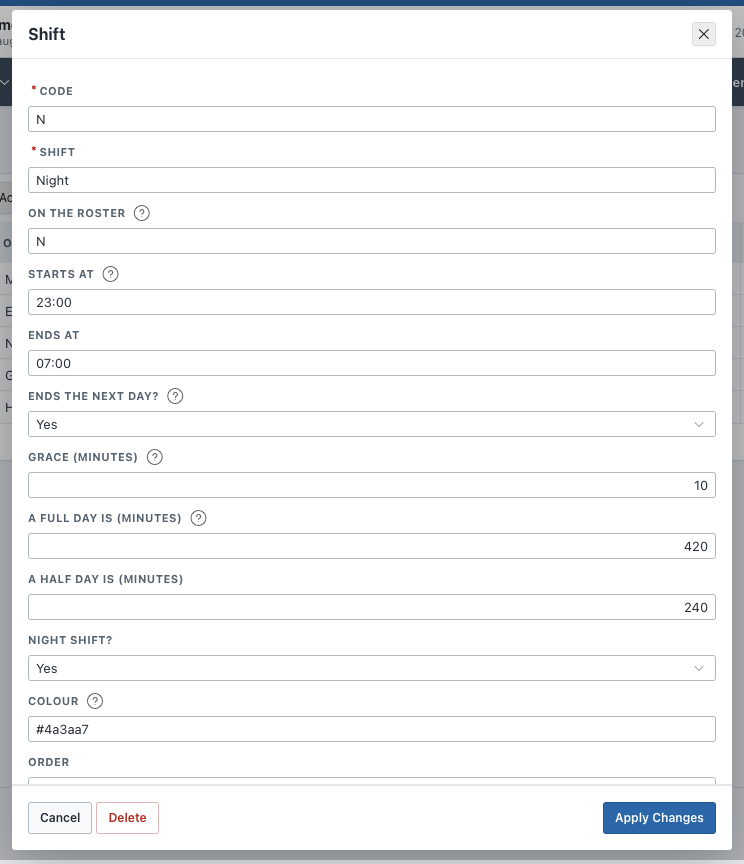
| On the Roster | one or two letters shown in the squares of the roster, e.g. N |
| Starts at / Ends at | the clock, e.g. 23:00 and 07:00 |
| Ends the Next Day? | Yes for a shift that runs past midnight |
| Grace (minutes) | somebody who comes within this many minutes of the start is not late |
| A Full Day Is / A Half Day Is (minutes) | how long someone must stay for a full day or a half day. Left empty, the hospital's answer is used |
| Colour | the colour of its squares on the roster |
Keep a full day a little under the shift
For an eight-hour shift, set a full day at 420 minutes (seven hours), not 480. Otherwise somebody who comes ten minutes late and stays to the end of the shift is counted only half a day.
Holidays
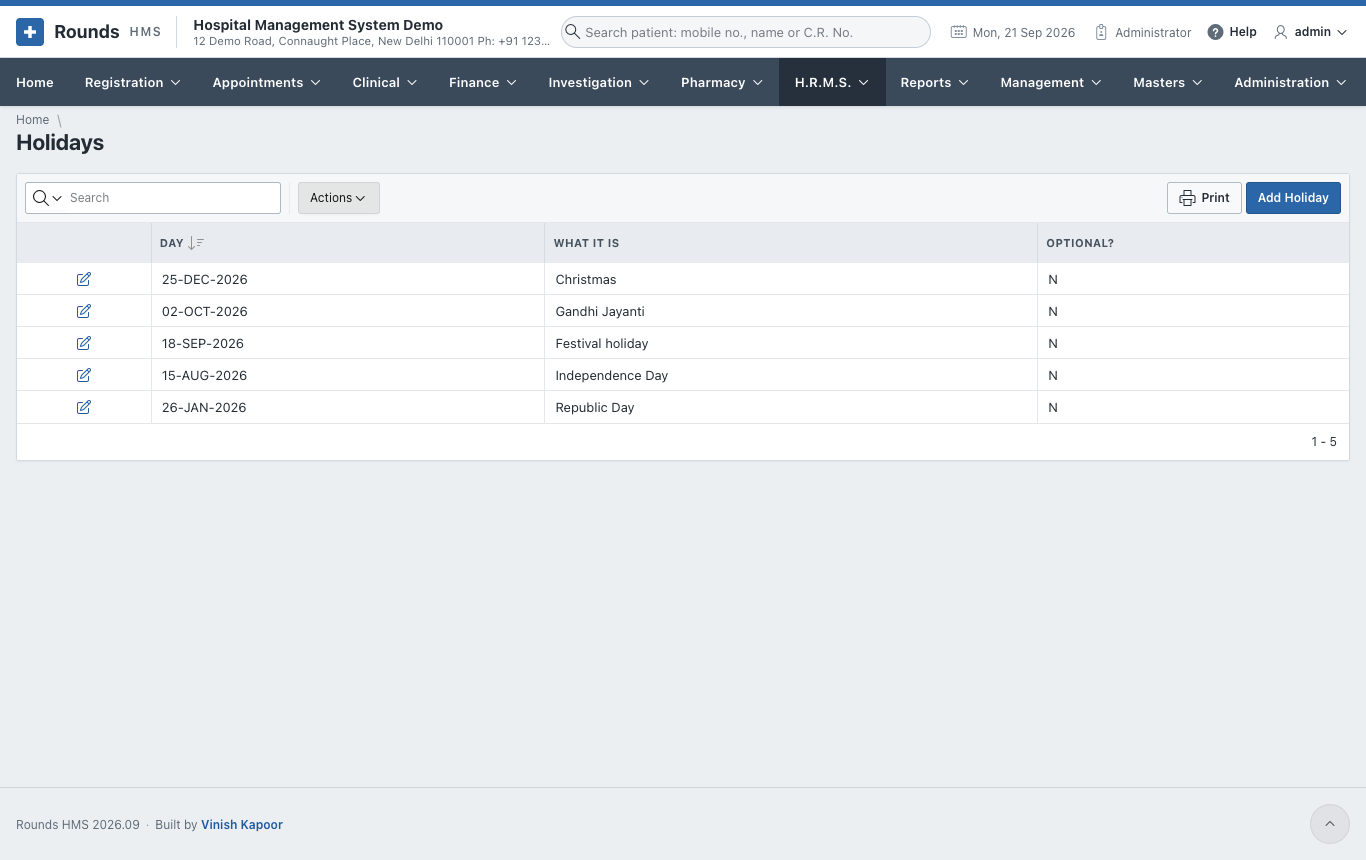
The hospital's holidays, one row per day. A holiday is marked on the roster and in the attendance by itself. Optional? is for a holiday each person may take or not.
Attendance Machines
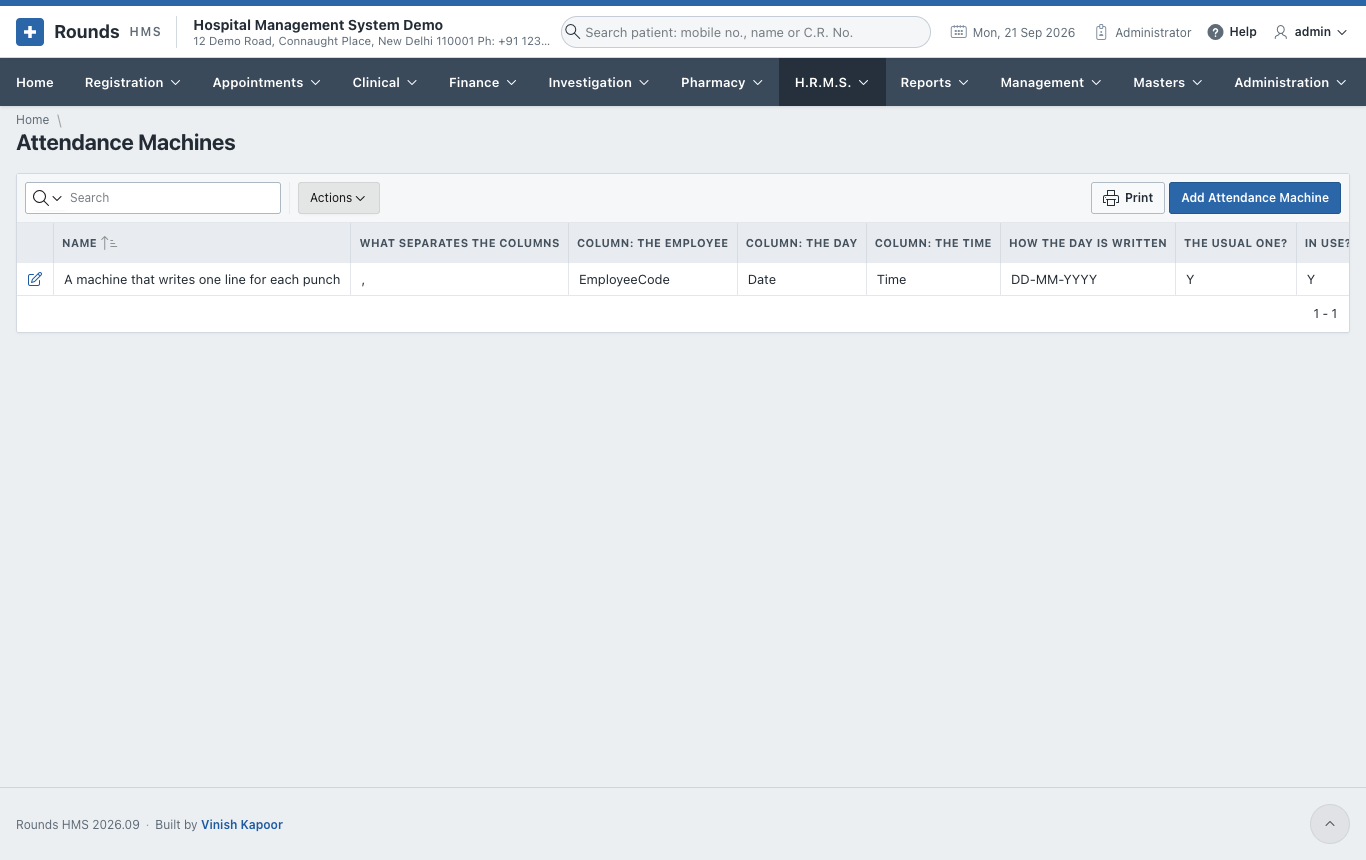
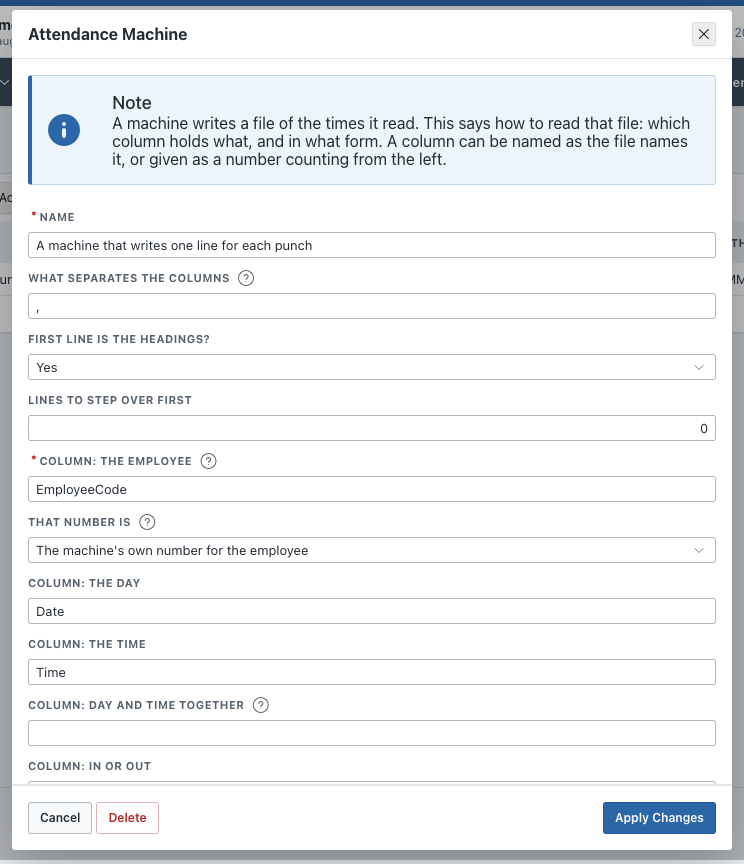
Only needed when attendance comes from a machine at the door. A machine writes a file of the times it read. This page says how to read that file, so any machine's file can be loaded without changing the application.
| Field | Meaning |
|---|---|
| What Separates the Columns | a comma for a .csv file, a semicolon, or a tab |
| First Line Is the Headings? and Lines to Step Over First | for a file that starts with headings or a title |
| Column: the Employee | the heading of the column, or its number counting from the left |
| That Number Is | the machine's own number for the employee (Machine No. on the employee), or the employee code |
| Column: the Day / the Time, or Day and Time Together | where the date and the time are |
| How the Day Is Written / How the Time Is Written | e.g. DD-MM-YYYY and HH24:MI |
| Column: In or Out with What "In" / "Out" Looks Like | where the file says whether it was an arrival or a leaving. Without it, the first time of the day is the arrival and the last is the leaving |
| The Usual One? | the machine chosen first on Load from the Machine |
Leave Types
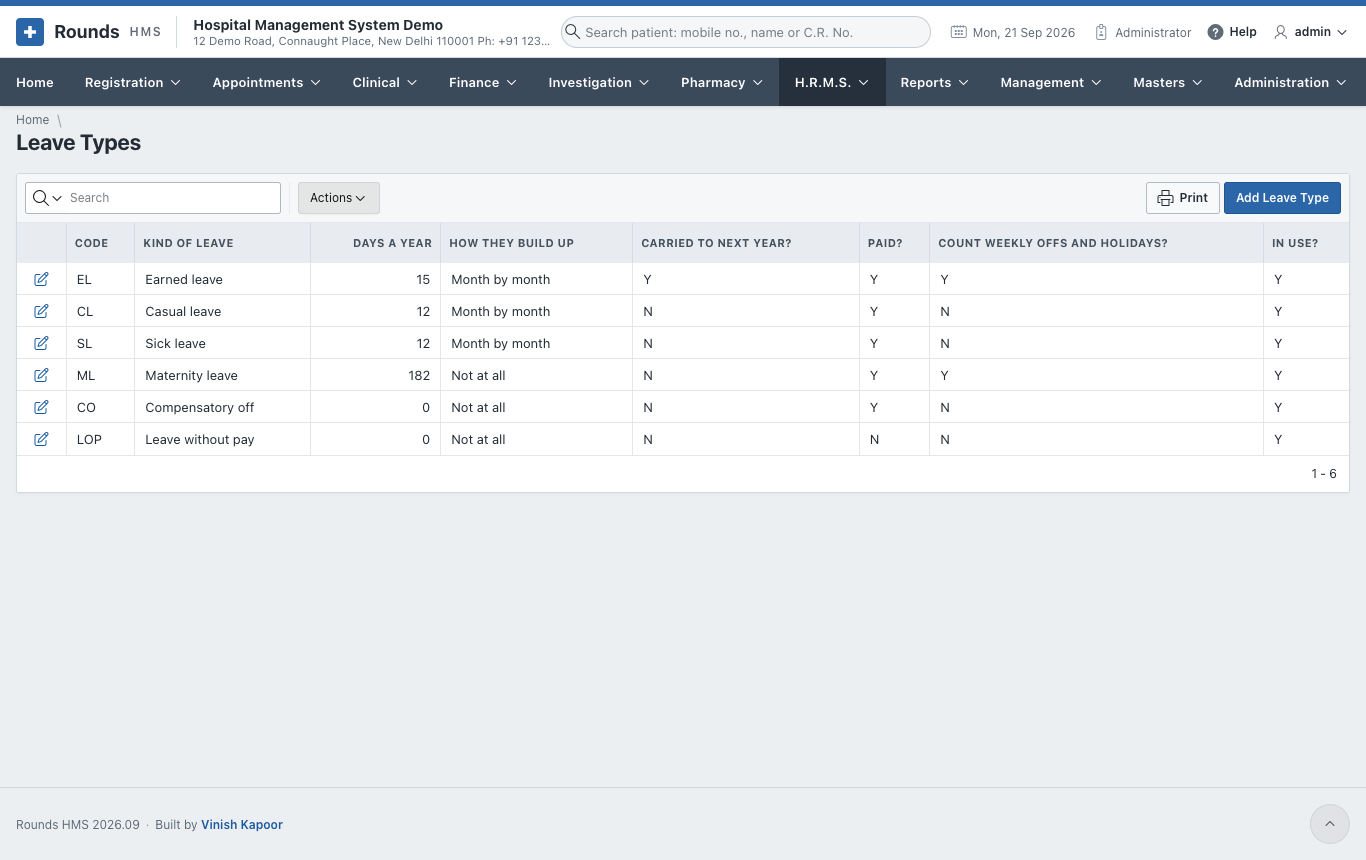
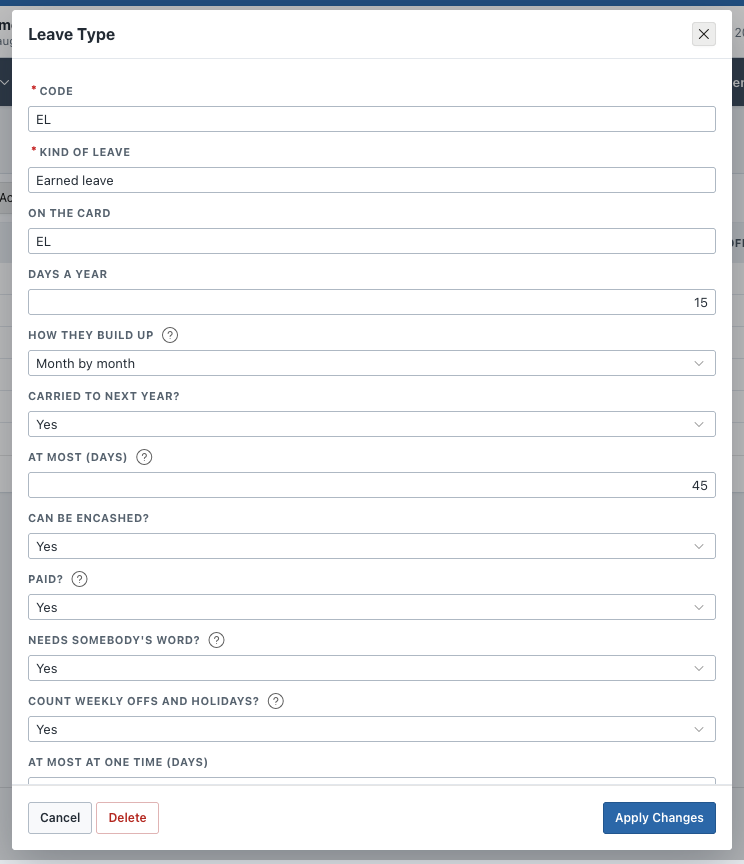
The kinds of leave the hospital gives. Earned, casual, sick, maternity, compensatory off and leave without pay come filled in.
| Field | Meaning |
|---|---|
| Days a Year | how many days of it a year gives |
| How They Build Up | Month by month (a twelfth each month), All at the start of the year, or Not at all (a kind of leave simply allowed when needed) |
| Carried to Next Year? and At Most (days) | whether what is left moves to the next leave year, and how much of it |
| Paid? | No for leave without pay: payroll counts those days as loss of pay |
| Needs Somebody's Word? | No: asking for it is enough, it is allowed at once |
| Count Weekly Offs and Holidays? | Yes for long leave such as maternity, where every day counts. No: a Saturday-to-Monday leave over a Sunday off counts two days, not three |
| At Most at One Time, Half a Day Allowed? | limits on one application |
The leave year starts on 1 April.
Salary Heads
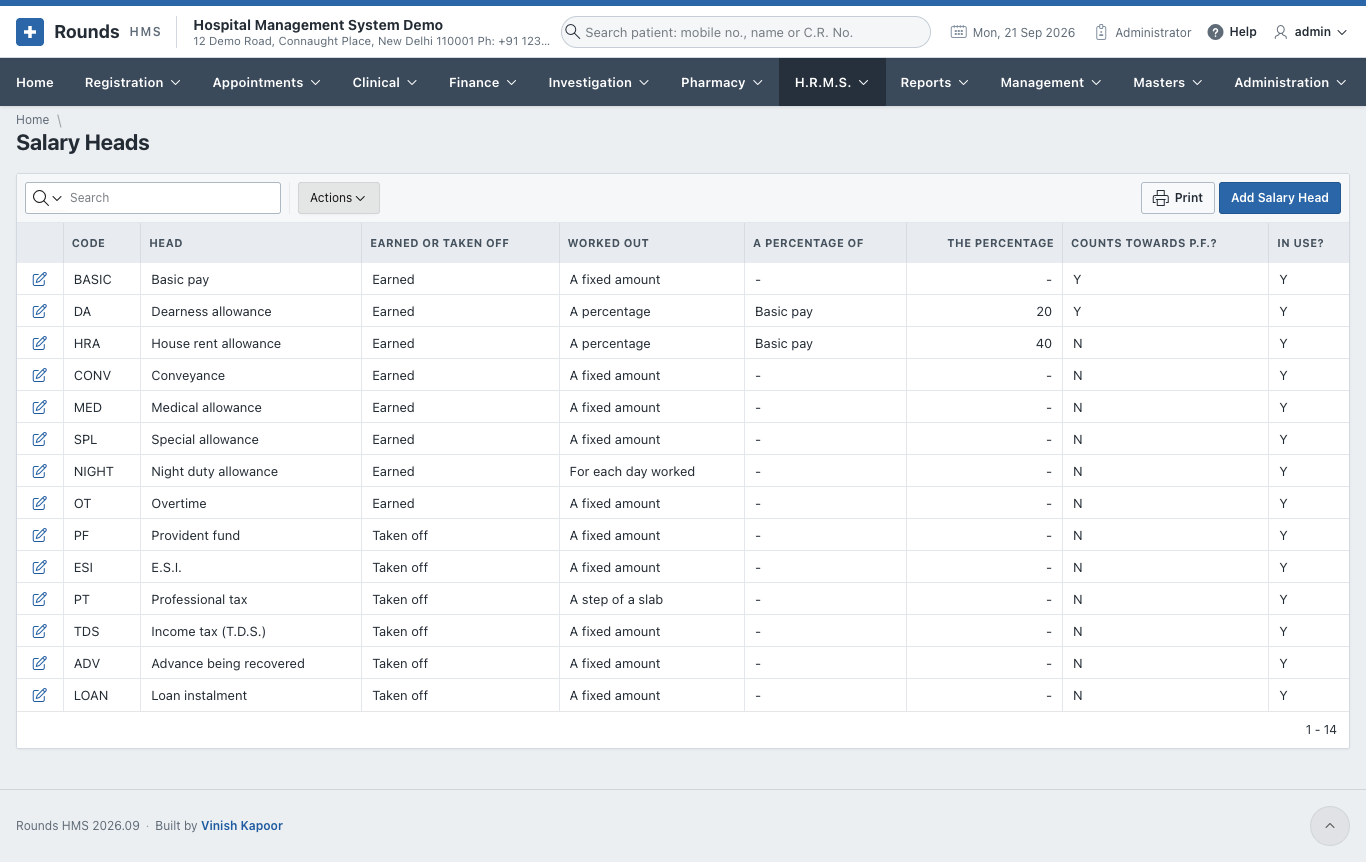
A salary is made of heads. Each is earned or taken off, and each is worked out in one of four ways:
| Worked out | Example |
|---|---|
| A fixed amount | Basic pay, conveyance |
| A percentage of another head | D.A. at 20% of basic, H.R.A. at 40% of basic |
| An amount for each day worked | a night duty allowance for each night |
| A step of a slab | professional tax |
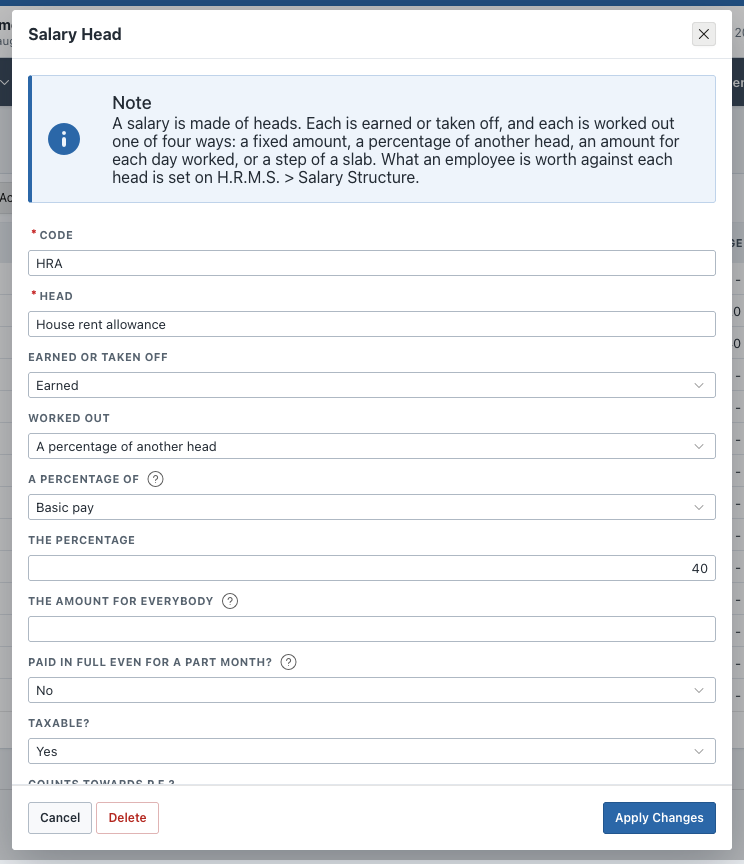
| Field | Meaning |
|---|---|
| A Percentage of / The Percentage | only for a head worked out as a percentage |
| The Amount for Everybody | where every employee gets the same. An employee's own amount on the salary structure is used first |
| Paid in Full Even for a Part Month? | No: the amount follows the days paid. Deductions are usually Yes |
| Counts Towards P.F.? / Towards E.S.I.? | whether this head is part of the wage P.F. or E.S.I. is worked out on |
| Shown on the Payslip? | No hides a head that is always nought |
P.F. and E.S.I. are heads too. Their amounts come from the rates of Payroll Settings, not from the salary structure.
Slabs of a Head
The steps of a head worked out on a slab. The professional tax steps supplied are only an example: put in the steps of your own state.
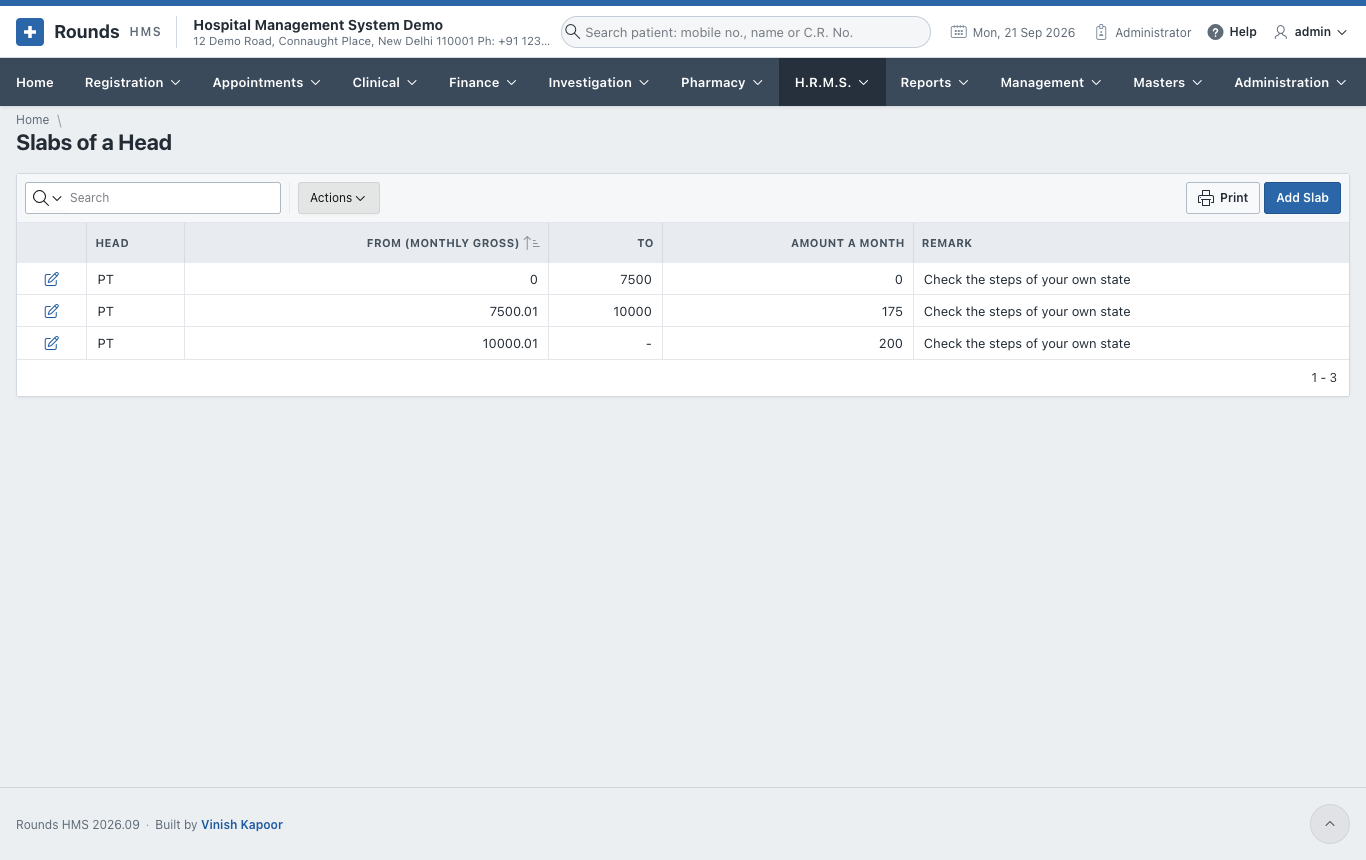
From and To are the monthly gross; Amount a Month is what is taken off for a gross in that range. Leave the last step's To empty for everything above it.
Attendance Settings
(Administrators only.) How the hospital keeps attendance.
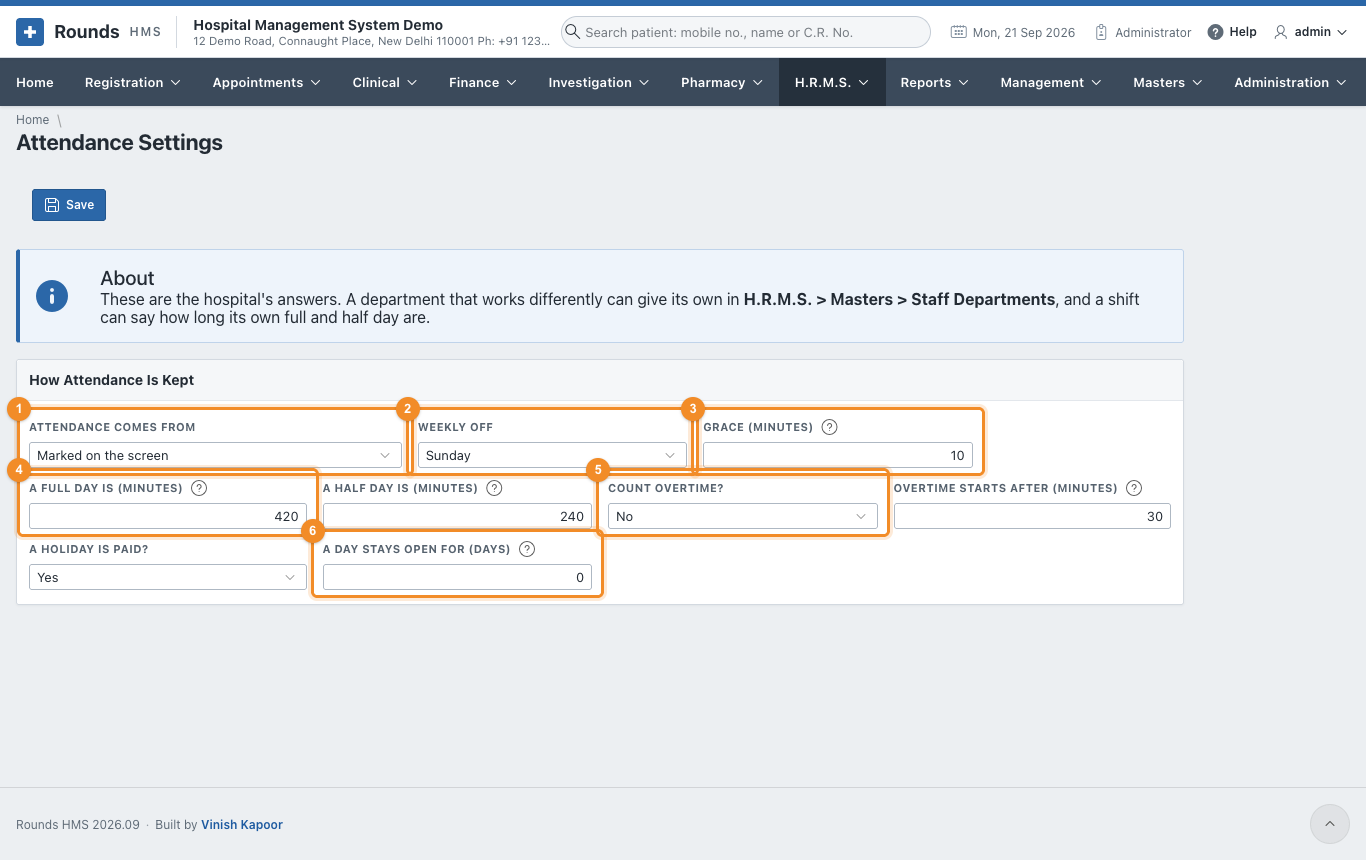
- 1 Attendance Comes From:
- Marked on the screen: somebody marks each day on Attendance;
- A machine at the door: its file is loaded on Load from the Machine;
- The duty roster alone: nobody is marked day by day. Whoever is on the roster is taken as present; mark only an absence, a half day or a day on duty outside.
- 2 Weekly Off: the hospital's day off, for anyone without a usual week.
- 3 Grace (minutes): how late someone may come before counting as late.
- 4 A Full Day Is and A Half Day Is (minutes): less than a half day counts as absent. A shift may give its own answer.
- 5 Count Overtime? and Overtime Starts After (minutes) past the end of the shift. A Holiday Is Paid? says whether payroll pays for holidays.
- 6 A Day Stays Open for (days): after this many days, a day's attendance can no longer be changed. Nought keeps every day open.
A department can give its own answer to the first two in Staff Departments.
Payroll Settings
(Administrators only.) The rates payroll works with. They change from time to time and from state to state, so they are kept here rather than written into the application.
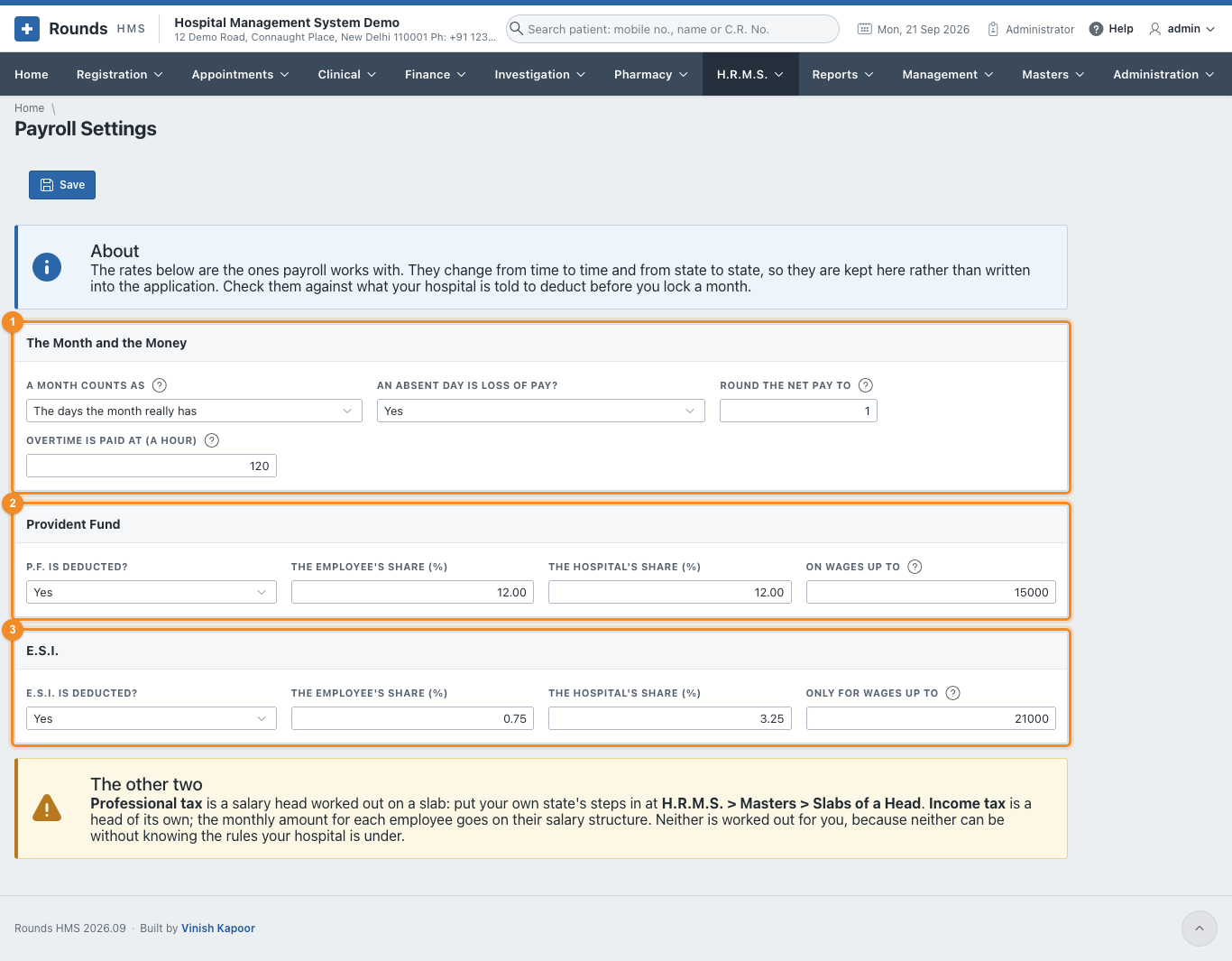
- 1 The Month and the Money:
- A Month Counts As: the days the month really has, or always thirty. A part month is paid against this;
- An Absent Day Is Loss of Pay?;
- Round the Net Pay to: 1 for the rupee, 10 for the ten;
- Overtime Is Paid at (a hour): empty means overtime is counted but not paid.
- 2 Provident Fund: whether it is deducted, the employee's and the hospital's share, and On Wages up to: P.F. is worked out on the lower of this and the wage that counts towards it.
- 3 E.S.I.: whether it is deducted, the two shares, and Only for Wages up to: someone earning more is outside E.S.I.
Income tax and professional tax are not worked out for you
Professional tax is the slab you fill in for your state (Slabs of a Head). Income tax (T.D.S.) is an amount you set for each employee on their salary structure. Neither can be worked out without knowing the rules your hospital is under, so check both with your accountant.