Employees
H.R.M.S. > Employees lists the staff.
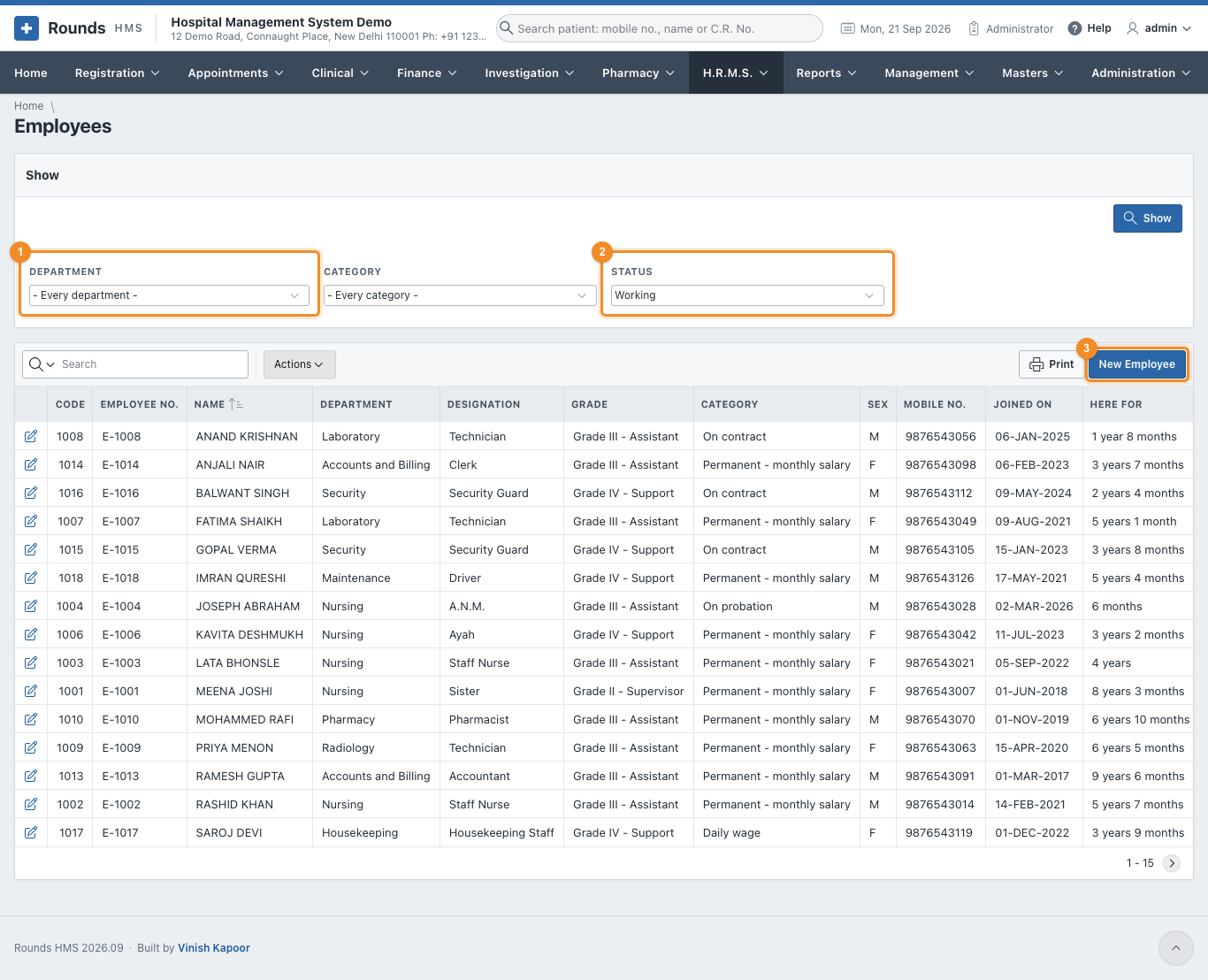
- 1 Department and Category narrow the list.
- 2 Status: Working by default. Choose Left, Retired, or Everybody to find someone who is no longer here. Click Show.
- 3 New Employee opens an empty record. Click a name to open that employee.
Like every list, it can be searched, sorted, printed or downloaded (see how every report works).
The employee's record
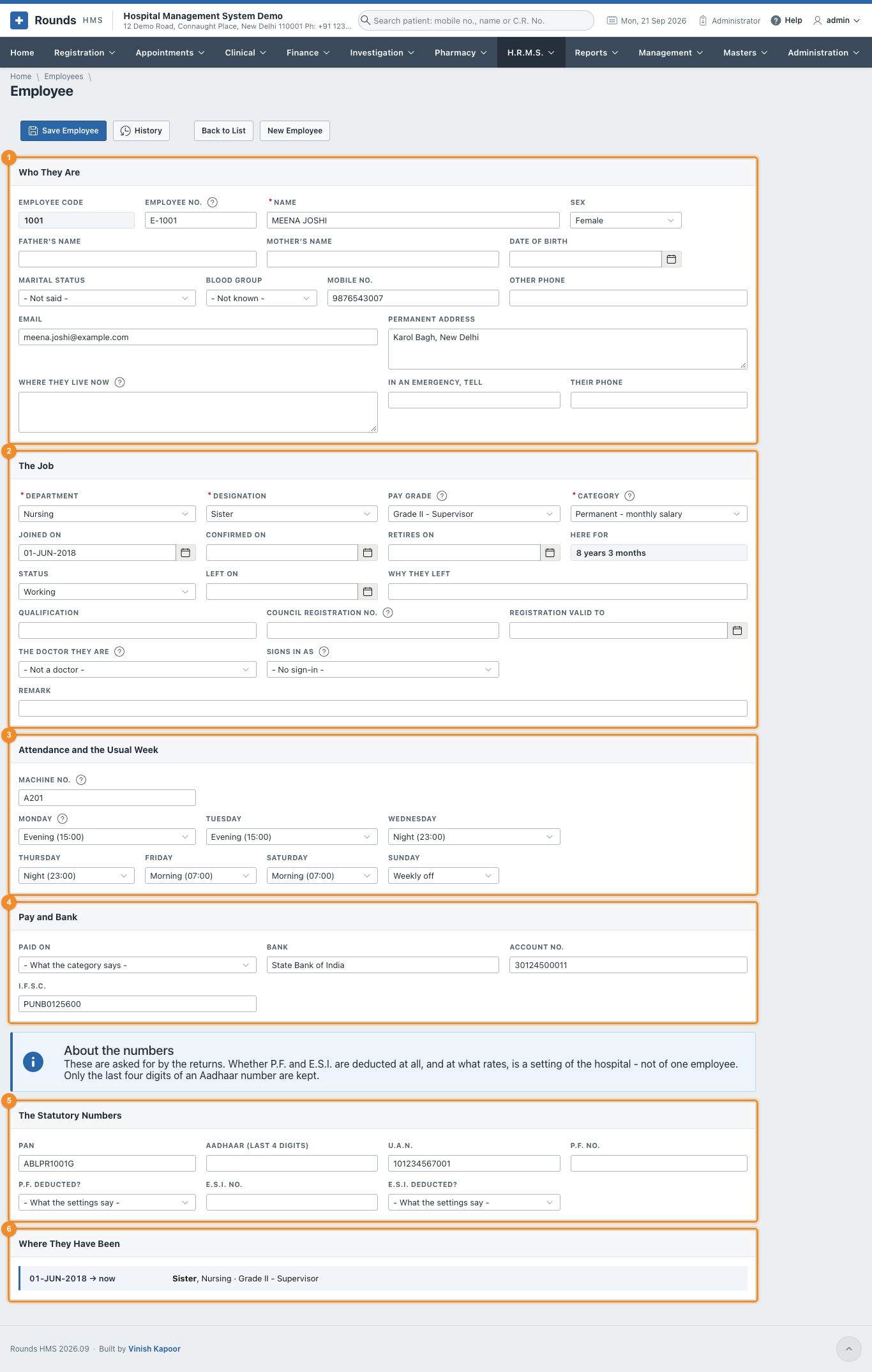
The record has six parts. Only Name, Department, Designation and Category must be filled in to save; the rest can follow.
Who they are
1 The person: name, sex, parents, date of birth, blood group, phones, e-mail, the permanent address and where they live now, and whom to call in an emergency.
- Employee Code is given by the application when the record is first saved.
- Employee No. is the number on their card. Left empty, the next one is given (E-1001, E-1002 ...). Two employees cannot have the same number.
The job
2 What they do here.
| Field | Meaning |
|---|---|
| Department, Designation | from Setting Up |
| Pay Grade | left empty, the grade of the designation is taken |
| Category | decides whether attendance is kept, whether they are on the roster, and whether payroll pays them (Employee Categories) |
| Joined on, Confirmed on, Retires on | Here for works out the length of service |
| Status | Working, On notice, Left, Retired or Suspended. Left and Retired need Left on |
| Council Registration No. and Registration Valid to | for nurses, pharmacists and doctors |
| The Doctor They Are | joins a doctor on the staff to Masters > Doctors, so both records are the same person |
| Signs in as | the user they sign in with (Administration > Application Users) |
Attendance and the usual week
3 How this person's days are kept.
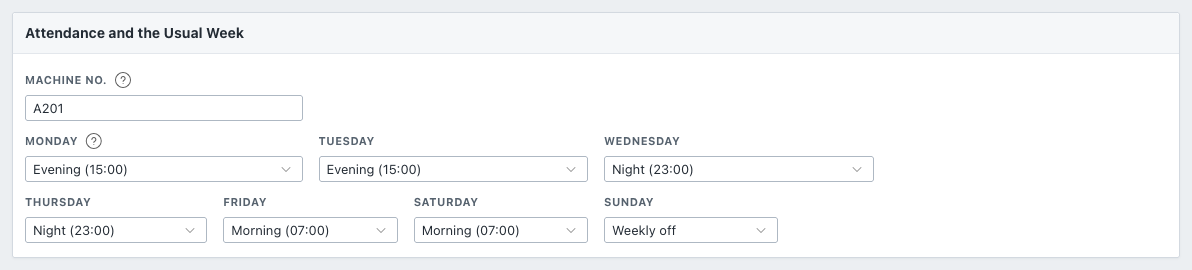
- Machine No.: what the attendance machine at the door calls this person. Needed only when attendance comes from a machine.
- Monday to Sunday: the shift they are usually on each day, or Weekly off. The Duty Roster is filled from this week. A day left Not set takes the department's weekly off, or the first shift.
A nurse who rotates can be given a week like the one above: two evenings, two nights, two mornings and a Sunday off. Changes to a particular week are made on the roster itself.
Pay and bank
4 Paid On (left empty, the category decides), and the Bank, Account No. and I.F.S.C. the salary goes to. The Bank Payment Statement lists anyone whose bank details are missing.
The statutory numbers
5 PAN, the last four digits of Aadhaar (the full number is not kept), U.A.N., P.F. No. and E.S.I. No. The returns ask for them.
P.F. Deducted? and E.S.I. Deducted? are normally left at What the settings say, so the hospital's Payroll Settings decide. Choose No for someone who is exempt.
Where they have been
6 Every posting: the department, designation and grade, and from when to when.

A new line starts by itself whenever the department, the designation or the grade changes and the record is saved. A transfer or a promotion therefore leaves its own history, and nothing needs to be typed here.
Save Employee saves the record. History (administrators) shows every change made to it, by whom and when (see Audit Trail).
When somebody leaves
Do not delete the record: their attendance, leave and payslips point to it. Set Status to Left (or Retired), fill in Left on and Why They Left, and save. They leave the roster and the staff count, and their last month is paid only up to that day.