Blood Bank
The blood bank keeps three things:
- the donors;
- the bags in the fridge, each with its group, component and expiry;
- the requests for patients, from cross-match to issue.
Blood Donors
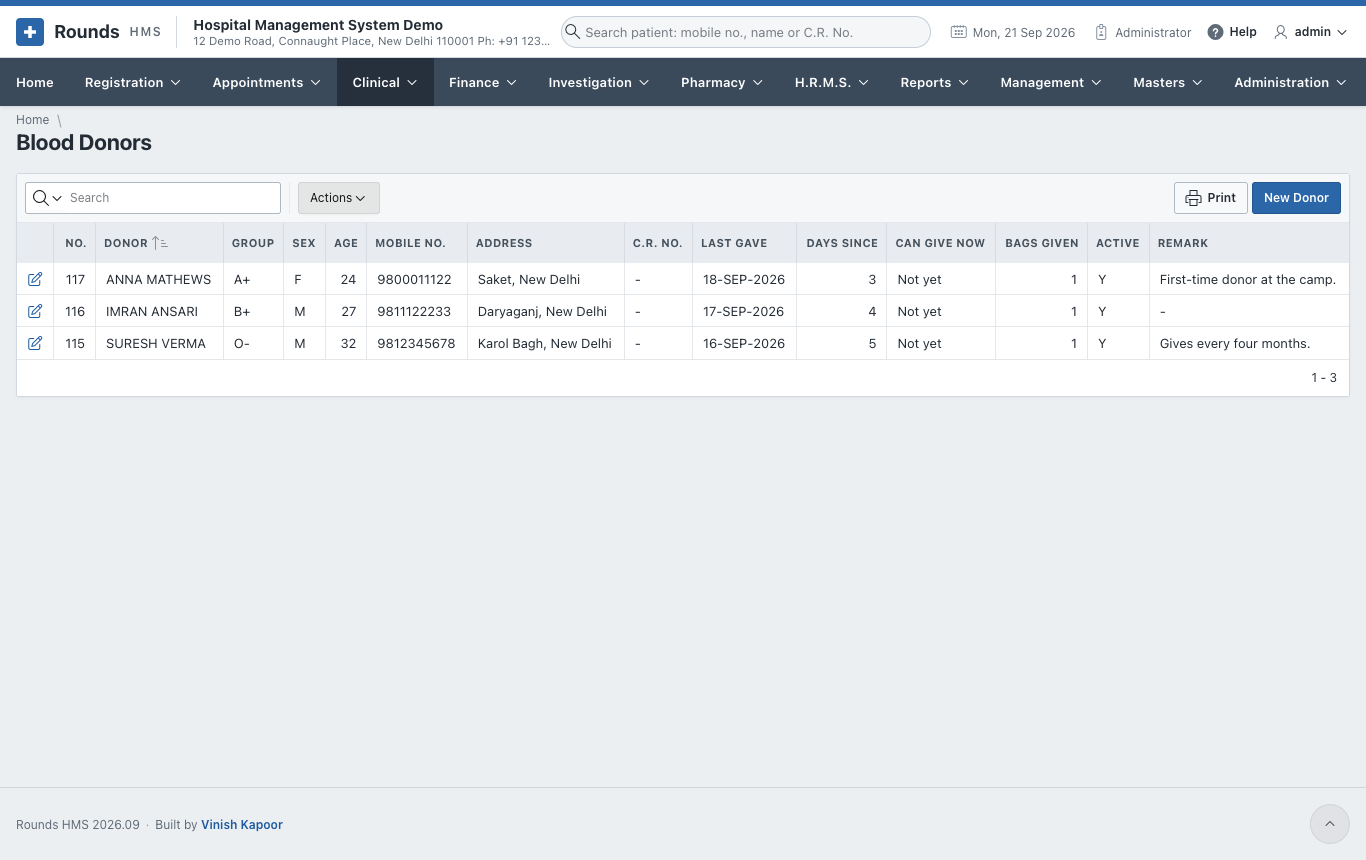
Clinical > Blood Donors lists the donors. New Donor adds one, and the pencil opens one.
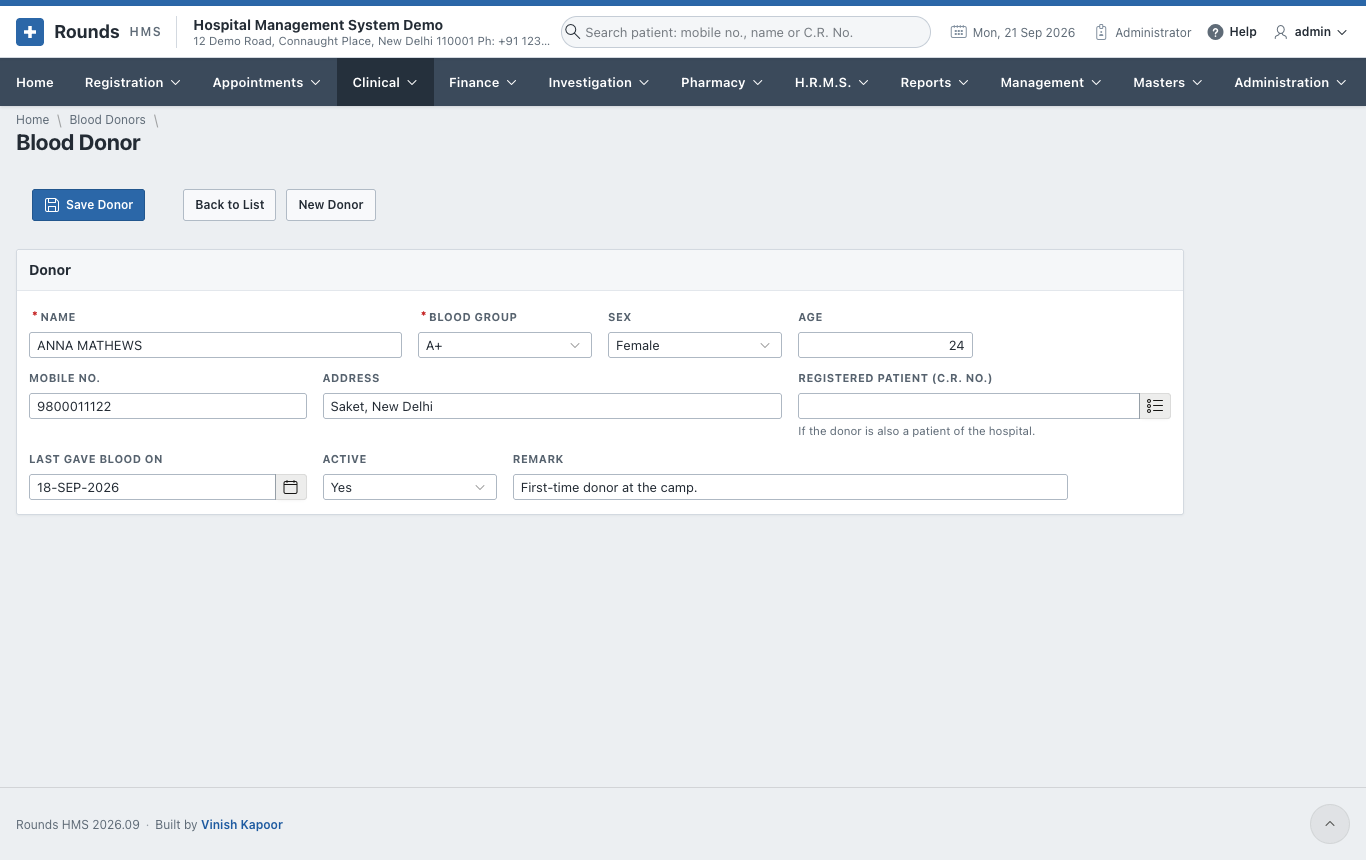
Fill in:
- the Name, Blood Group, Sex, Age, Mobile No. and Address;
- Registered Patient, if the donor is also a patient;
- Last Gave Blood On, Active and a Remark.
Then click Save Donor.
Blood Stock
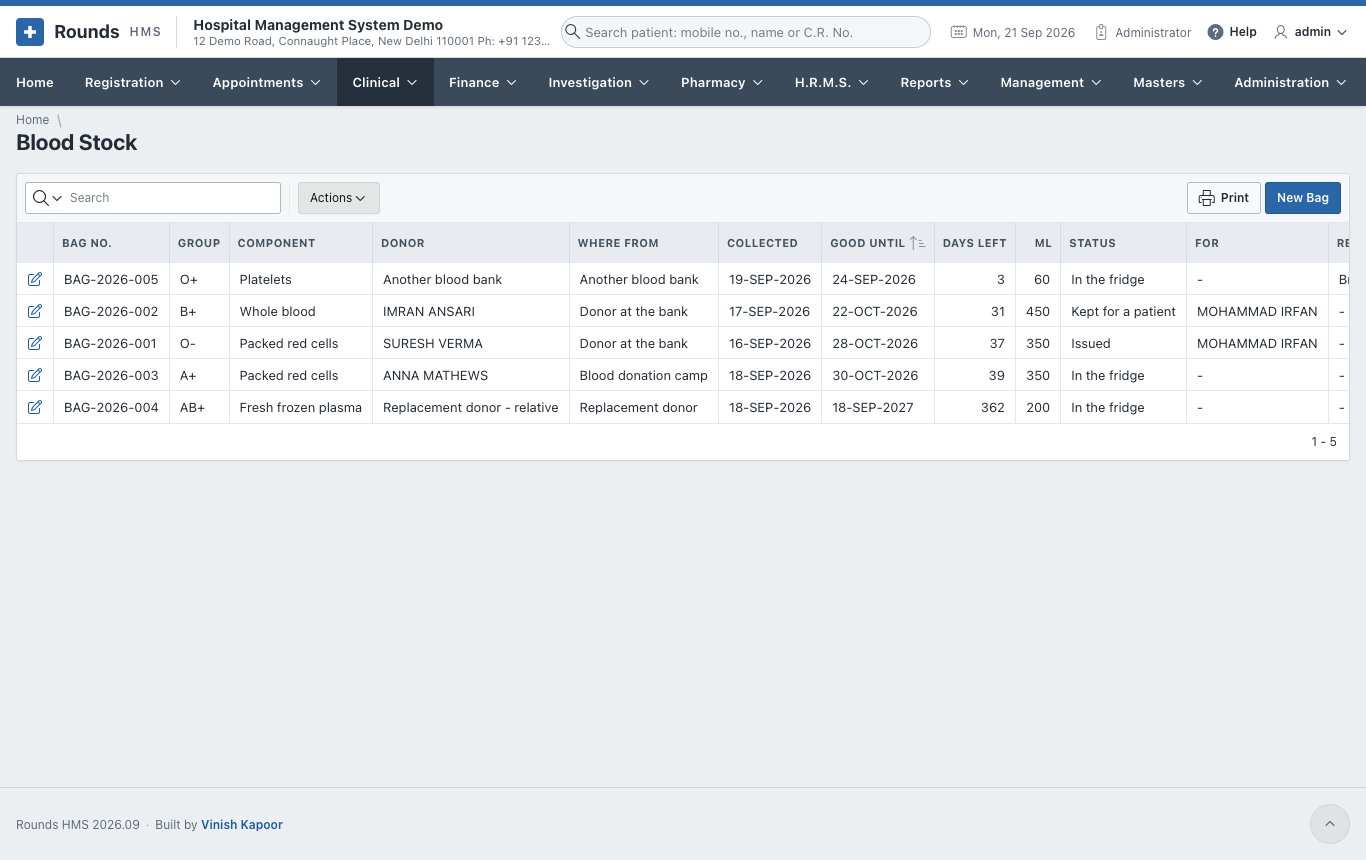
Clinical > Blood Stock lists every bag with its status: in stock, reserved, issued, expired or thrown away. Bags past their date are marked expired by themselves.
New Bag records a bag:
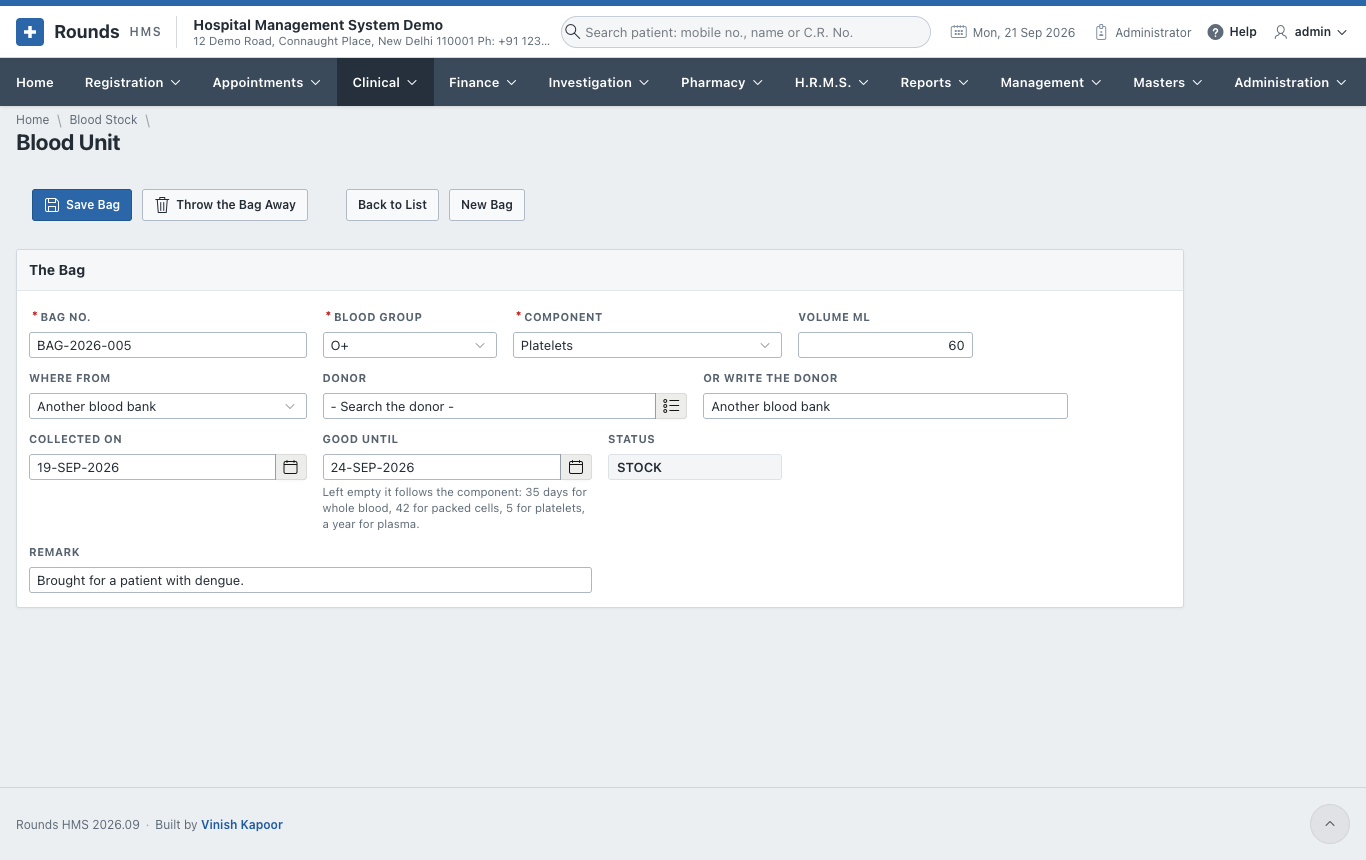
- Bag No., Blood Group, Component (whole blood, packed cells, platelets, plasma ...) and Volume ml.
- Where From, and the Donor (or Or Write the Donor).
- Collected On, and Good Until. Left empty, it follows the component: 35 days for whole blood, 42 for packed cells, 5 for platelets, a year for plasma.
- Click Save Bag. Throw the Bag Away records a bag that is discarded, with the reason.
Cross-match and Issue
Clinical > Cross-match and Issue gives blood to a patient.
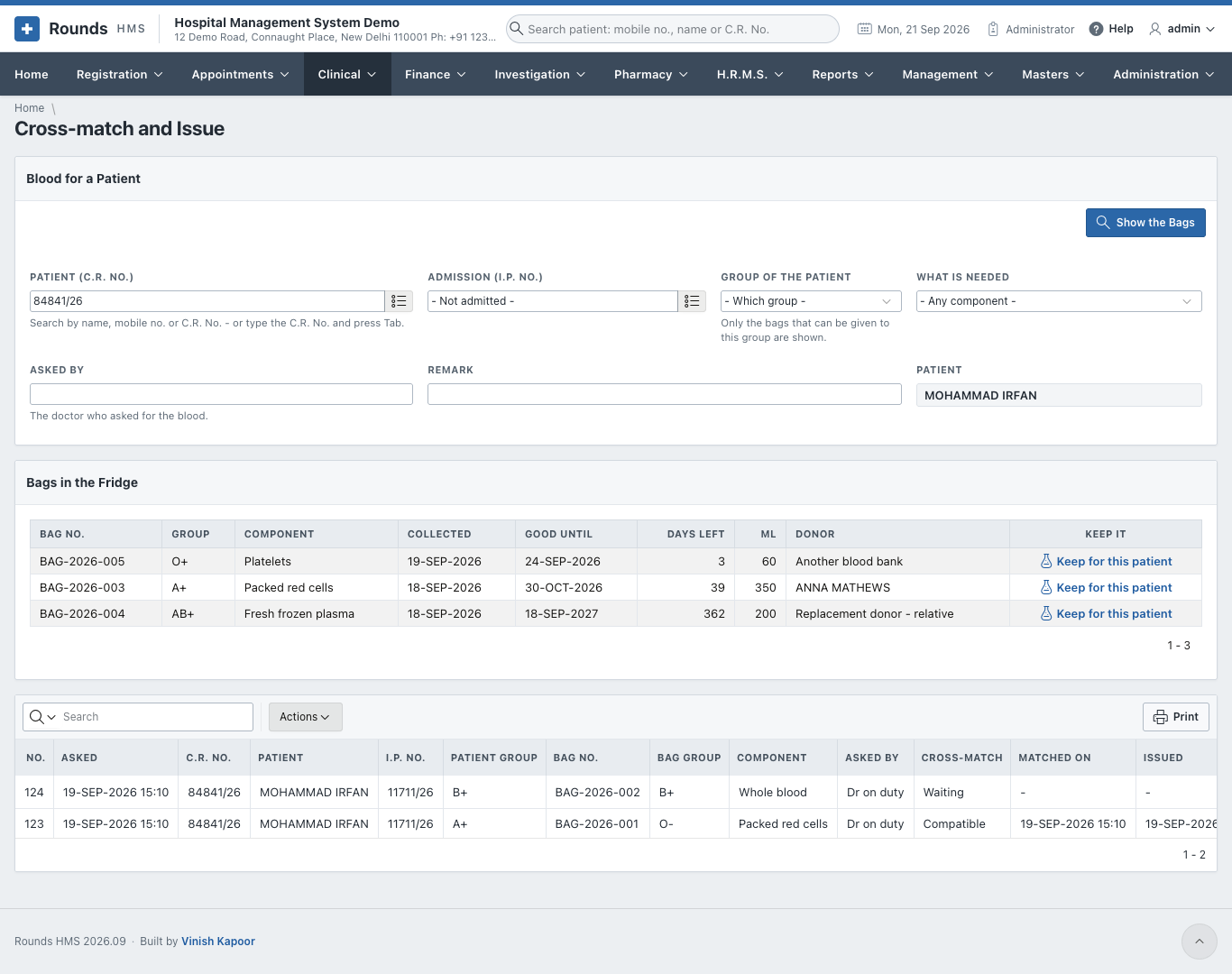
- Choose the Patient (C.R. No.) and the Admission, the Group of the Patient and What Is Needed. Then click Show the Bags.
- Bags in the Fridge shows only the bags that can be given to this group, soonest to expire first. Reserve a bag for the patient; give Asked By (the doctor) and a Remark.
- In Requests, Cross-matches and Issues, the request then moves on:
- record the cross-match: compatible or not;
- Issue a compatible bag;
- Cancel a request no longer needed. The bag goes back to stock.
- Print prints the issue slip that goes with the bag.