Masters
The Masters menu holds the lists the rest of the application uses:
- units and doctors;
- the tariff of charges and the empanelled companies;
- wards, and the items of the I.P. bill;
- the medicine lists and suppliers;
- the report formats of the laboratory and radiology;
- diagnosis codes, operation theatres and vaccines;
- the words of the WhatsApp messages.
They are set up once and changed only now and then, usually by an administrator.
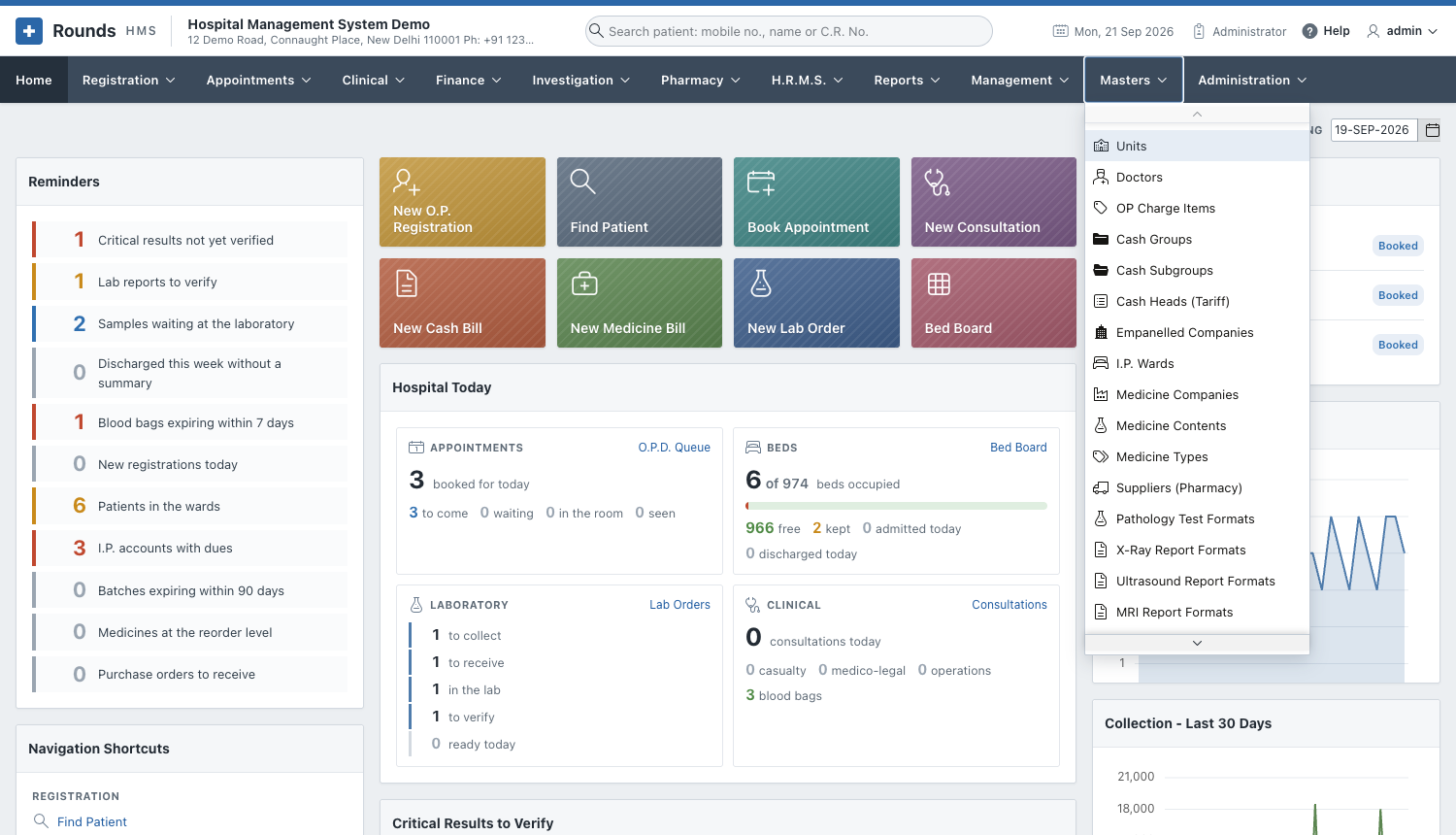
| Page | Masters |
|---|---|
| Hospital and Tariff | Units, Doctors, OP Charge Items, Cash Groups, Cash Subgroups, Cash Heads (Tariff), Empanelled Companies, I.P. Wards, I.P. Bill Items |
| Pharmacy Lists | Medicine Companies, Medicine Contents, Medicine Types, Suppliers (Pharmacy) |
| Report Formats | Pathology Test Formats, X-Ray, Ultrasound, MRI and CT-Scan Report Formats |
| Clinical Lists | Diagnosis Codes (I.C.D.-10), Operation Theatres, Vaccines |
| Message Templates | The words of the WhatsApp messages |
How every master works
Every master is a list, with the same buttons:
- Add ... (top right) adds a new entry in a small window. Fill it in and click Create.
- The pencil of a row opens it. Change it and click Apply Changes, or Delete it.
- Search, Actions and Print work as in the reports.
Deleting
An entry that bills or registrations already use (a doctor, a cash head, a ward) should be switched off, not deleted: the old records still point to it. Where a master has Active or Is Active?, set it to No instead.