Management
The Management menu shows how the hospital is doing: money, patients, beds and the laboratory, for any period, against the period before it. It also mails reports to the people who need them, on a schedule.
Only an Administrator sees this menu. No other role opens it, whatever its modules.
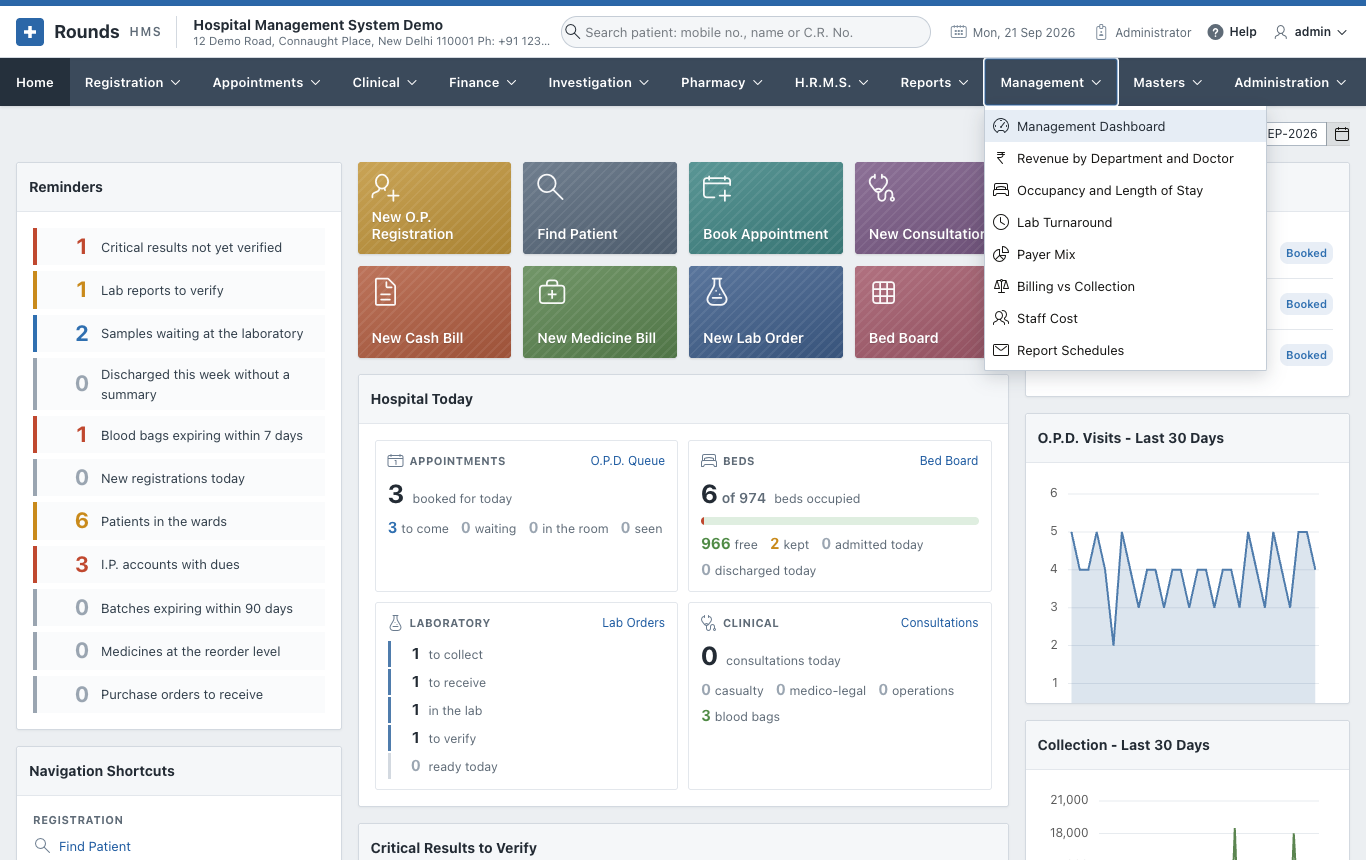
| Page | What it shows |
|---|---|
| Management Dashboard | The key figures of a period against the period before, and six charts |
| Analyses | Revenue by Department and Doctor, Occupancy and Length of Stay, Lab Turnaround, Payer Mix, Billing vs Collection |
| Staff Cost | What the staff cost the hospital, month by month against the revenue, and by department |
| Report Schedules | Reports mailed every day, week or month to a list of addresses |
Every page works like the reports: choose From and To, click Show. A page opens on the current month.
Where the figures come from
Nothing is typed in for these pages: they read the bills, receipts, admissions and lab orders.
| Figure | Counted from |
|---|---|
| Revenue | every bill once: registration and renewal fees, the lines of cash and credit bills, the I.P. final bill (charges and the advance), medicine bills less returns, miscellaneous bills |
| Department | the unit of a registration, the tariff group of a bill line (Pathology, Radiology ...), the ward of an I.P. bill, Pharmacy for medicines |
| Payer | the empanelled company of the bill; for an I.P. bill without one, the insurer or TPA of a claim on the admission; otherwise Self-pay |
| Collected | every payment received, less refunds and returns (doctors' payouts are not counted) |
| Outstanding | what patients and insurers owe now, as in Outstanding Dues |
| Bed occupancy | bed-days used out of the beds of every ward (from Masters > I.P. Wards) times the days of the period |
| Average length of stay | the days from admission to discharge of the patients discharged in the period (a same-day stay counts as one day) |
| Staff cost | the locked and open months of payroll: the gross pay and the hospital's own share of P.F. and E.S.I. |
| Lab turnaround | the hours from the order to the verified report; on time when within the longest target of its tests (Investigation > Lab Test Settings, 24 hours when none is set) |