The End of the Day
Day-End Closing
At the end of a shift, each counter counts its cash and hands it over. Finance > Day-End Closing shows what the counter collected and checks the cash.
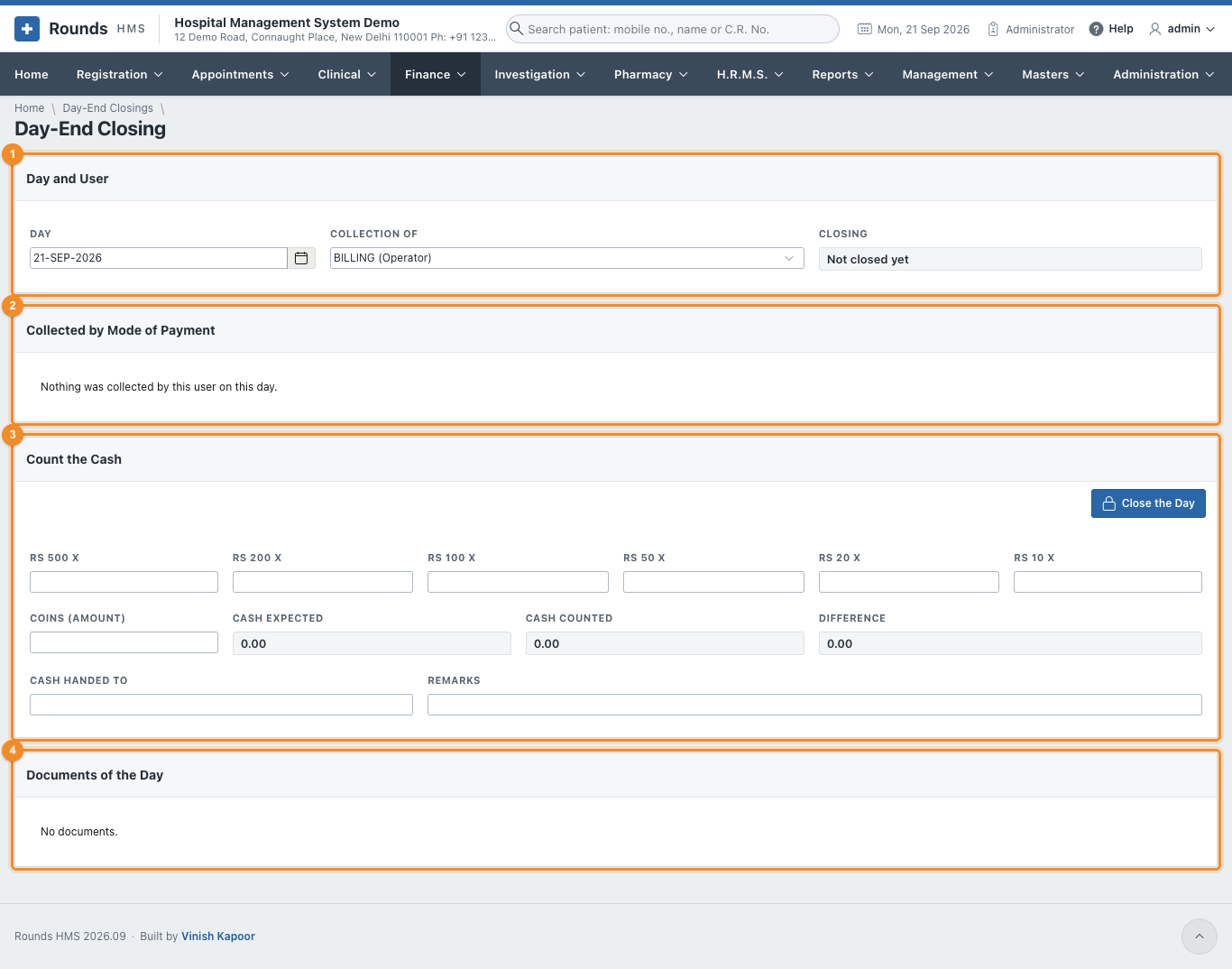
- 1 Day and User: the Day and whose Collection of. Closing says whether that day is already closed.
- 2 Collected by Mode of Payment: how much came in by cash, UPI, card ..., and how many documents.
- 3 Count the Cash:
- enter how many notes of each kind: Rs 500 x, Rs 200 x ... Rs 10 x, and the Coins (amount);
- Cash Expected (the cash collected), Cash Counted and the Difference (short or excess) are worked out as you type;
- Cash Handed To: e.g. Accounts office, and Remarks, e.g. why the cash is short.
- 4 Documents of the Day lists every document behind the totals, with how it was paid and its transaction ID. Use it to trace a difference.
- Click Close the Day, then Print the Handover for the person receiving the cash to sign.
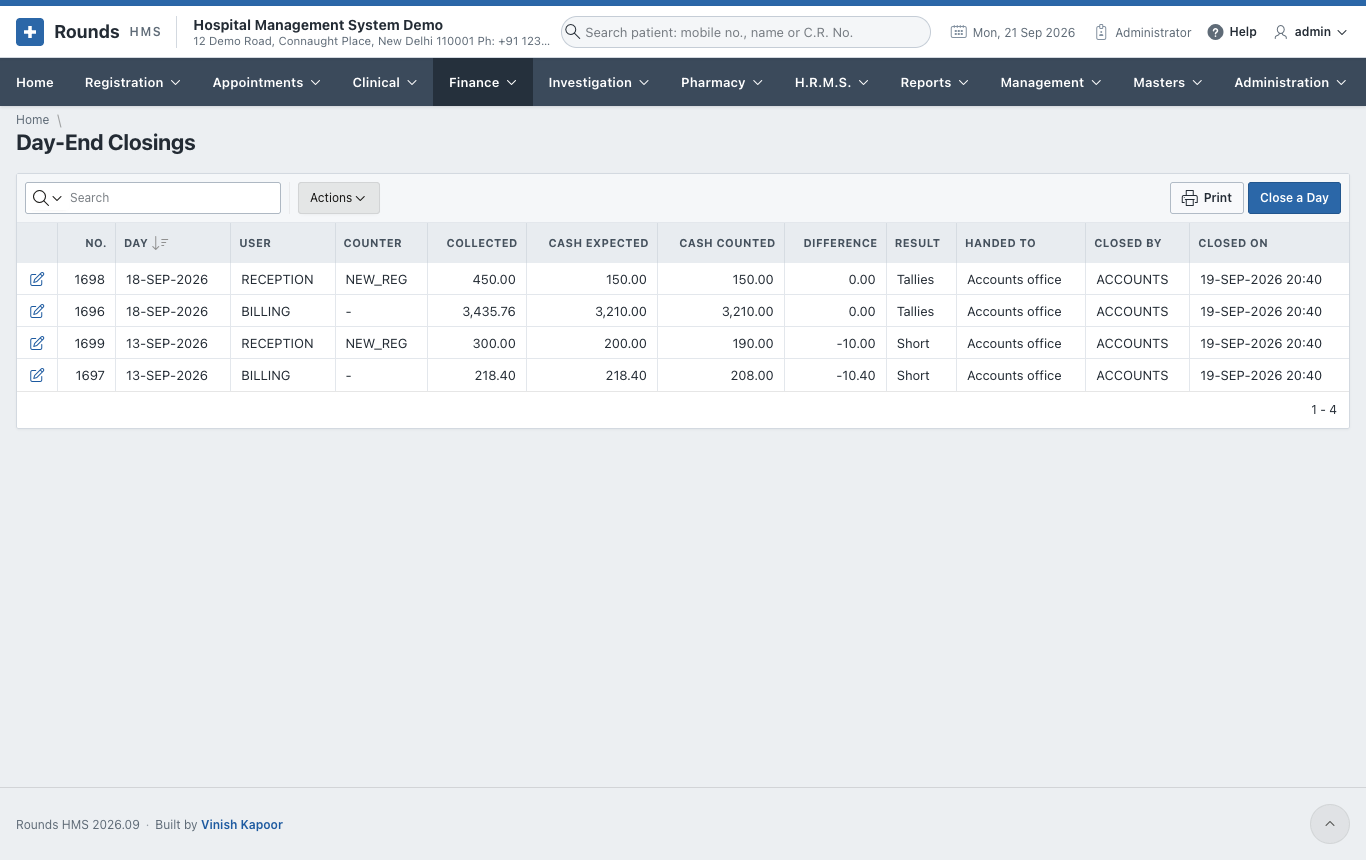
Finance > Day-End Closings lists the closings, with the expected and counted cash and the difference. Close a Day opens a new one.
Collections by Mode
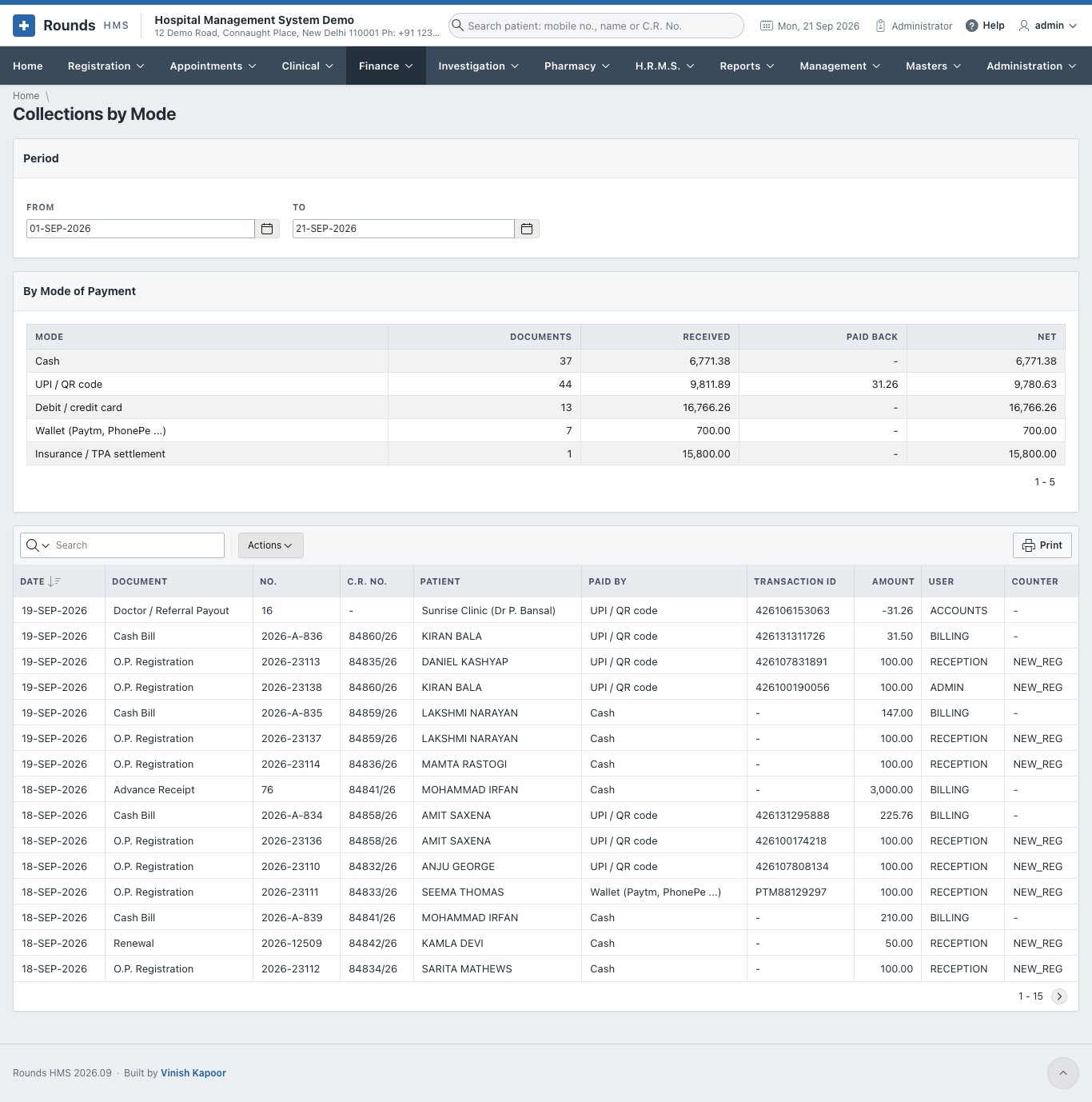
Finance > Collections by Mode shows, for a period (From and To):
- By Mode of Payment: the totals of cash, UPI, card ...
- Every Payment: each payment with its document, patient, mode and transaction ID. Use it to match the UPI and card settlements the bank reports.
Receivables Ageing
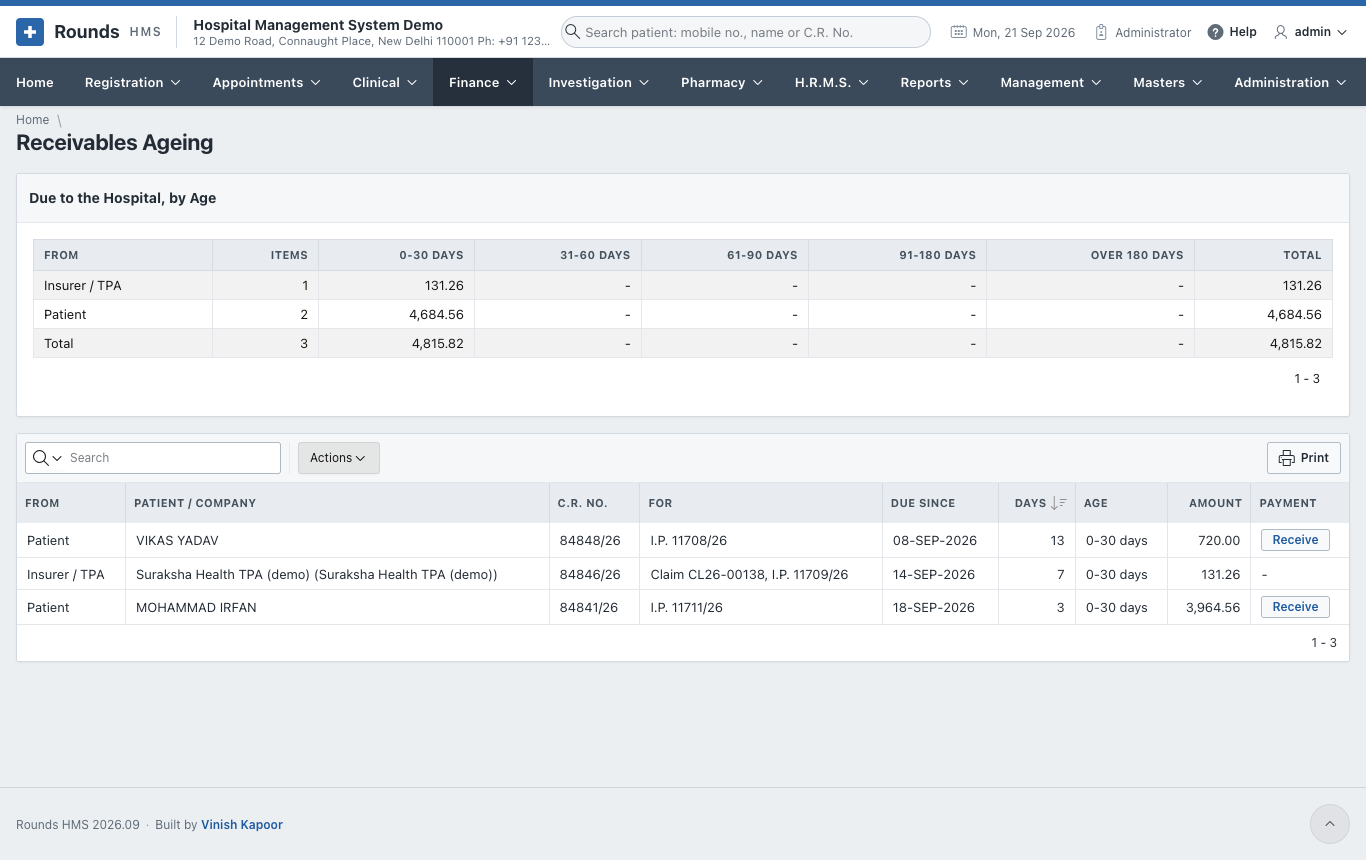
Finance > Receivables Ageing shows who owes the hospital money, and for how long:
- Due to the Hospital, by Age: the totals owed by patients and by companies / TPAs, in columns of 0-30, 31-60, 61-90, 91-180 and over 180 days;
- Everything Due: each due, with its document and age.
Chase the oldest first.