Bed Board and Ward Transfers
Bed Board
Registration > Bed Board opens on every ward at once, each with its beds, how many are occupied, kept or free, and its occupancy:
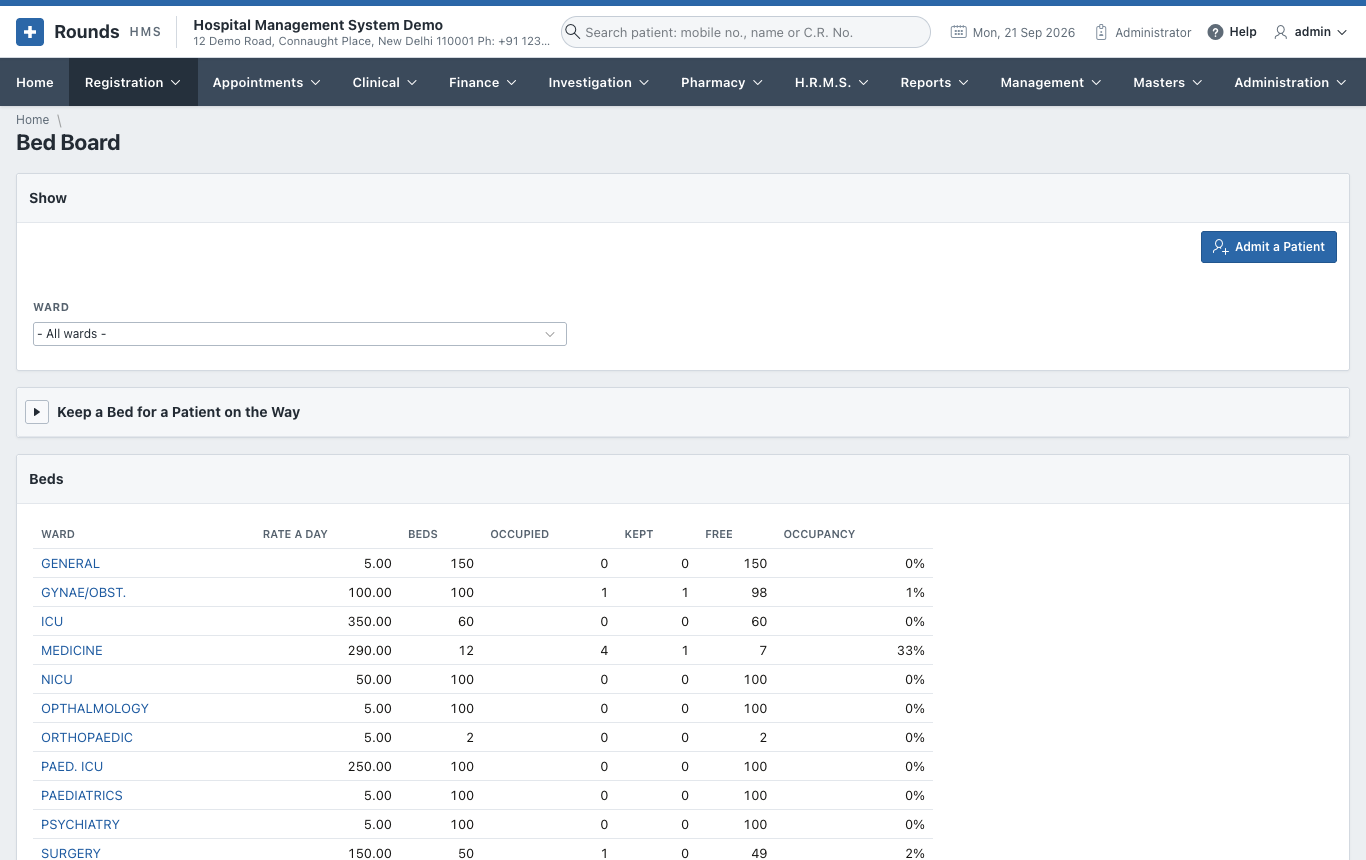
Choose a 1 Ward to see its beds one by one:
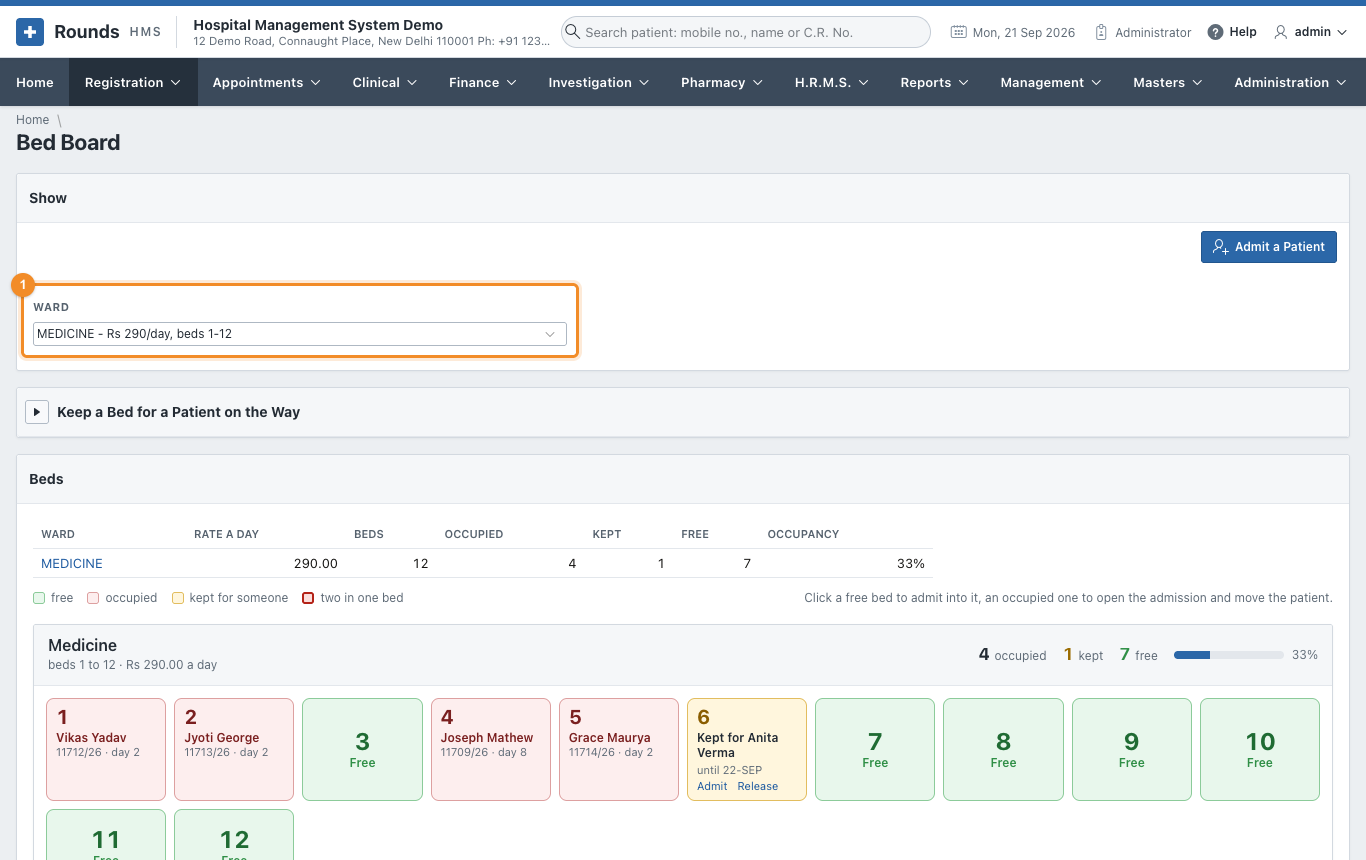
Each ward is a card of its own. Its heading gives the beds it holds and what it costs a day, and on the right the figures of the moment with a bar showing how full it is:
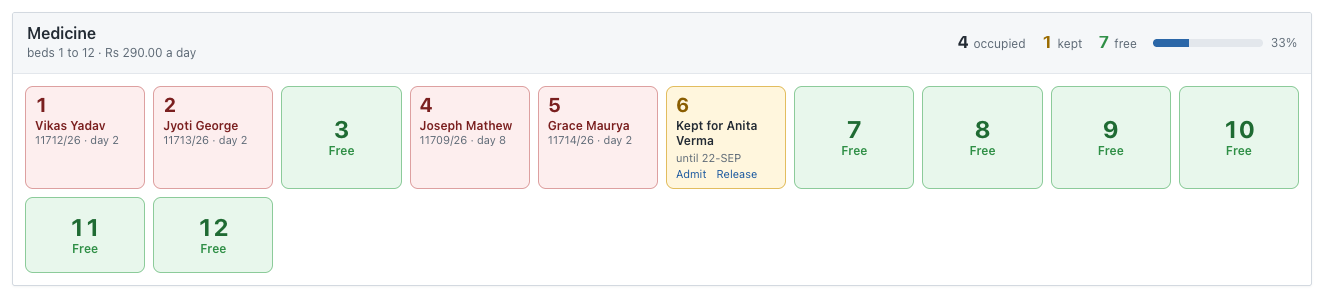
Every bed is a tile with its number in large type, so a ward can be read from across the room:
| Tile | Meaning |
|---|---|
| green, Free | click it to admit a patient into this bed |
| red | occupied: the patient's name, I.P. No. and the day of the stay. Click it to open the admission, e.g. to move or discharge the patient. |
| amber, Kept for ... | held for a patient on the way (see below), with Admit and Release on the tile |
| red frame, n in this bed | two admissions share the bed, one of them on an extra bed |
The line of colours above the wards says the same thing in words, and sharing a bed appears in a ward's figures whenever there are more patients in it than beds taken.
Admit a Patient opens an empty admission.
Keep a bed for a patient on the way
A bed can be held for a patient who is coming: from the operation theatre, from another hospital, or from casualty. Open Keep a Bed for a Patient on the Way:
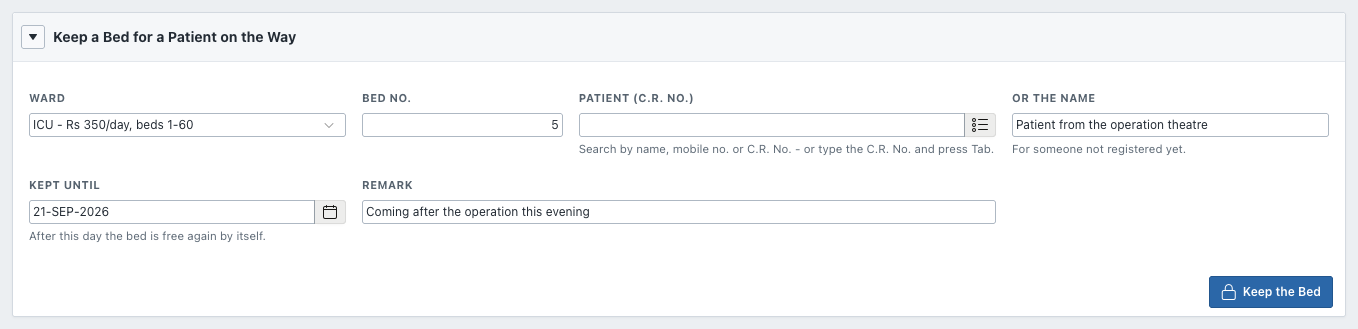
- Choose the Ward and Bed No.
- Choose the Patient (C.R. No.), or type Or the Name for someone not registered yet.
- Kept Until: after this day the bed is free again by itself.
- A Remark, e.g. coming after the operation this evening.
- Click Keep the Bed.
The bed turns yellow. Nobody else can be admitted into it. When the patient arrives, click the bed to admit them.
Ward Transfers
Registration > Ward Transfers lists every move of every patient between wards and beds: who moved, from where, to where, and when. Use Actions to filter it, for example by ward or by day.
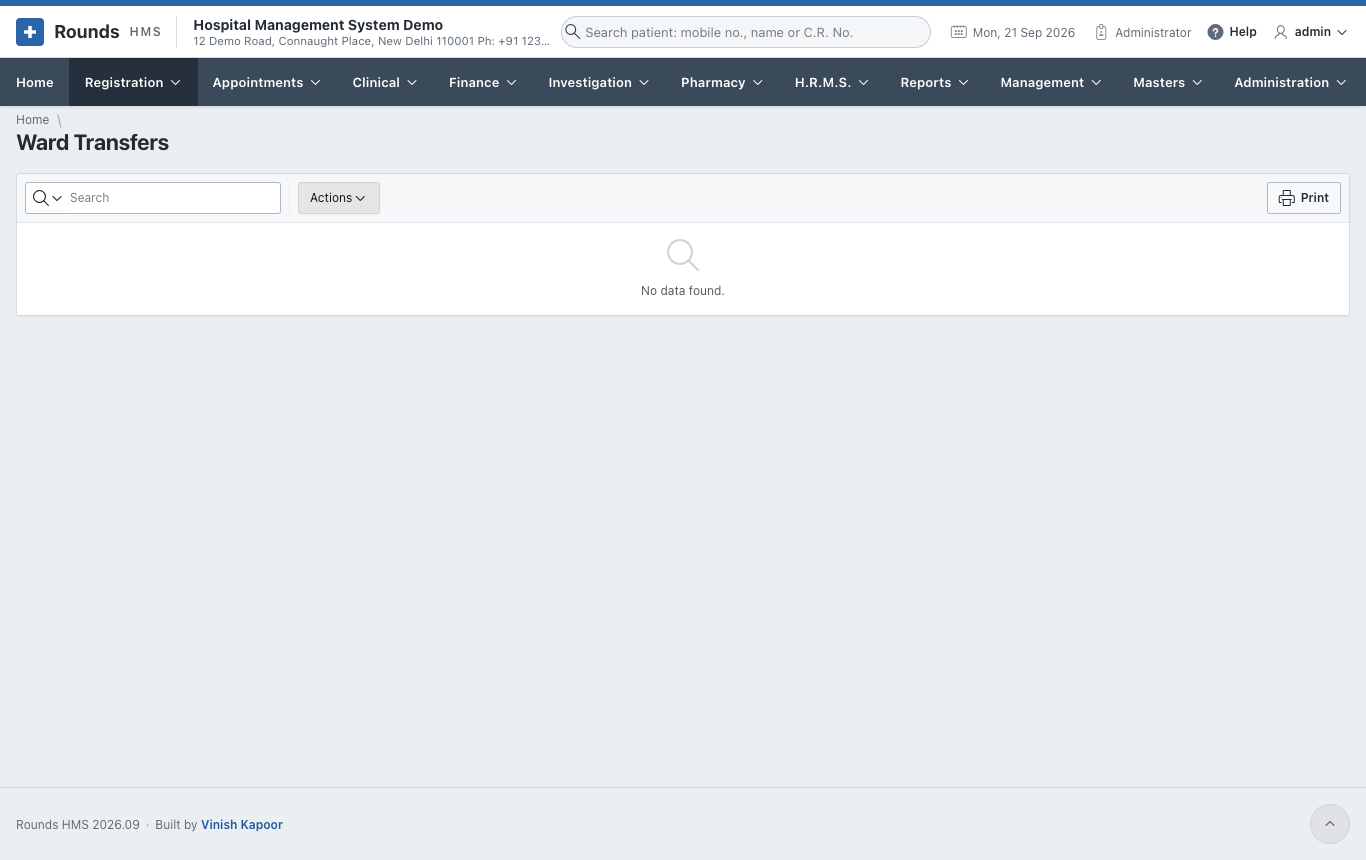
A transfer itself is made on the patient's admission.