Reports
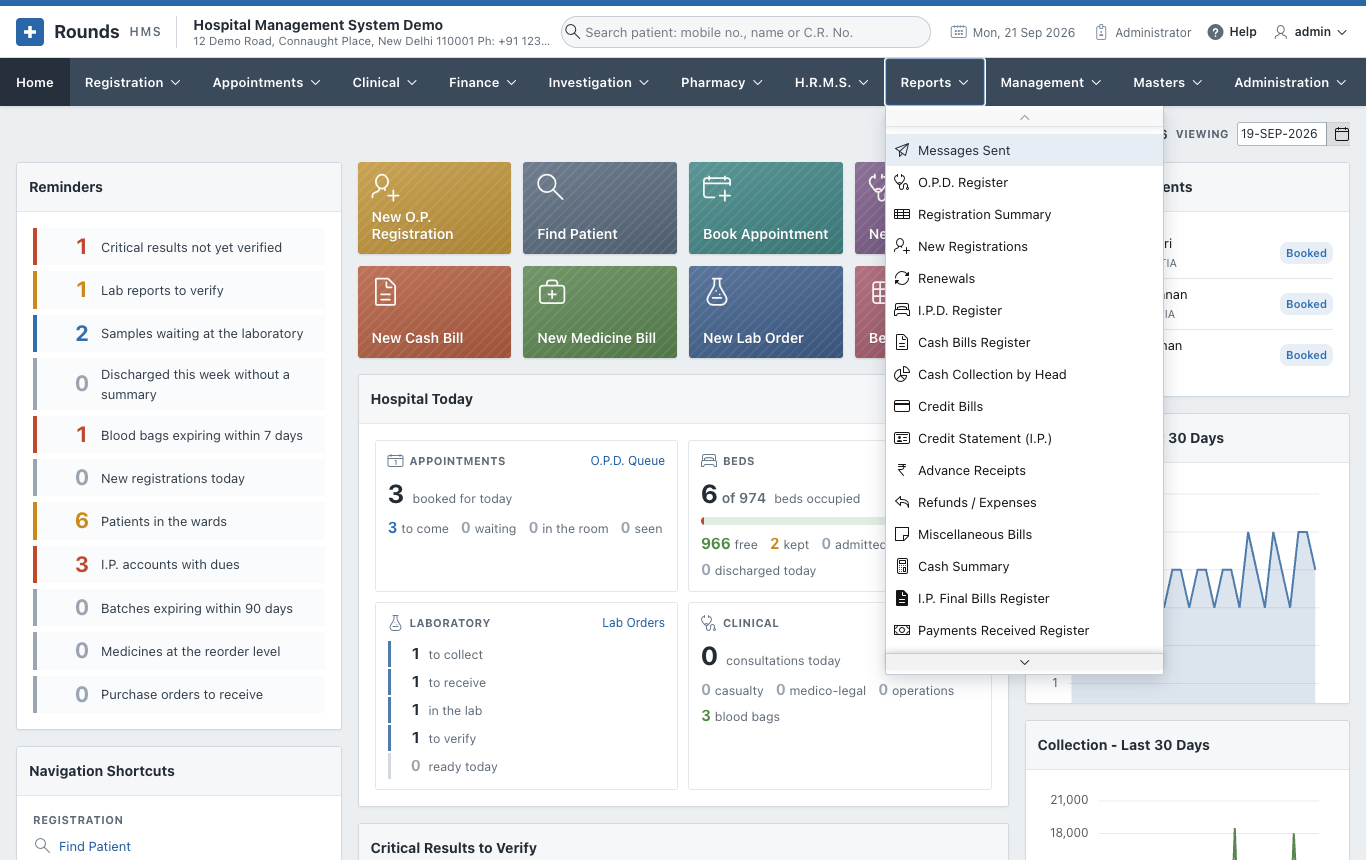
The Reports menu holds the registers and summaries of the hospital: 34 reports on registrations, admissions, money, the pharmacy and clinical work, and the log of WhatsApp messages sent.
| Page | Reports |
|---|---|
| Registration and Admission | O.P.D. Register, Registration Summary, New Registrations, Renewals, I.P.D. Register, Bed Occupancy and Length of Stay |
| Money | Cash Bills Register, Cash Collection by Head, Credit Bills, Credit Statement (I.P.), Advance Receipts, Refunds / Expenses, Miscellaneous Bills, Cash Summary, I.P. Final Bills Register, Payments Received Register, Discounted Bills, G.S.T. Collected |
| Pharmacy | Medicine Sales, Medicine Returns Register, Purchase Orders Register, Purchase Entries Register, Stock Movements |
| Clinical | Appointments Register, O.P.D. Queue and Waiting Times, Doctor Utilisation, Consultations and Diagnoses, Operation Register, Casualty Register, M.L.C. Register, Blood Bank Register, Immunisation Due, Birth Register, Death Register, A.N.C. Register |
| Messages Sent | Every WhatsApp message opened from Rounds HMS |
How every report works
- Period: choose From and To, then click Show. A report opens on the current month.
- Most reports start with a summary (by unit, ward, counter, company, doctor ...), then the details line by line.
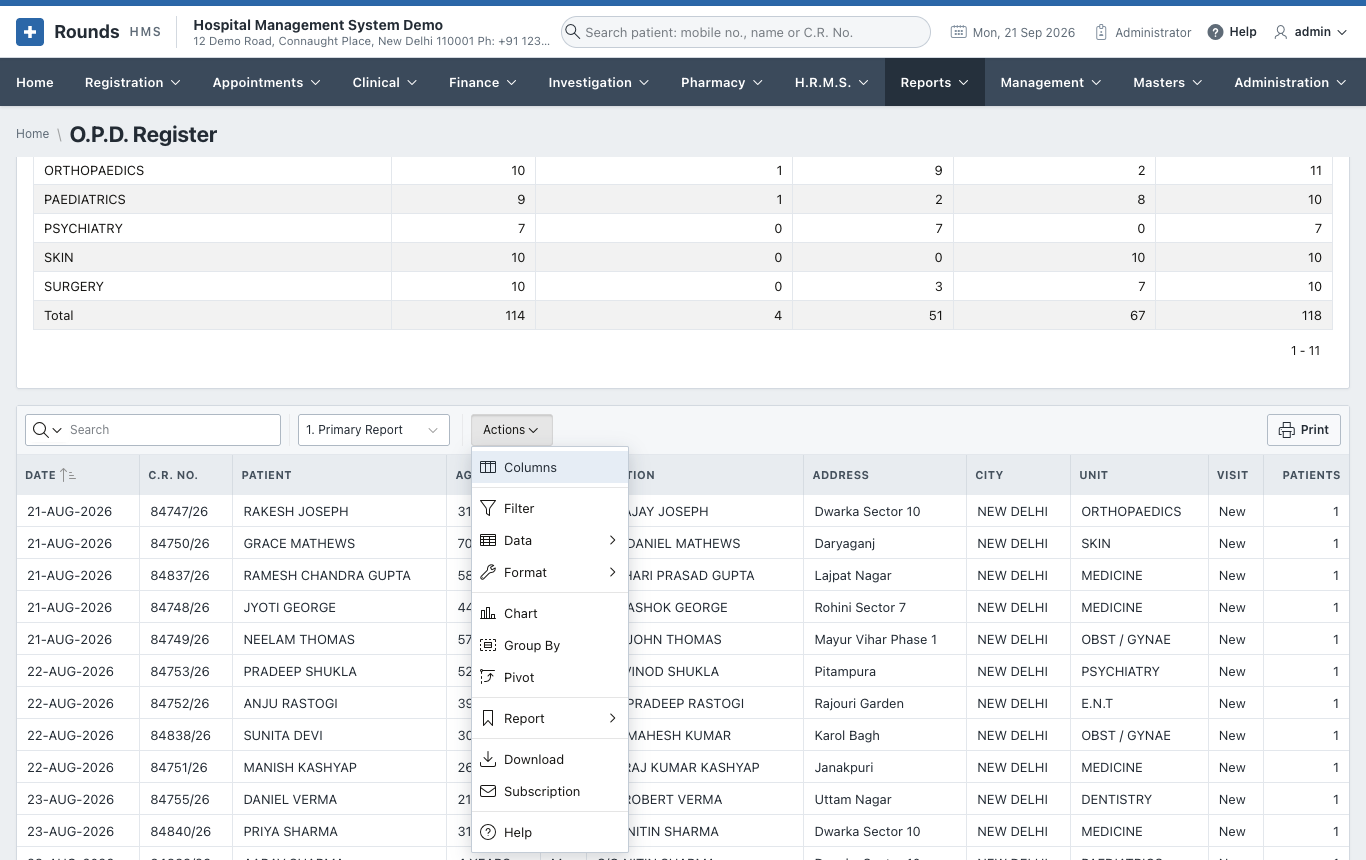
- The details are an interactive report. The Search box finds any text in it, and Actions does the rest:
| Action | Use it to |
|---|---|
| Columns | show, hide and order the columns |
| Filter | keep only the rows you want, e.g. one unit or one doctor |
| Data | sort, add totals (aggregate), compute a new column |
| Format | highlight rows, control breaks, rows per page |
| Chart / Group By / Pivot | see the data as a chart, grouped, or as a pivot table |
| Report | save your layout as your own report, and pick it next time from the list beside Actions |
| Download | Excel, CSV, PDF or HTML |
| Subscription | receive the report by e-mail on a schedule (when e-mail is set up) |
- The list beside Actions holds the saved views of the report, e.g. Unit wise, Doctor wise, By Medicine. 1. Primary Report is the plain list.
- Print prints the details on a clean page, with the hospital's name, the period and the filters applied. The page opens in a new tab and has its own filters by column.
Tip
A layout you save with Actions > Report > Save Report is yours alone. It does not change the report for anyone else.