Find Patient
Registration > Find Patient is the quickest way to reach a patient. From the list of results you can open the patient's history, renew the visit, admit the patient, or write a prescription, all without typing the patient again.
Search
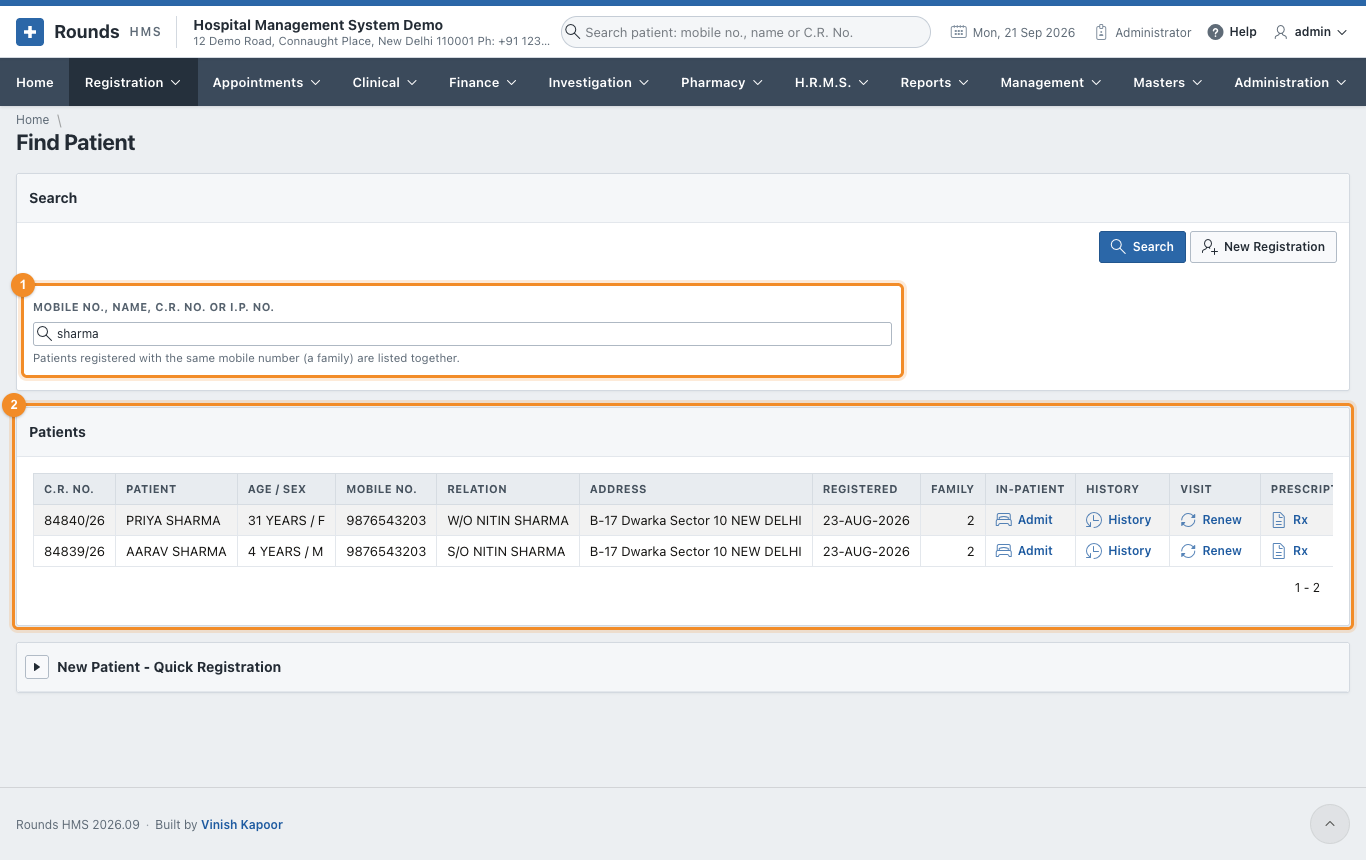
- In 1 Mobile No., Name, C.R. No. or I.P. No., type any of these:
- a mobile number, e.g.
9876543203; - a part of the name, e.g.
sharma; - a C.R. No., e.g.
84839/26(or just84839); - the I.P. No. of an admitted patient.
- a mobile number, e.g.
- Press Enter or click Search.
- The patients found appear in 2 Patients. Patients of one family (the same mobile number) are listed together, and Family shows how many share the number.
Each row has four links:
| Link | Opens |
|---|---|
| Admit | I.P. Admission with this patient filled in, and the doctor they are registered with |
| History | Patient History of this patient |
| Renew | Renew Registration for a returning visit |
| Rx | a New Prescription for this patient |
A search by mobile number shows the whole family:

Quick registration of a walk-in
When the patient is not found and there is no time for the full form (for example, in an emergency), open New Patient - Quick Registration at the bottom of the page:
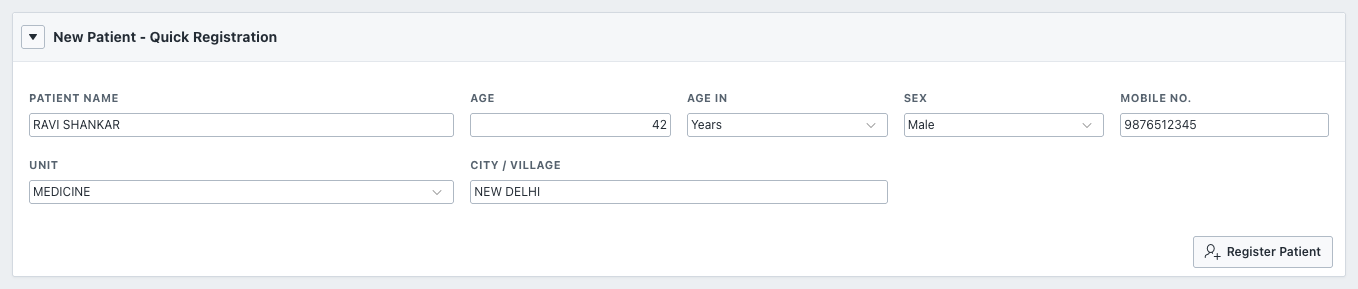
- Enter the Patient Name, Age, Age In, Sex, Mobile No., Unit and City / Village.
- Click Register Patient.
The patient gets a C.R. No. at once, as a provisional registration without a fee. Complete the address and take the fee later from O.P. Registrations.
Duplicates
If a patient with the same name is already registered with the same mobile number, the quick registration stops and shows that patient's C.R. No. Use that number instead of registering twice.