GST and the Accounts
GST Returns
Finance > GST Returns prepares the monthly GST returns from the bills.
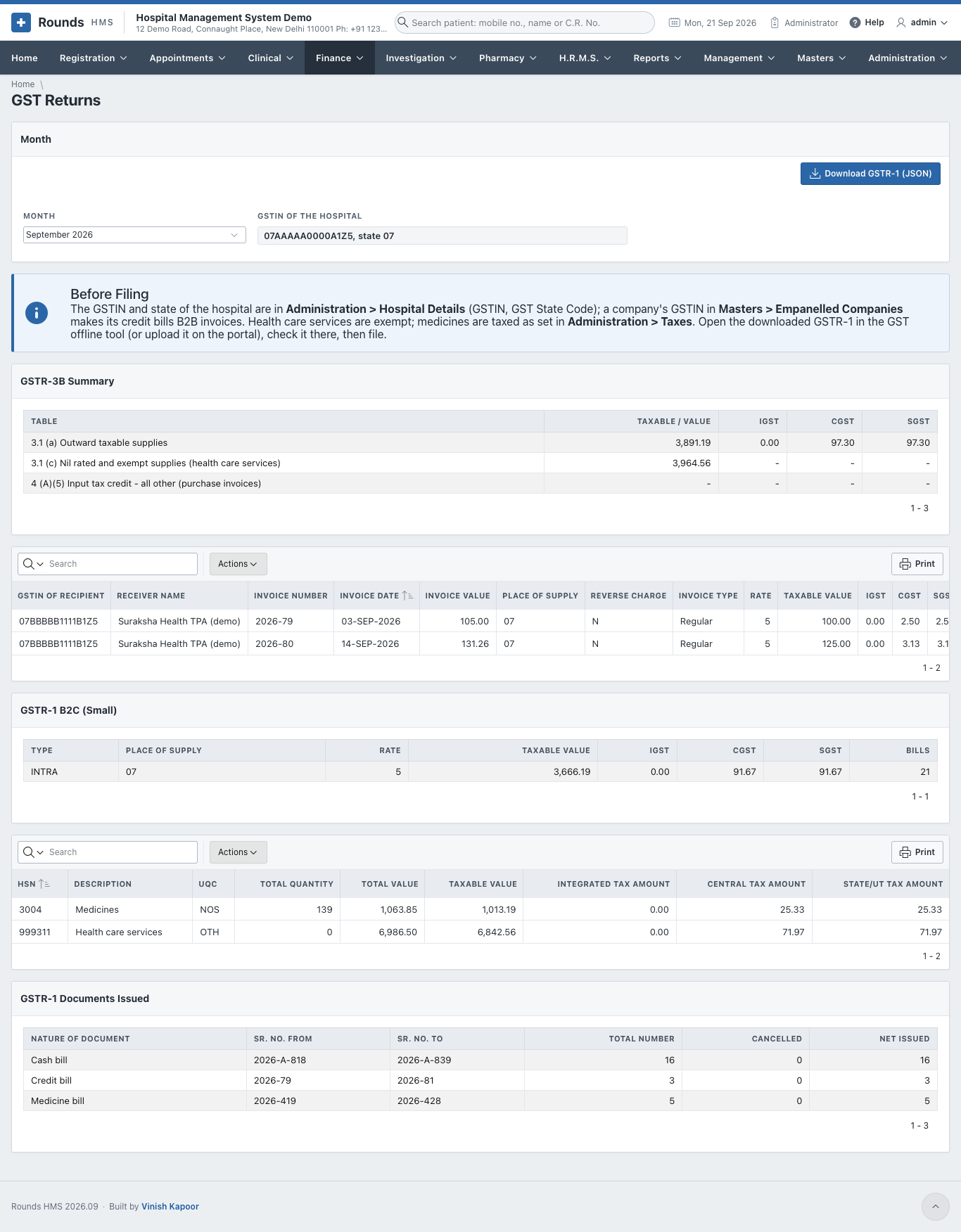
- Choose the Month. GSTIN of the Hospital comes from Administration > Hospital Details.
- Before Filing lists what to check: the hospital's GSTIN and state, and the GSTIN of the companies billed on credit. A company with a GSTIN makes its bills B2B.
- The sections of the returns:
- GSTR-3B Summary: the taxable value and the tax;
- GSTR-1 B2B Invoices: the bills to registered companies;
- GSTR-1 B2C (Small): everything else, by state and rate;
- GSTR-1 HSN / SAC Summary;
- GSTR-1 Documents Issued: the number series used.
- Download GSTR-1 (JSON) saves the file to upload in the GST portal's offline tool.
E-Invoices
A hospital whose turnover requires e-invoicing must register its B2B bills on the government's portal. Switch it on in Administration > Hospital Details (E-invoices for Company Bills).
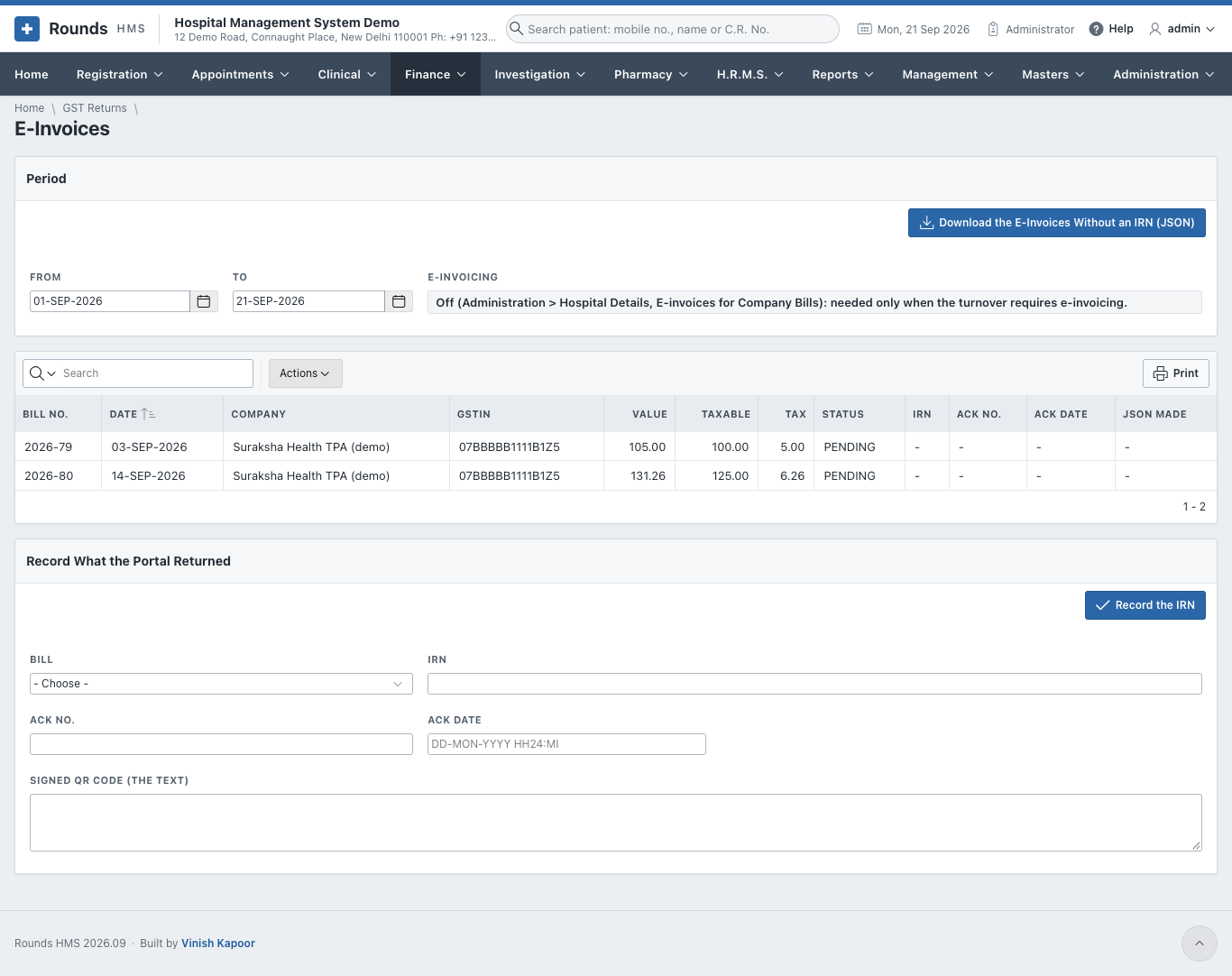
- Choose From and To. B2B Bills lists the company bills, with and without an IRN.
- Download the E-Invoices Without an IRN (JSON) saves the file to upload on the e-invoice portal.
- Record What the Portal Returned: for each Bill, enter the IRN, Ack No., Ack Date and the Signed QR Code. Then Record the IRN. The printed bill then carries the IRN and its QR code.
Ledger Settings
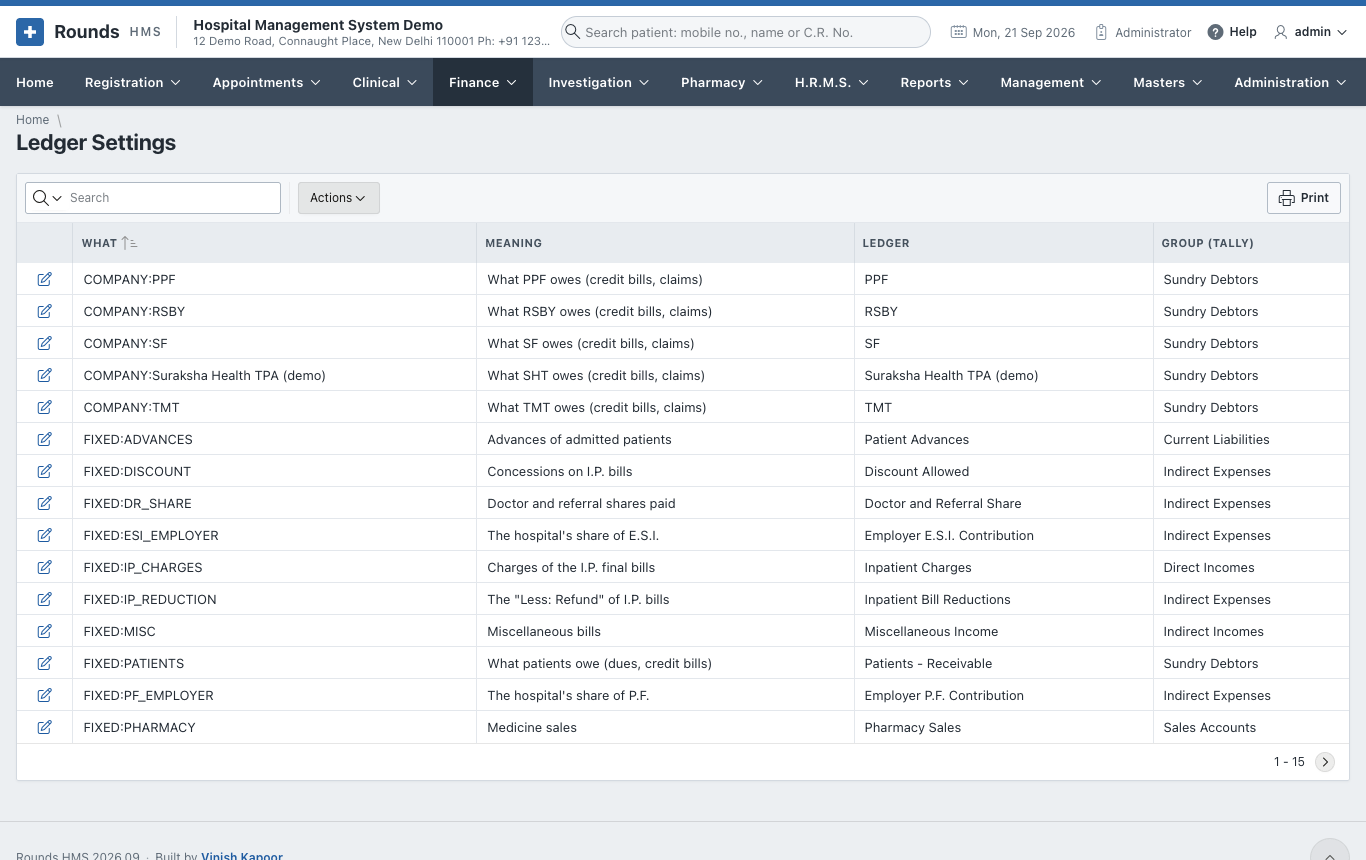
Finance > Ledger Settings says which ledger of the accountant every kind of money goes to. For example:
- Cash goes to Cash;
- UPI goes to the bank account the UPI settles into;
- Pathology Income goes to Direct Incomes;
- Output CGST goes to Duties and Taxes.
Set it once, to match the ledgers in Tally or Zoho Books. The salaries of payroll have their own lines too: one for each salary head (PAYHEAD:BASIC ...), and Salaries Payable, Employer P.F. Contribution and Employer E.S.I. Contribution.
Day Book and Ledger
Finance > Day Book shows every voucher of a Day with its debit and credit lines, and the Total of the Day.
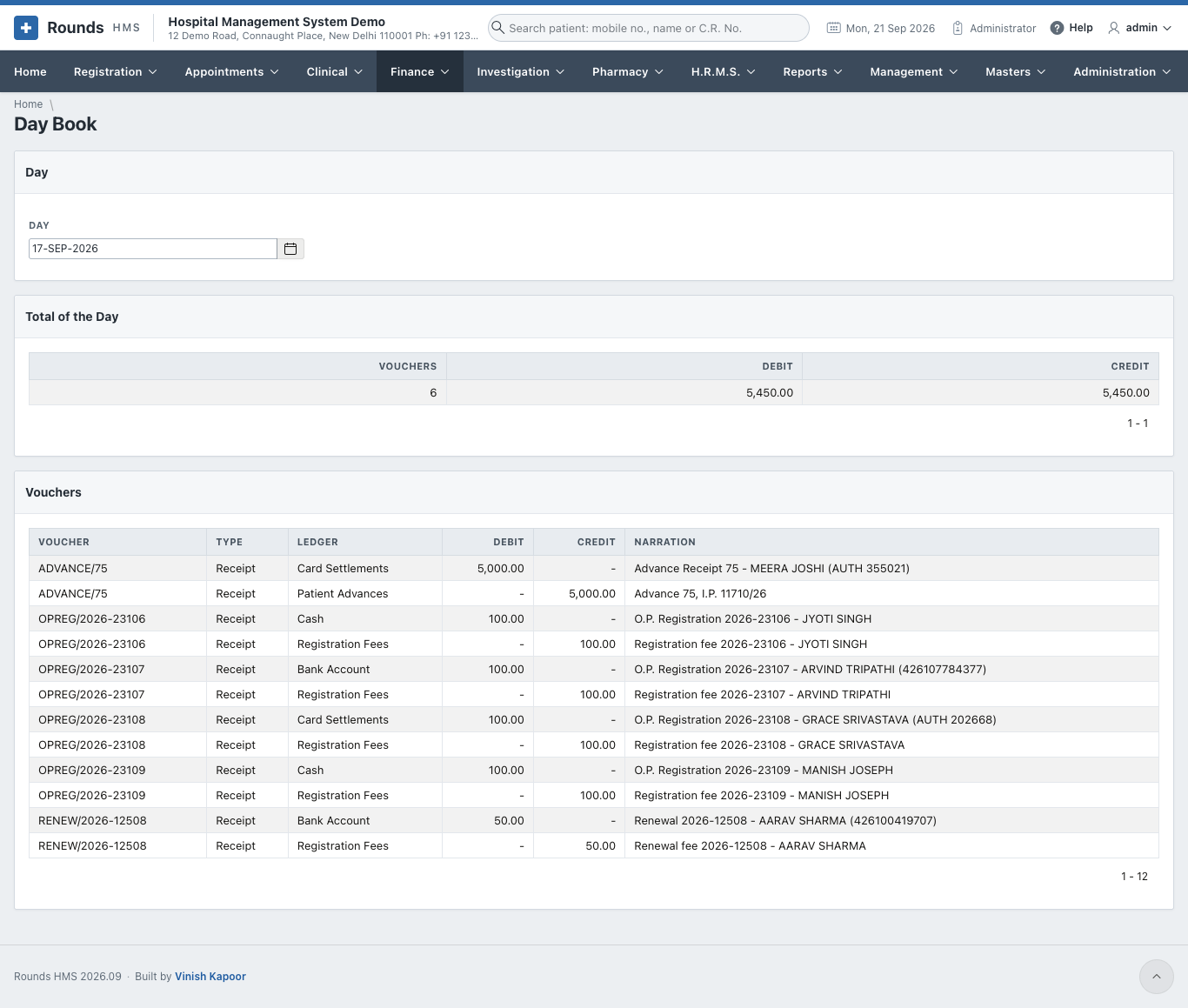
Salaries appear here too: each locked month of payroll is a journal SALARY/2026-08 on the last day of the month, and recording the payment is a voucher SALARYPAID/2026-08 on the day it was paid (see Salaries in the accounts).
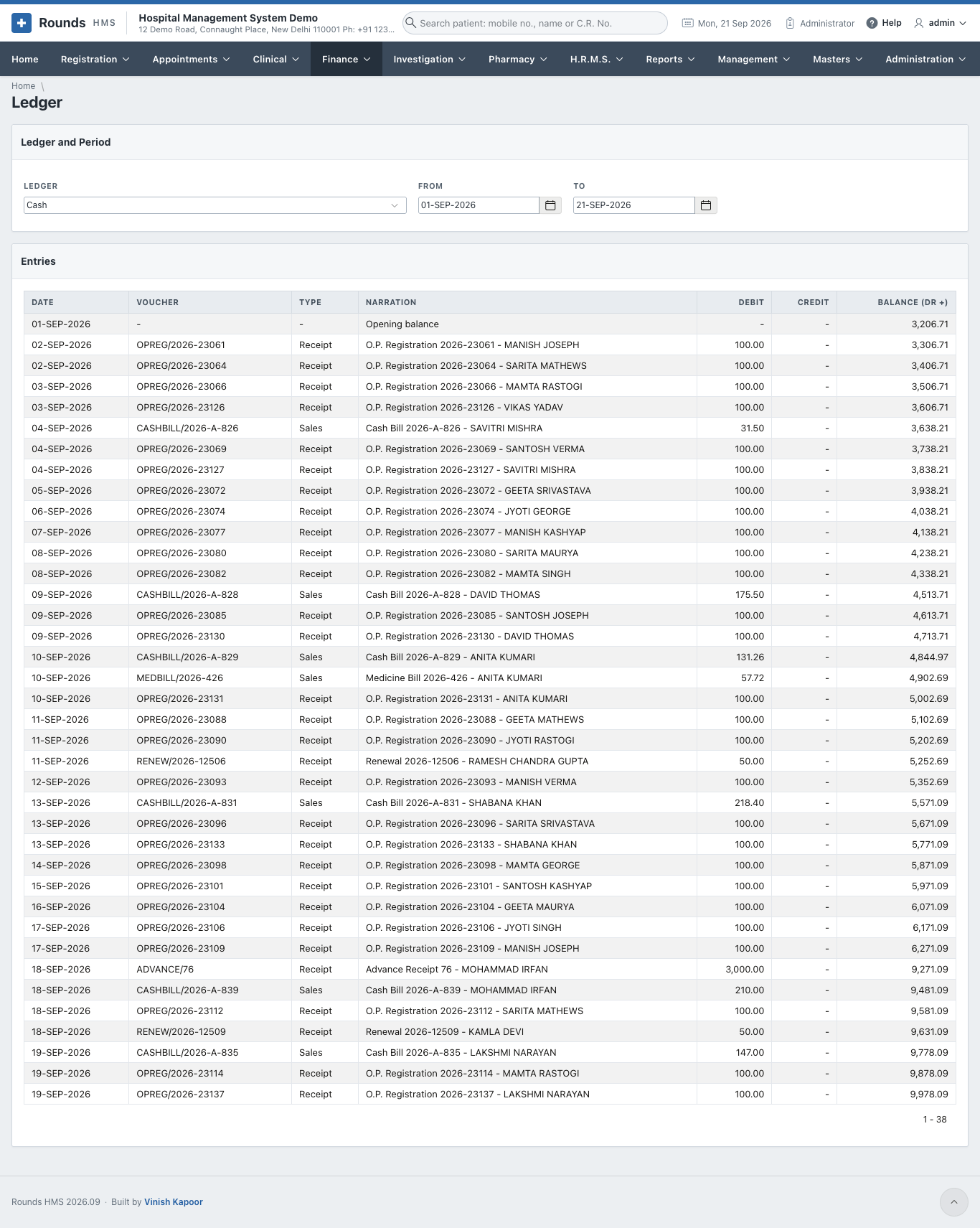
Finance > Ledger shows one Ledger (Cash, a bank, an income ...) for a period: every entry with its debit, credit and running balance.
Insured admissions in the accounts
When the final bill of an insured admission is divided, the accounts keep the two parts apart, so each insurer's ledger shows what it owes:
| Voucher | Debit | Credit |
|---|---|---|
| I.P. final bill | Patients - Receivable: the patient's part. The insurer's own ledger (e.g. Suraksha Health TPA, under Sundry Debtors): its part | Inpatient Charges, as for any bill |
| Settlement received | the bank | the insurer's ledger |
| TDS kept by the insurer | TDS Receivable: an asset, claimed back against the hospital's income tax | the insurer's ledger |
| Disallowed, written off | Discount and Write-off | the insurer's ledger |
| Disallowed, the patient pays it, or the claim refused | Patients - Receivable | the insurer's ledger |
So once a claim is settled, the insurer's ledger comes back to nought, and whatever is left sits with the patient. The ledger names can be changed in Ledger Settings (TDS Receivable is FIXED:TDS_RECEIVABLE; each insurer is COMPANY: and its name).
Claims settled before the bill was divided (before this feature came in) stay on Patients - Receivable, as they were.
Accounting Export
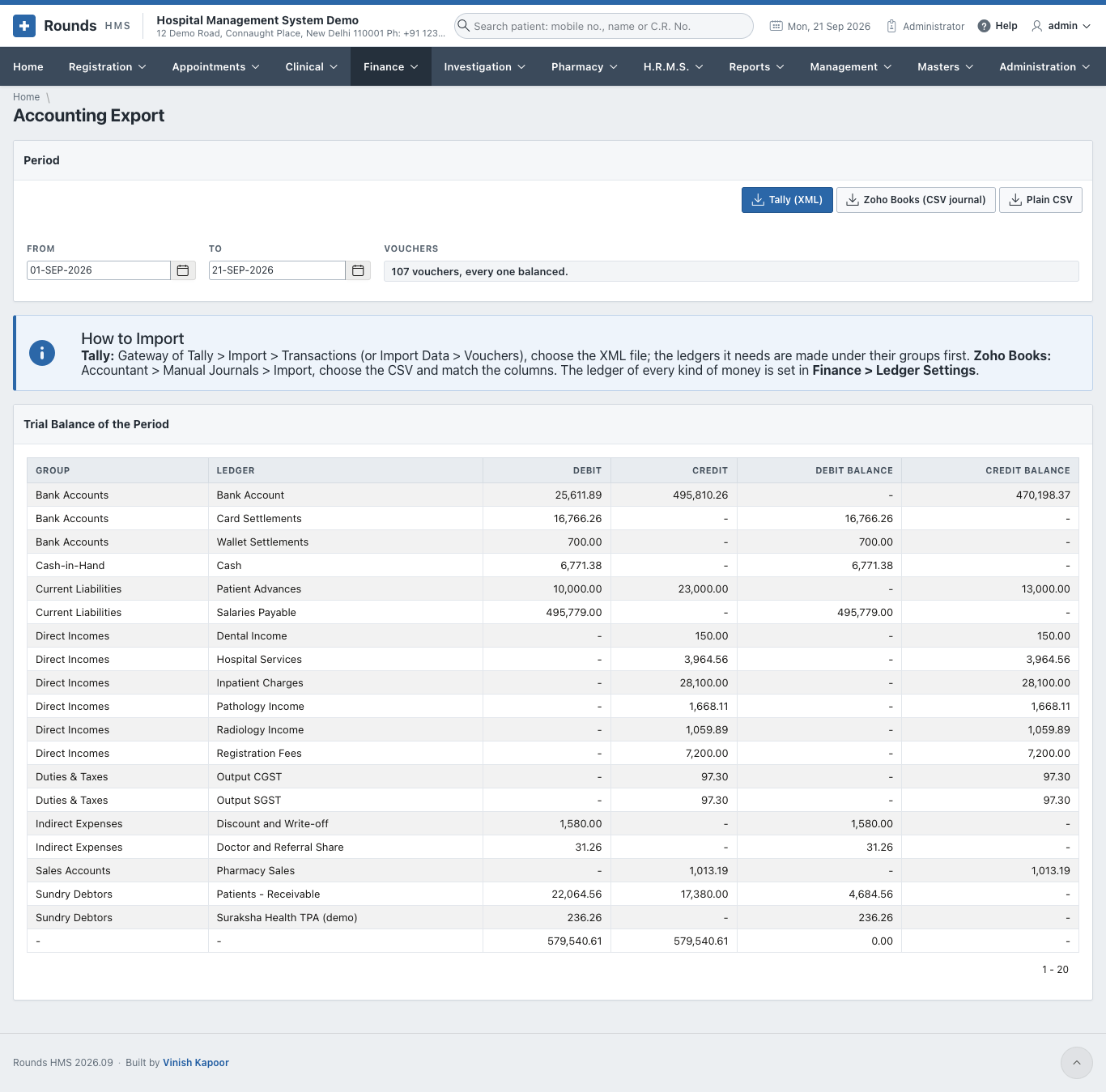
Finance > Accounting Export sends the accounts of a period to the accountant's software:
- Choose From and To. Vouchers checks that every voucher balances.
- Trial Balance of the Period shows the totals of every ledger.
- Download:
- Tally (XML): in Tally, Gateway of Tally > Import > Transactions. The ledgers it needs are created under their groups first;
- Zoho Books (CSV journal): in Zoho Books, Accountant > Manual Journals > Import;
- Plain CSV: for any other software or a spreadsheet.