Prescriptions
Write a prescription with the patient's vitals, symptoms and diagnosis, the medicines, the tests and the advice, and print it for the patient.
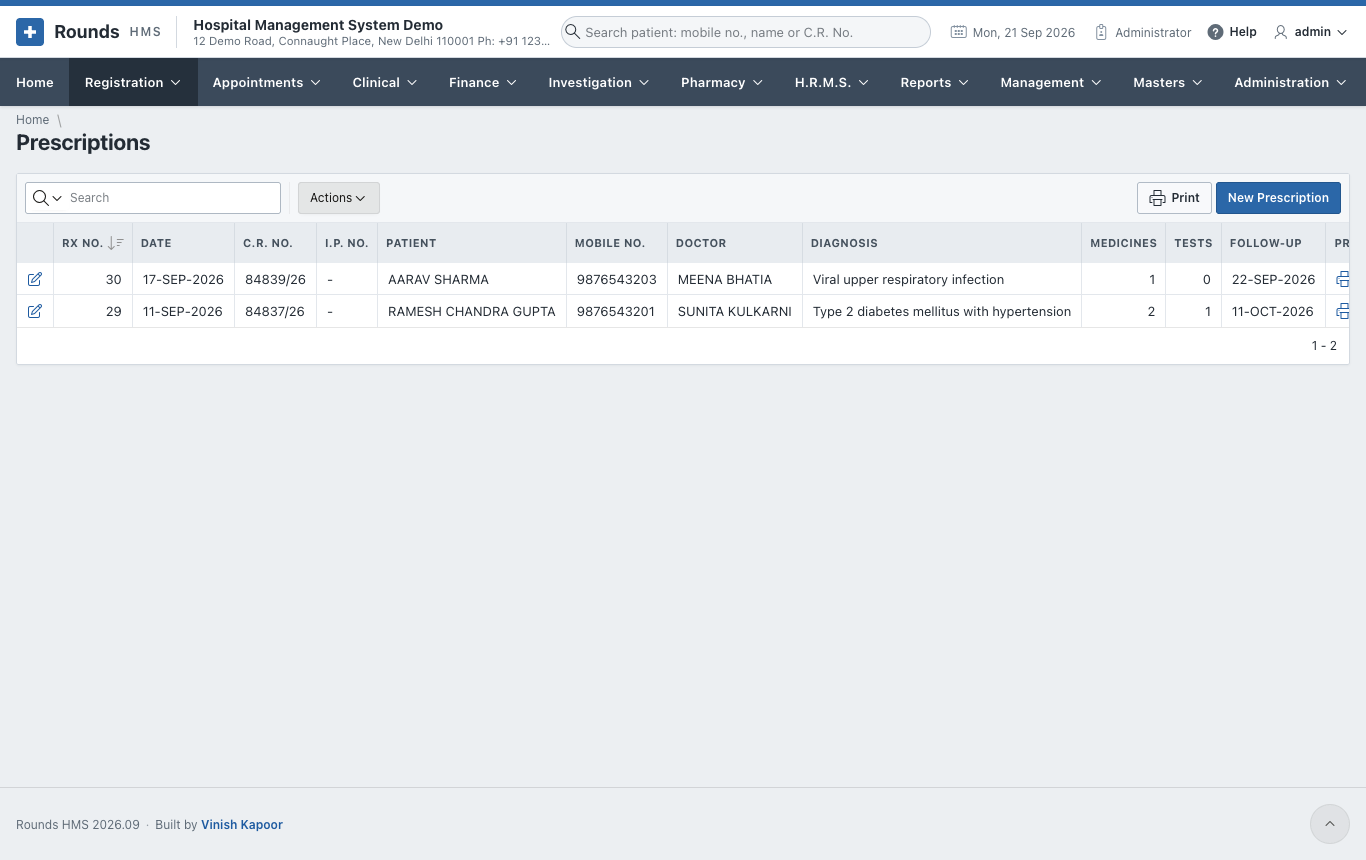
Open Registration > New Prescription, or click Rx next to the patient in Find Patient. Registration > Prescriptions lists the prescriptions already written.
Steps
- Patient and Doctor
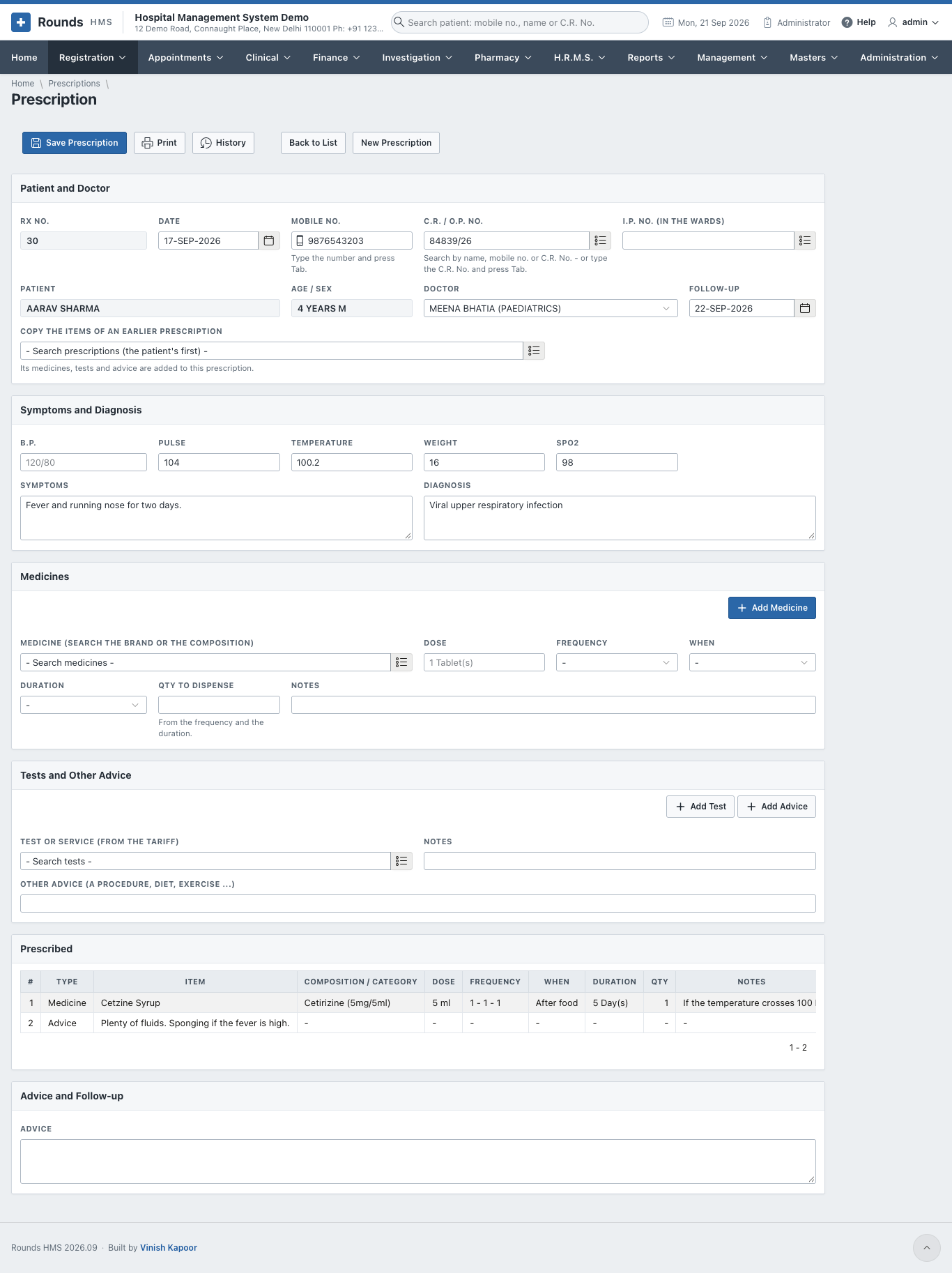
- Type the Mobile No. and press Tab, or search the C.R. / O.P. No. For a patient in the wards, choose the I.P. No. instead.
- The Doctor fills in from the patient's registration; change it if needed.
- Follow-up: the day the patient should come back.
- Copy the Items of an Earlier Prescription: for a patient on the same treatment, choose an earlier prescription. Its medicines, tests and advice are added to this one.
- Symptoms and Diagnosis: B.P., Pulse, Temperature, Weight, SpO2, then the Symptoms and the Diagnosis.
- Medicines, one at a time:
- Medicine: search by the brand or by the composition (e.g. paracetamol);
- Dose, Frequency (e.g. 1 - 0 - 1), When (before or after food) and Duration;
- Qty to Dispense is worked out from the frequency and the duration;
- click Add Medicine. The medicine joins the Prescribed list.
- Tests and Other Advice:
- Test or Service (from the tariff) and Add Test. A billing clerk can later put these tests on a bill in one click, and the laboratory can make a lab order from them.
- Other Advice (a procedure, diet, exercise ...) and Add Advice.
- Advice and Follow-up: general advice for the patient.
- Click Save Prescription. The prescription gets its Rx No.
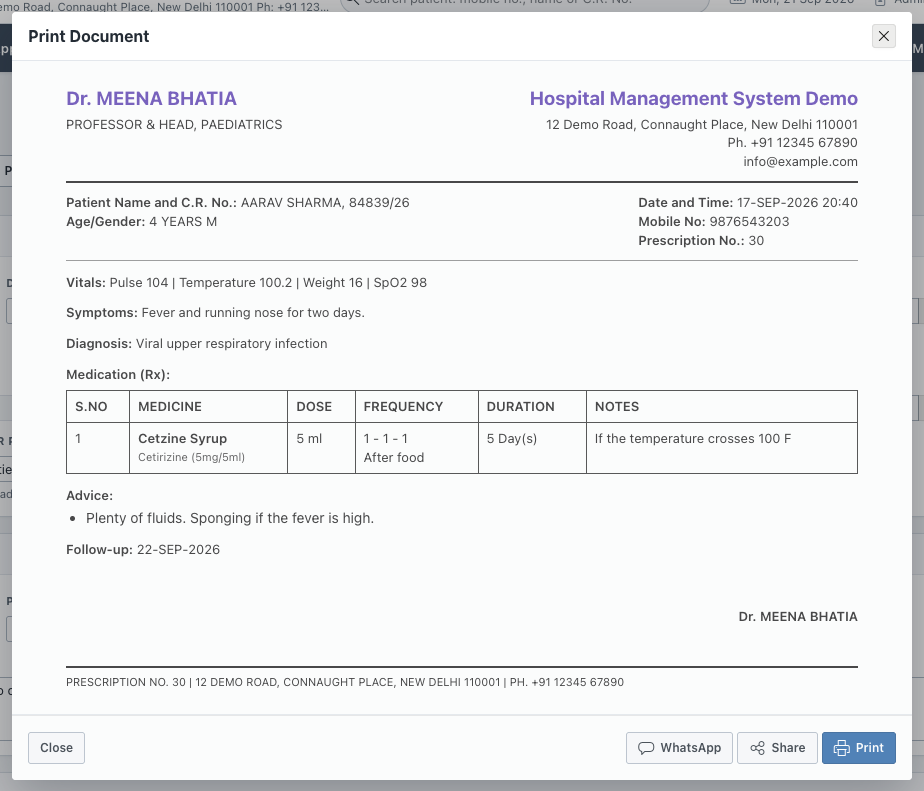
- Print shows the prescription as it will be printed:
In this window:
- Print sends it to the printer, or saves it as a PDF;
- Share sends the PDF from a phone or tablet (WhatsApp, e-mail ...);
- WhatsApp opens WhatsApp with the patient's mobile number and a short message already typed. Press Send in WhatsApp and attach the PDF from Share if you want to send the prescription itself. No WhatsApp account is needed in the hospital's settings; it uses the WhatsApp of the computer or phone you are working on.
To take a line off the Prescribed list, use the remove link at the end of the line.